> For the complete documentation index, see [llms.txt](https://help.1024proxy.com/llms.txt). Markdown versions of documentation pages are available by appending `.md` to page URLs; this page is available as [Markdown](https://help.1024proxy.com/1024/1024proxy/integrationtutorial/fbt/brave.md).
# 如何在Brave中设置1024代理
### Brave Browser 简介
Brave Browser 是一款主打 隐私保护与高速浏览体验 的现代浏览器,基于 Chromium 内核开发,兼容 Chrome 扩展,适合日常上网和对隐私较为敏感的用户。
它最大的特点是 默认拦截广告和追踪器。Brave 内置广告拦截和反追踪机制,无需安装任何插件,就可以阻止网页中的广告脚本、第三方追踪器和恶意弹窗,从而提升页面加载速度,同时减少个人数据被收集的风险。
### 下载与安装
下载地址:
### 设置代理
{% stepper %}
{% step %}
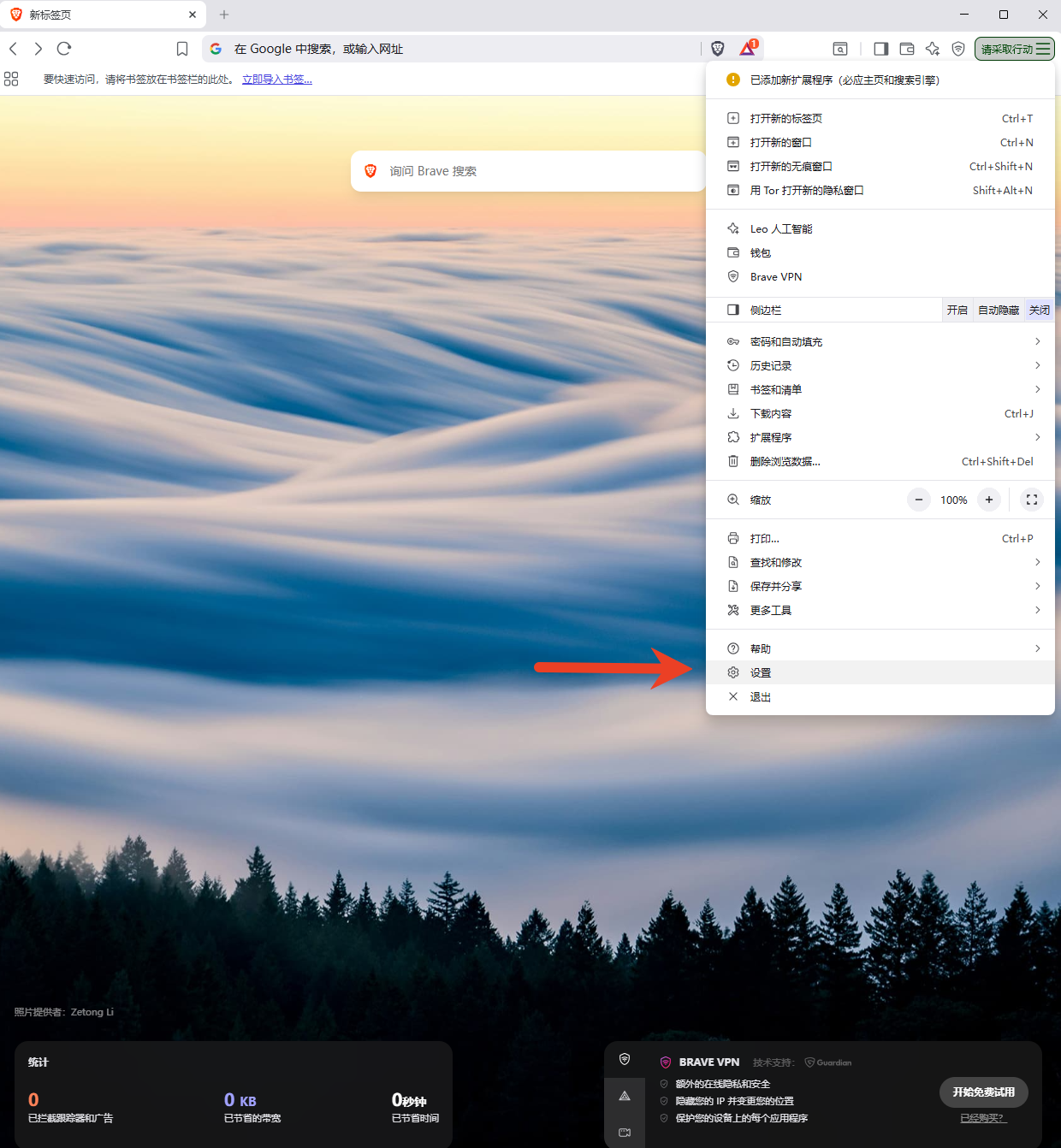
### 点击右上角的三个横线图标,进入设置界面
 {% endstep %}
{% step %}
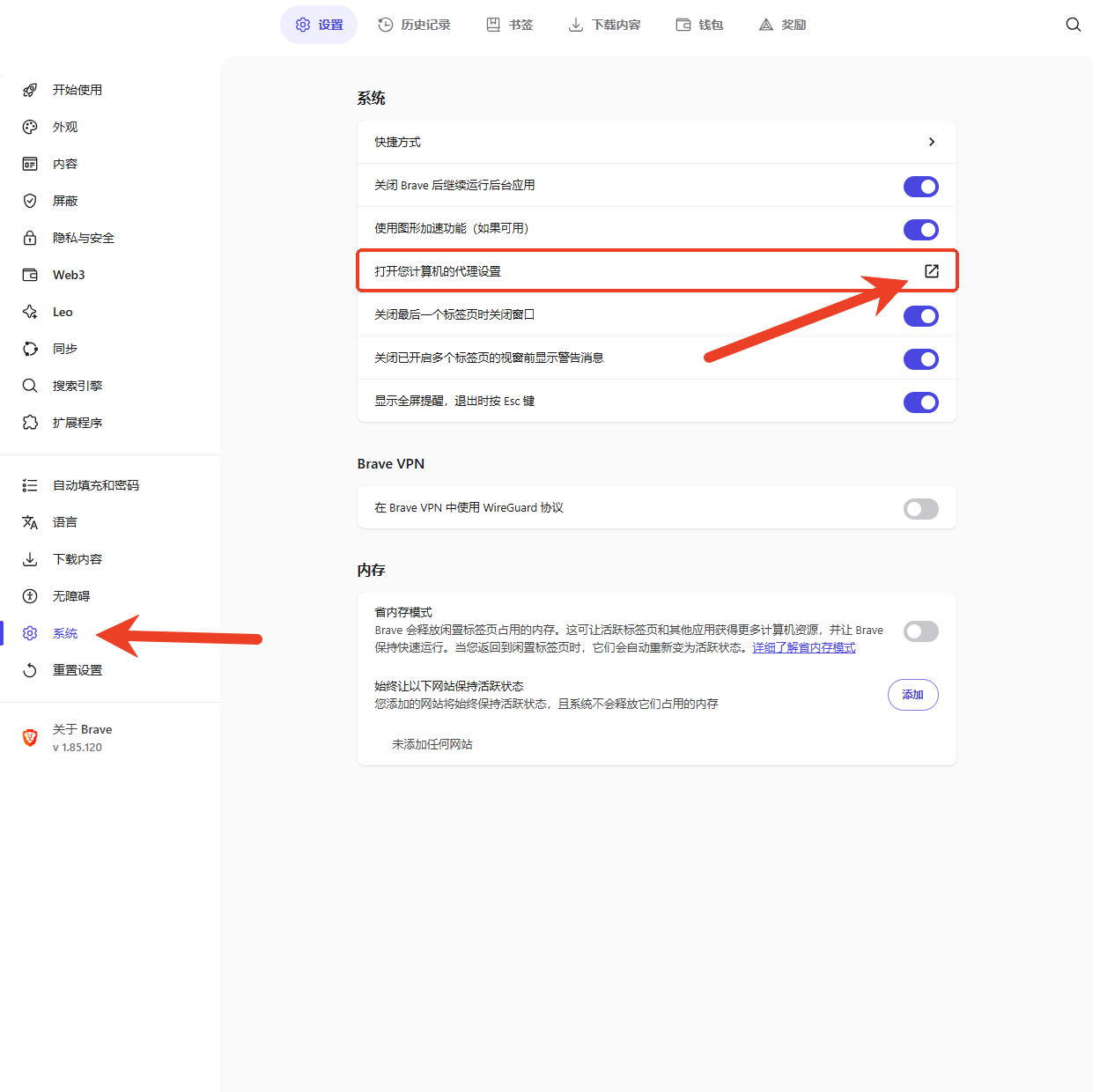
### 选择系统菜单下的【打开您计算机的代理设置】
{% endstep %}
{% step %}
### 选择系统菜单下的【打开您计算机的代理设置】
 {% endstep %}
{% step %}
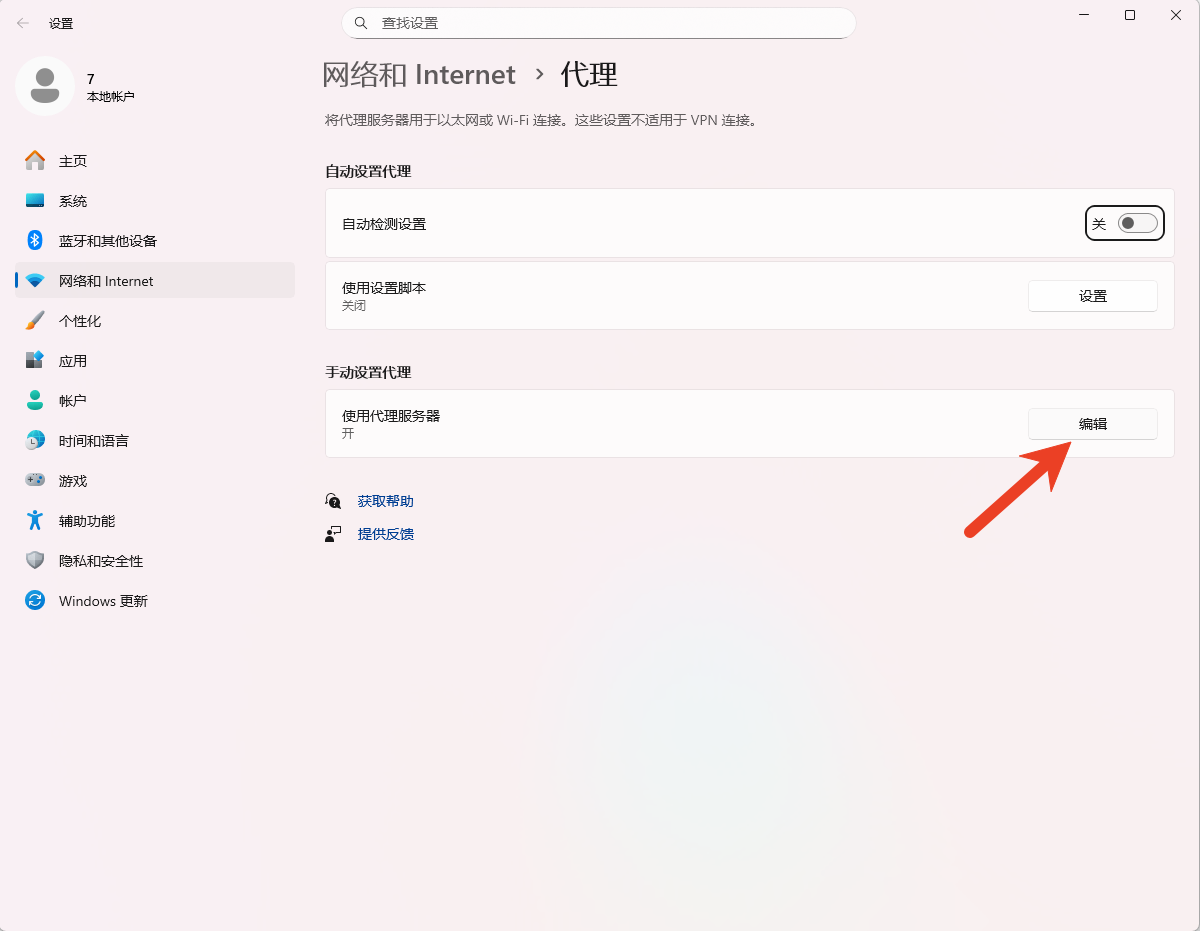
### 点击后进入本机电脑的代理设置界面,选择【手动设置代理】,点击【编辑】
{% endstep %}
{% step %}
### 点击后进入本机电脑的代理设置界面,选择【手动设置代理】,点击【编辑】
 {% endstep %}
{% step %}
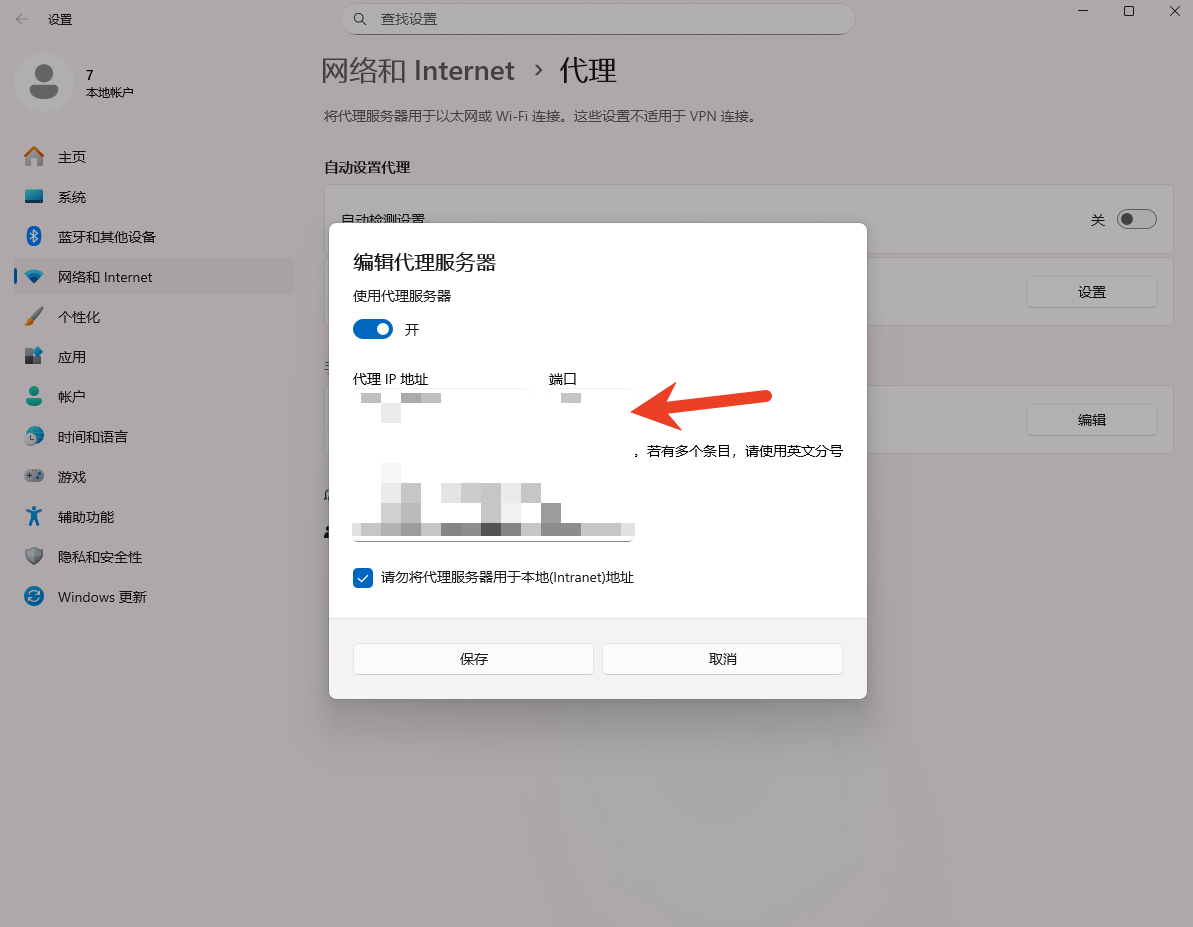
### 将代理服务器打开,并将从1024proxy获取的代理信息粘贴到对应的位置。
{% endstep %}
{% step %}
### 将代理服务器打开,并将从1024proxy获取的代理信息粘贴到对应的位置。
 {% endstep %}
{% step %}
### 点击保存,再次以该浏览器访问目标网站检测IP是否可用
{% endstep %}
{% endstepper %}
{% endstep %}
{% step %}
### 点击保存,再次以该浏览器访问目标网站检测IP是否可用
{% endstep %}
{% endstepper %}