> For the complete documentation index, see [llms.txt](https://help.1024proxy.com/llms.txt). Markdown versions of documentation pages are available by appending `.md` to page URLs; this page is available as [Markdown](https://help.1024proxy.com/1024/1024proxy/integrationtutorial/fbt/hidemium.md).
# 如何在Hidemium中设置1024代理
### Hidemium简介
Hidemium 是一款专业的 指纹浏览器 / 反检测浏览器(Anti-detect Browser),通过在同一台设备上创建多个相互隔离的浏览器环境,模拟不同的设备指纹和网络特征,从而有效避免账号之间产生关联,降低被平台风控系统识别、限流或封禁的风险。
### 下载Hidemium并完成配置
下载地址:
{% stepper %}
{% step %}
### 创建新窗口
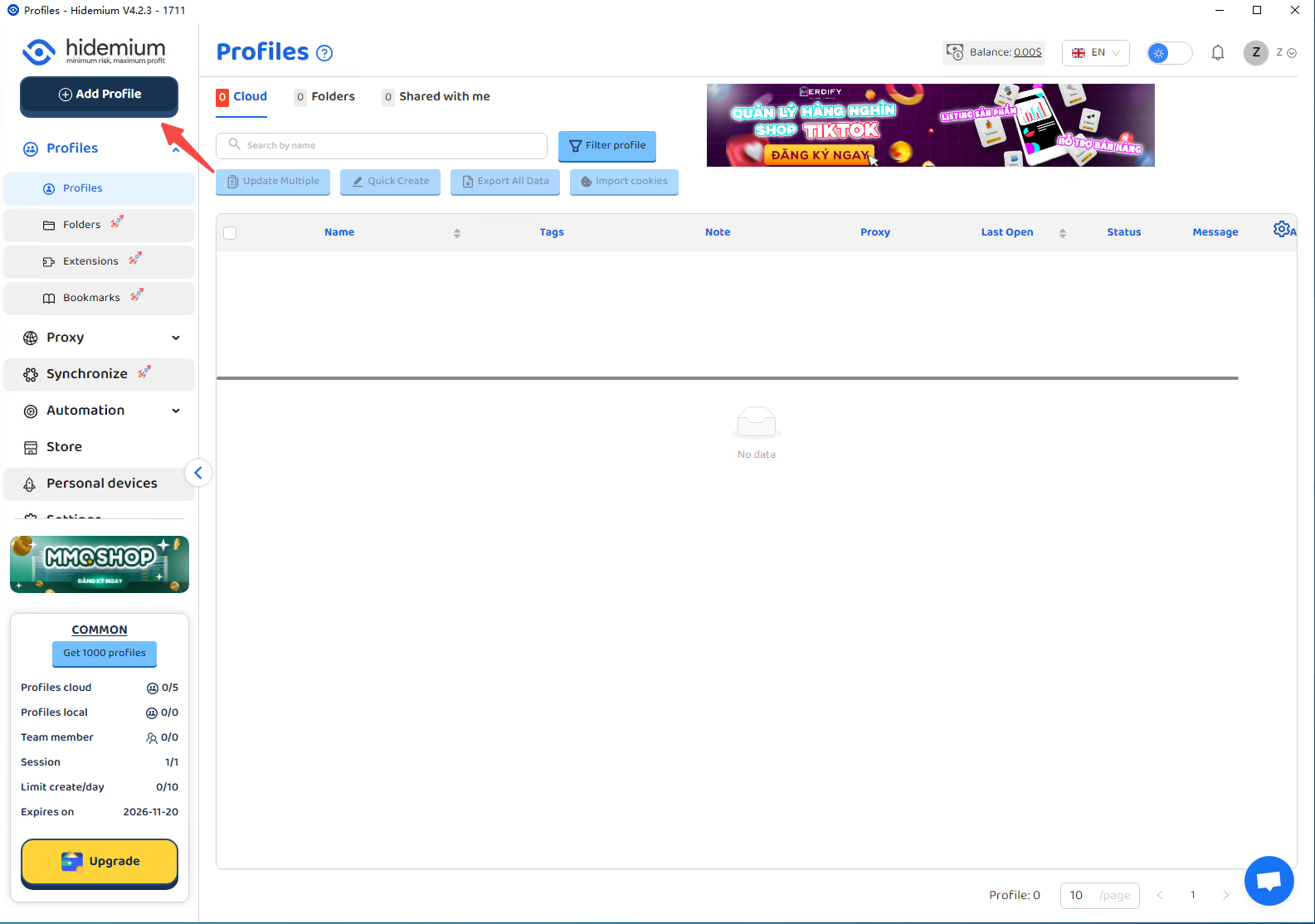
点击Add profiles 创建新的反检测浏览器窗口
 {% endstep %}
{% step %}
### 完成基本信息填写
填写完需要设定的内容
{% endstep %}
{% step %}
### 完成基本信息填写
填写完需要设定的内容
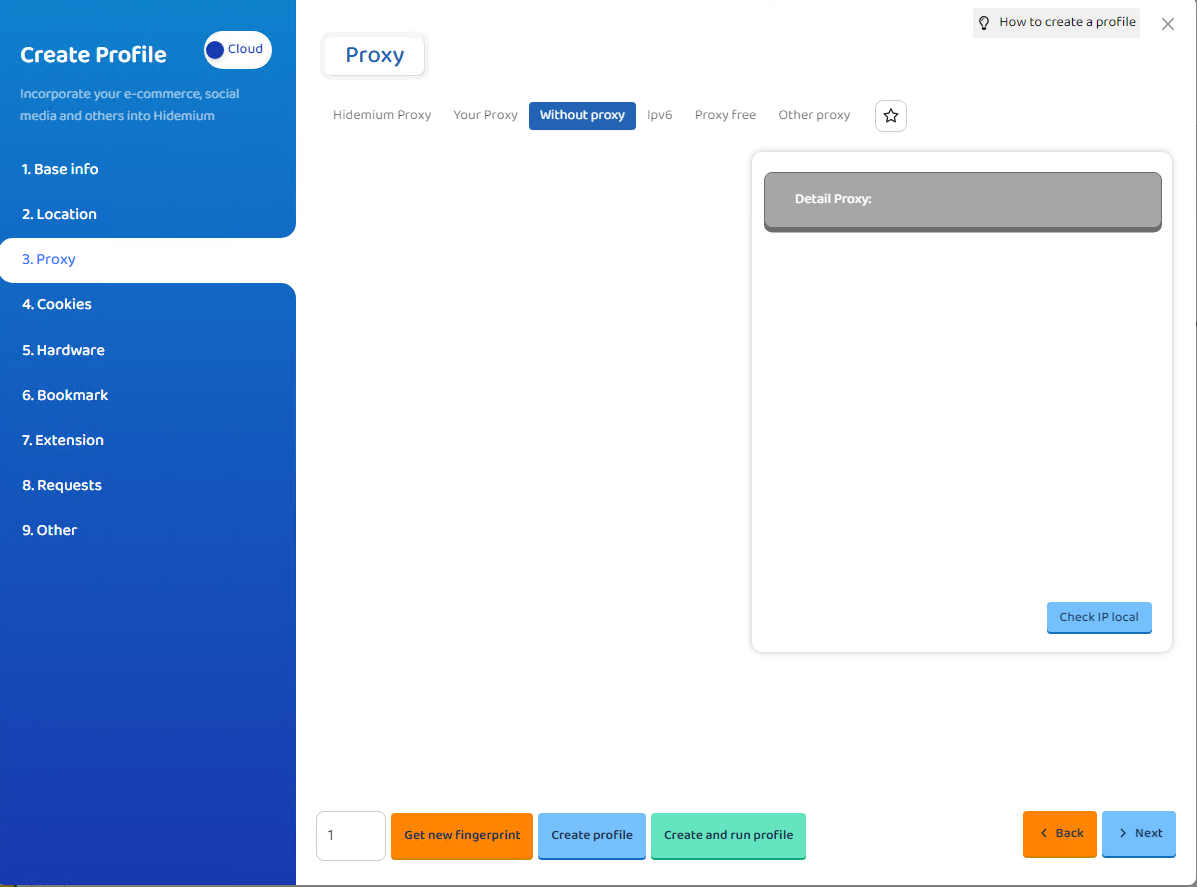
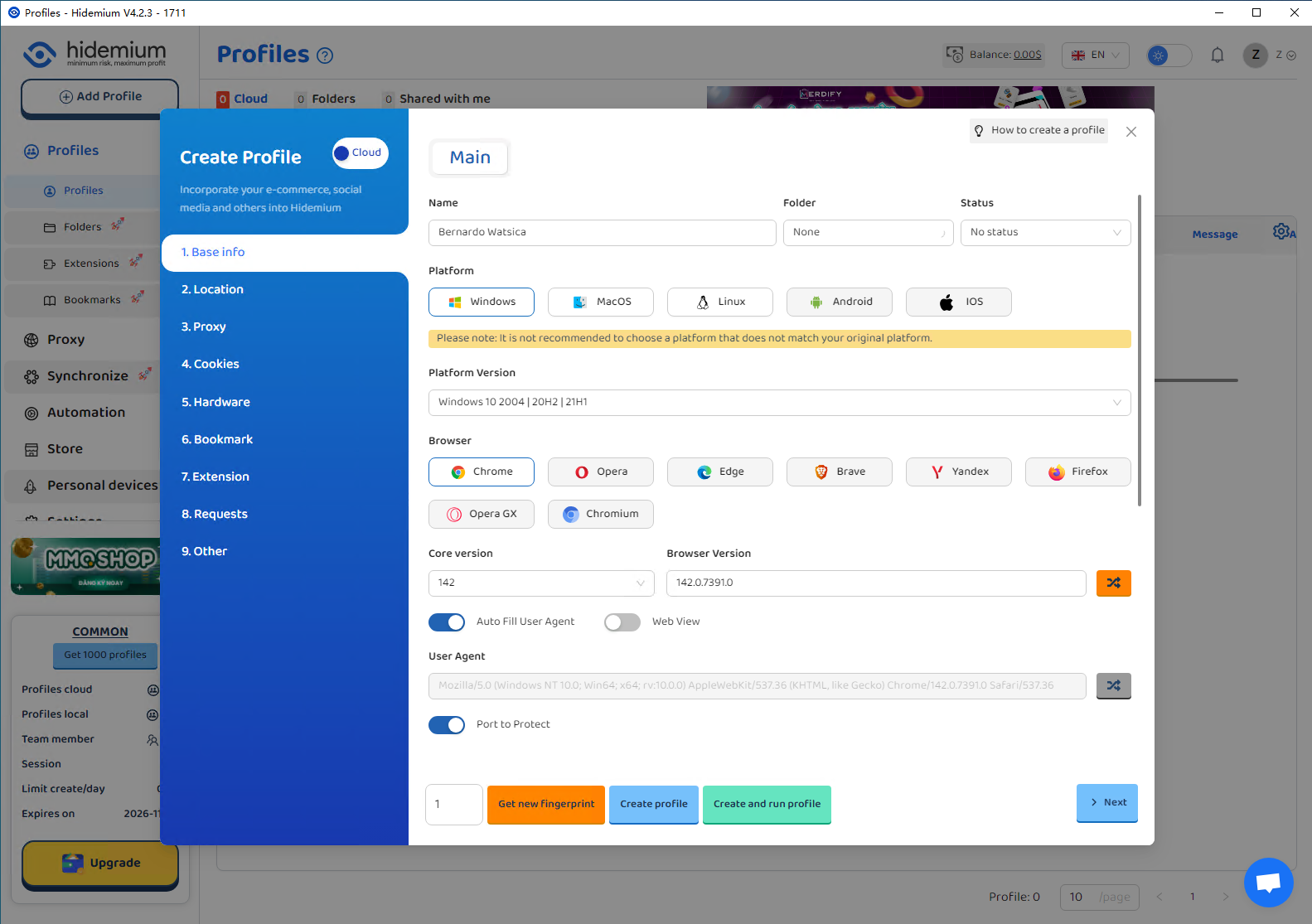 点击Proxy板块
 {% endstep %}
{% step %}
### 导入1024代理信息
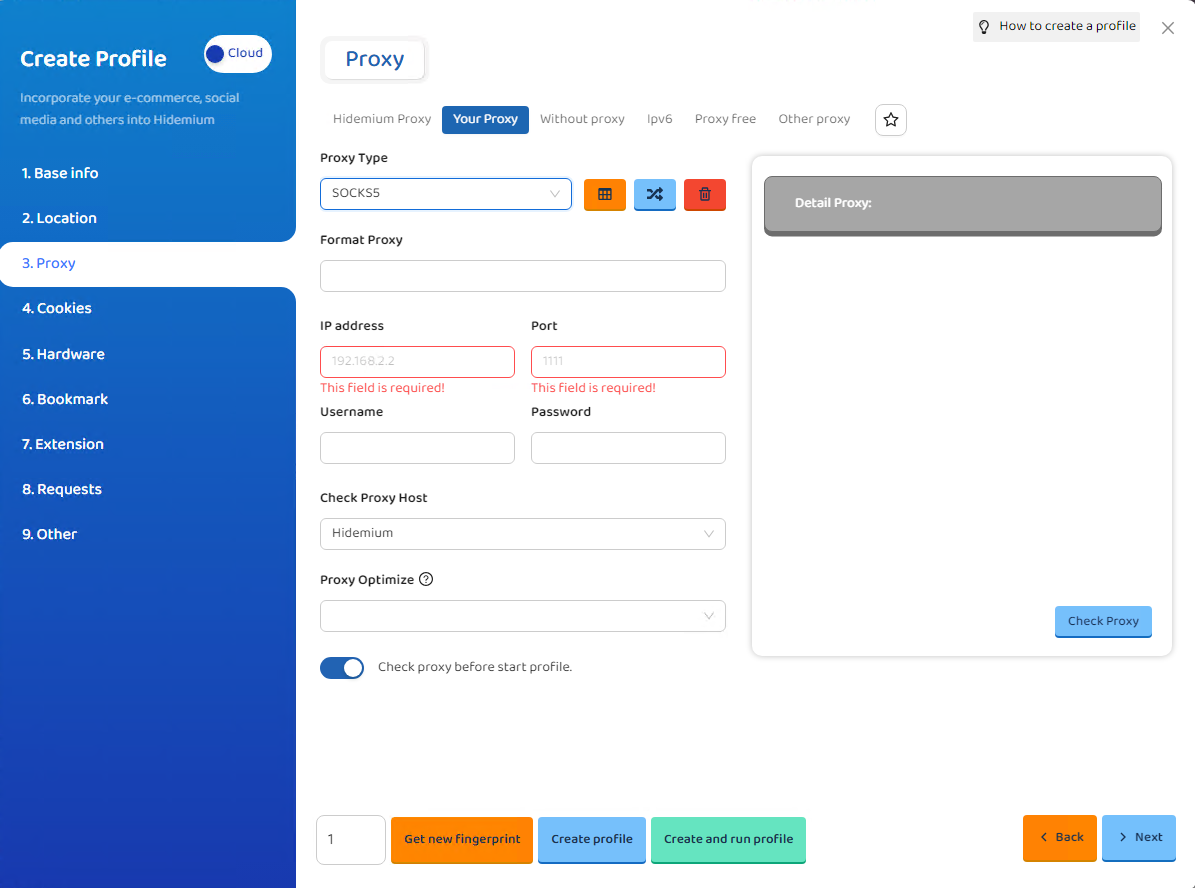
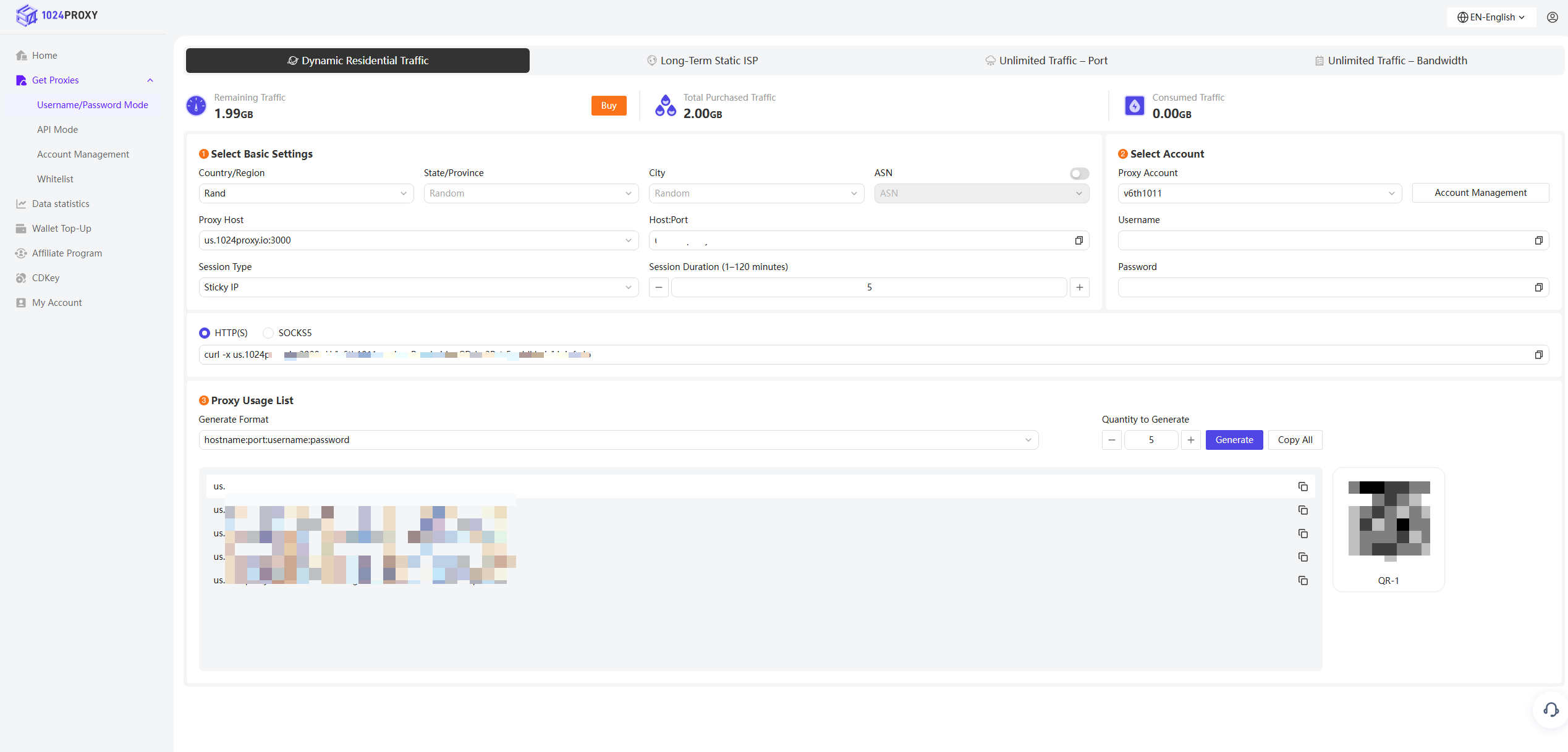
选择YourProxy ,将代理类型选择SOCKS5,再将1024Proxy仪表板中的代理信息填写到IP address、Port、Username、Password对应的位置。
{% endstep %}
{% step %}
### 导入1024代理信息
选择YourProxy ,将代理类型选择SOCKS5,再将1024Proxy仪表板中的代理信息填写到IP address、Port、Username、Password对应的位置。
 {% endstep %}
{% step %}
### 检测代理
填写完毕后点击Check Proxy 检查代理的连接情况。代理的检测结果如果显示是绿色则表示连接成功。
{% endstep %}
{% step %}
### 检测代理
填写完毕后点击Check Proxy 检查代理的连接情况。代理的检测结果如果显示是绿色则表示连接成功。
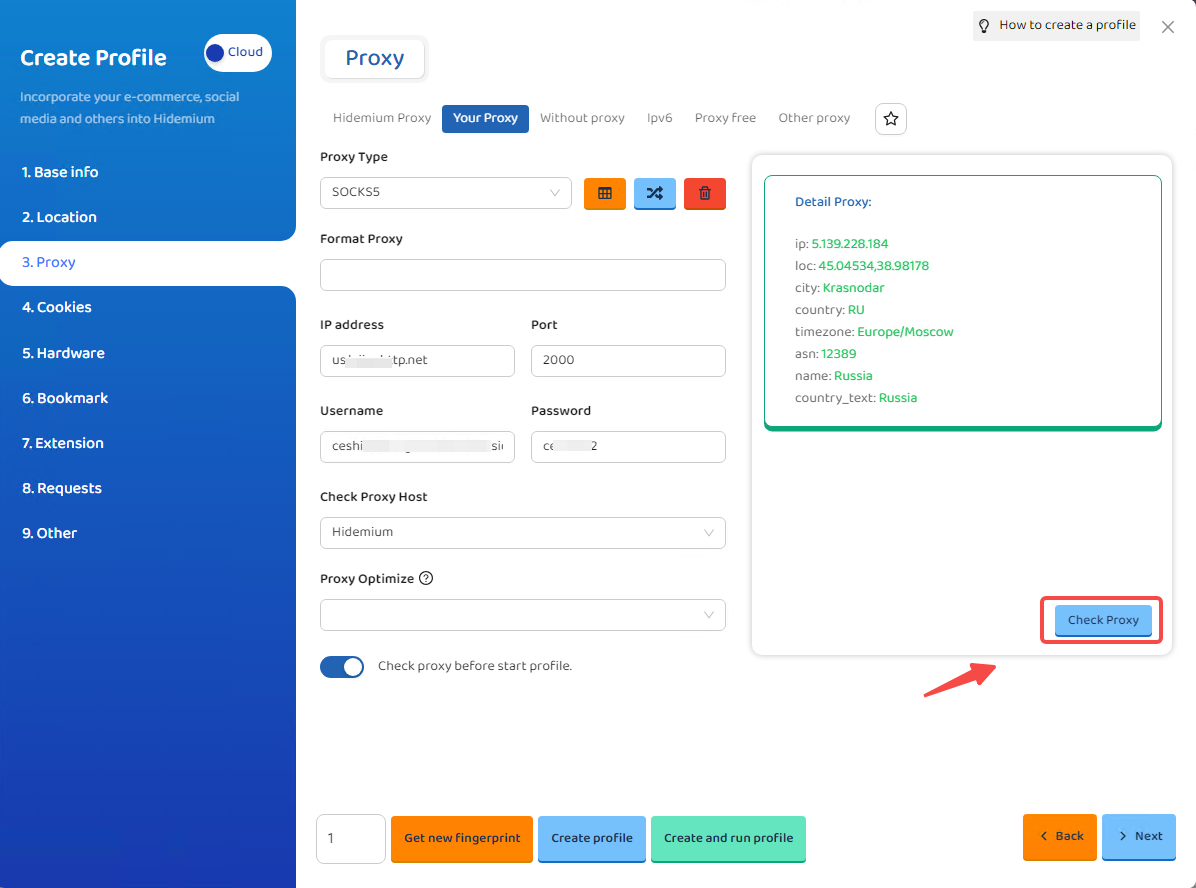 到此为止您的代理就已经配置好了,只要点击Create Profile 就可以创建一个指纹浏览器窗口。您还可以点击Next继续设置您需要的其他参数。
{% endstep %}
{% endstepper %}
到此为止您的代理就已经配置好了,只要点击Create Profile 就可以创建一个指纹浏览器窗口。您还可以点击Next继续设置您需要的其他参数。
{% endstep %}
{% endstepper %}