> For the complete documentation index, see [llms.txt](https://help.1024proxy.com/llms.txt). Markdown versions of documentation pages are available by appending `.md` to page URLs; this page is available as [Markdown](https://help.1024proxy.com/1024/1024proxy/integrationtutorial/fbt/indigo.md).
# 如何在Indigo中设置1024代理
### Indigo简介
Indigo 是一款专业的 指纹浏览器 / 反检测浏览器(Anti-detect Browser),通过在同一台设备上创建多个相互隔离的浏览器指纹环境,精细化模拟浏览器与设备指纹,从而有效避免账号之间产生关联,降低被平台风控系统识别、封禁或限流的风险。
### 完成账号注册和购买
Indigo访问地址:
{% stepper %}
{% step %}
### 新建浏览器窗口
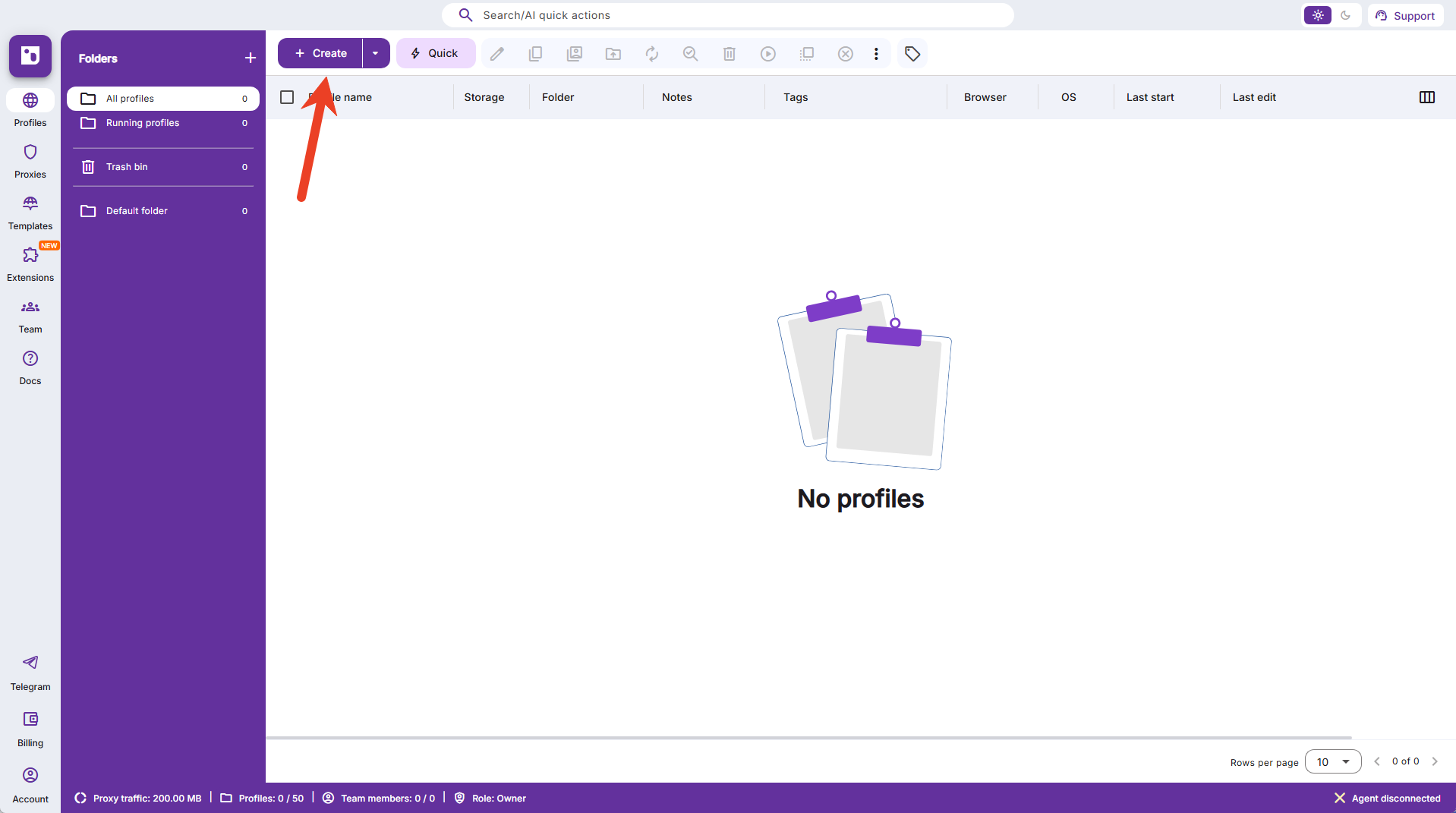
点击【Create】创建新的浏览器窗口。
 {% endstep %}
{% step %}
### 填写基础信息
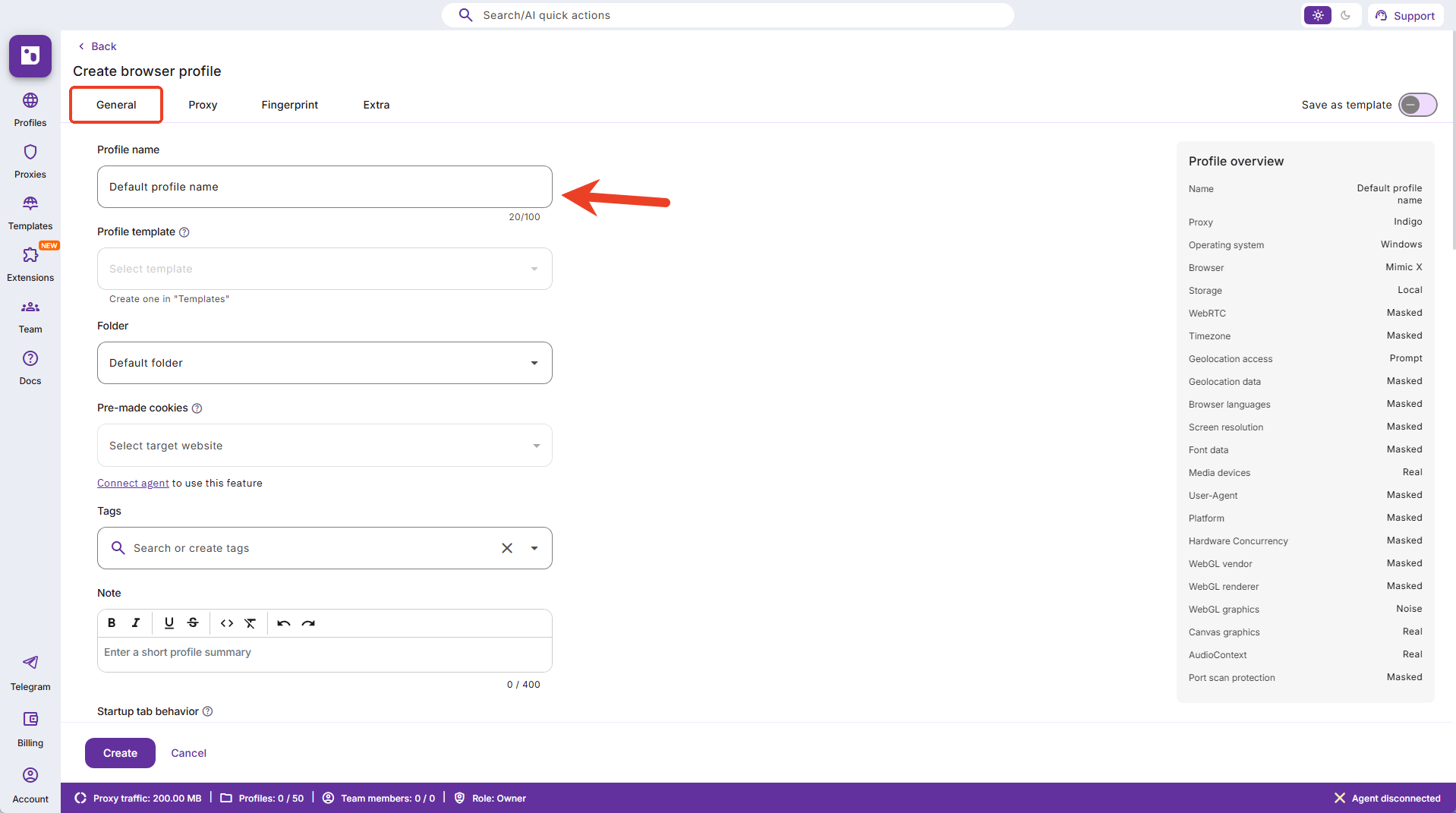
完成窗口的基础信息的填写,例如窗口名称、备注标签等信息。
{% endstep %}
{% step %}
### 填写基础信息
完成窗口的基础信息的填写,例如窗口名称、备注标签等信息。
 {% endstep %}
{% step %}
### 设置代理信息
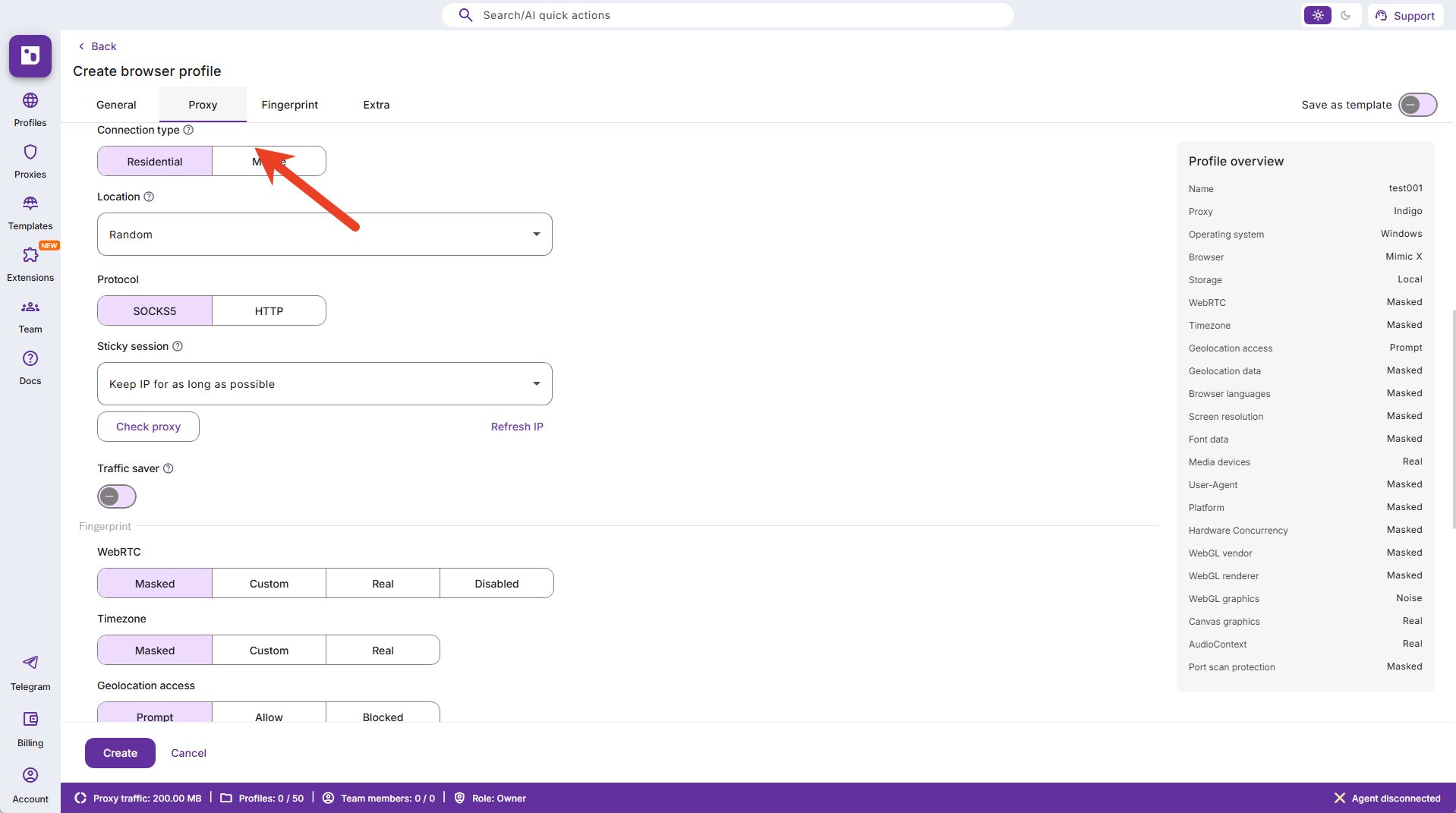
点击窗口【Proxy】菜单栏。
{% endstep %}
{% step %}
### 设置代理信息
点击窗口【Proxy】菜单栏。
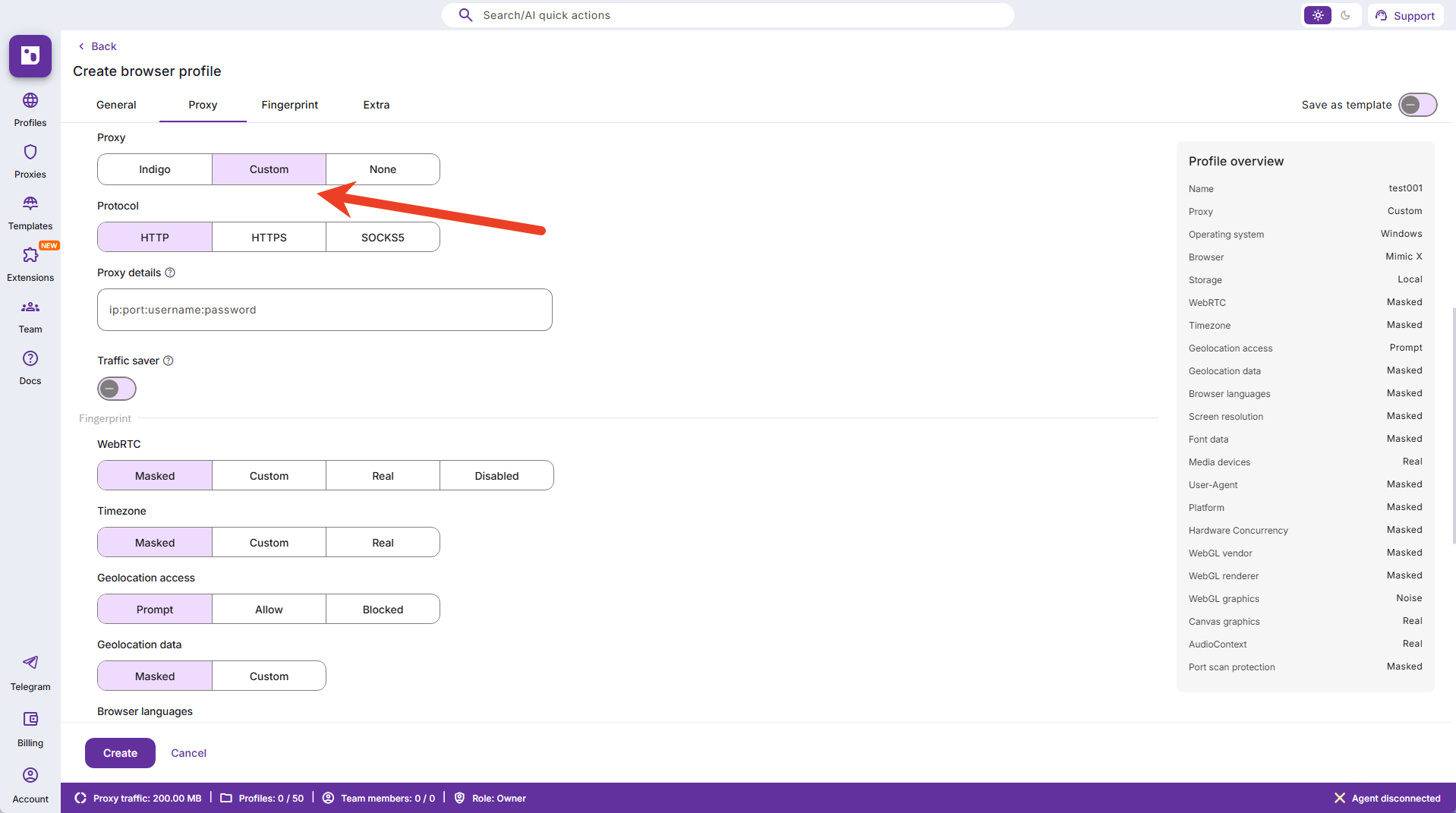
 在代理选项中,选择中间的【Custom】
 {% endstep %}
{% step %}
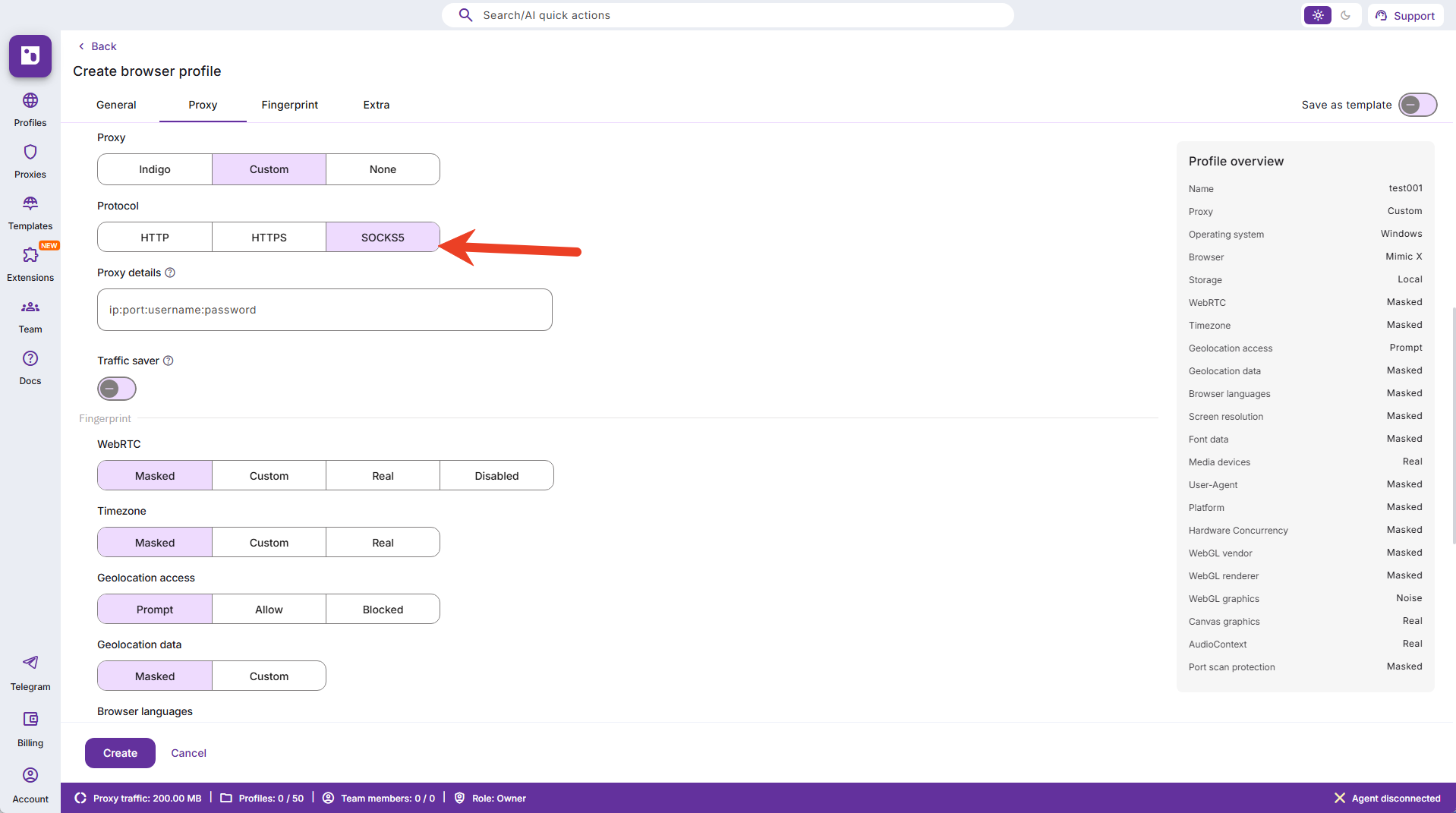
### 选择SOCKS5协议类型
{% endstep %}
{% step %}
### 选择SOCKS5协议类型
 {% endstep %}
{% step %}
### 填写从1024Proxy后台提取的代理信息
{% endstep %}
{% step %}
### 填写从1024Proxy后台提取的代理信息
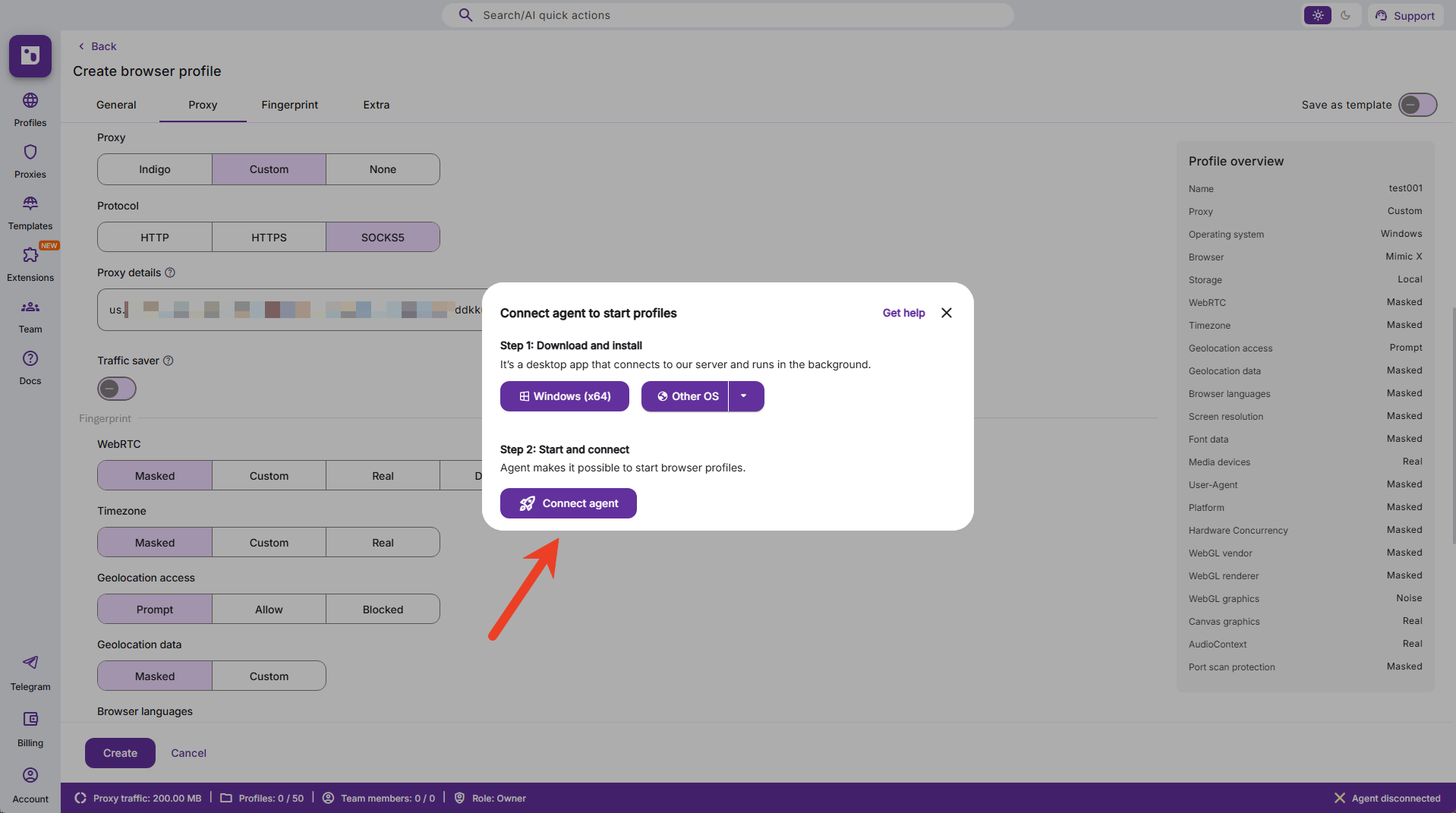
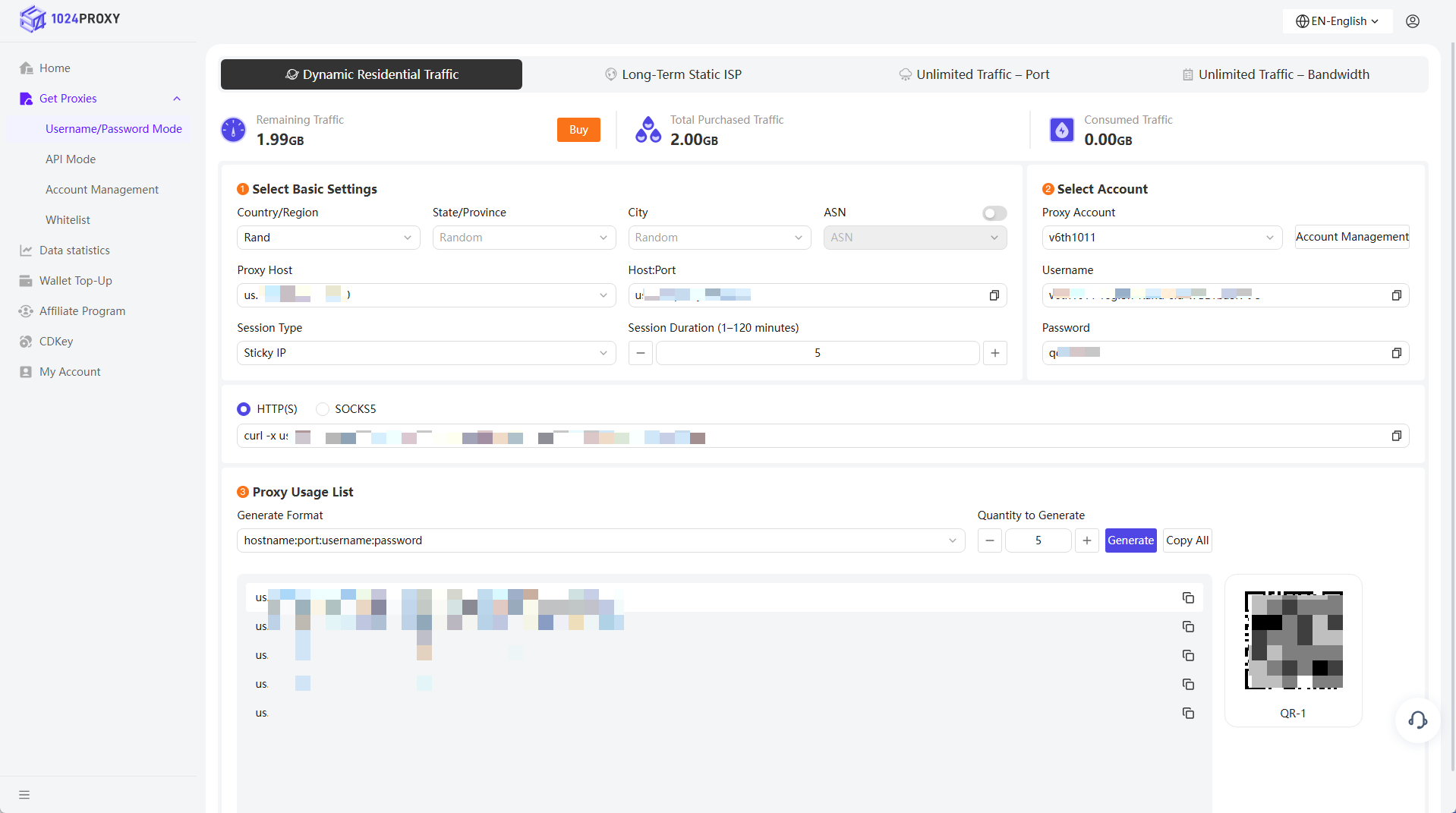 将1024Proxy中的代理信息粘贴到indigobrowser中,提示需要下载应用弹窗。点击下载并完成安装。
 {% endstep %}
{% step %}
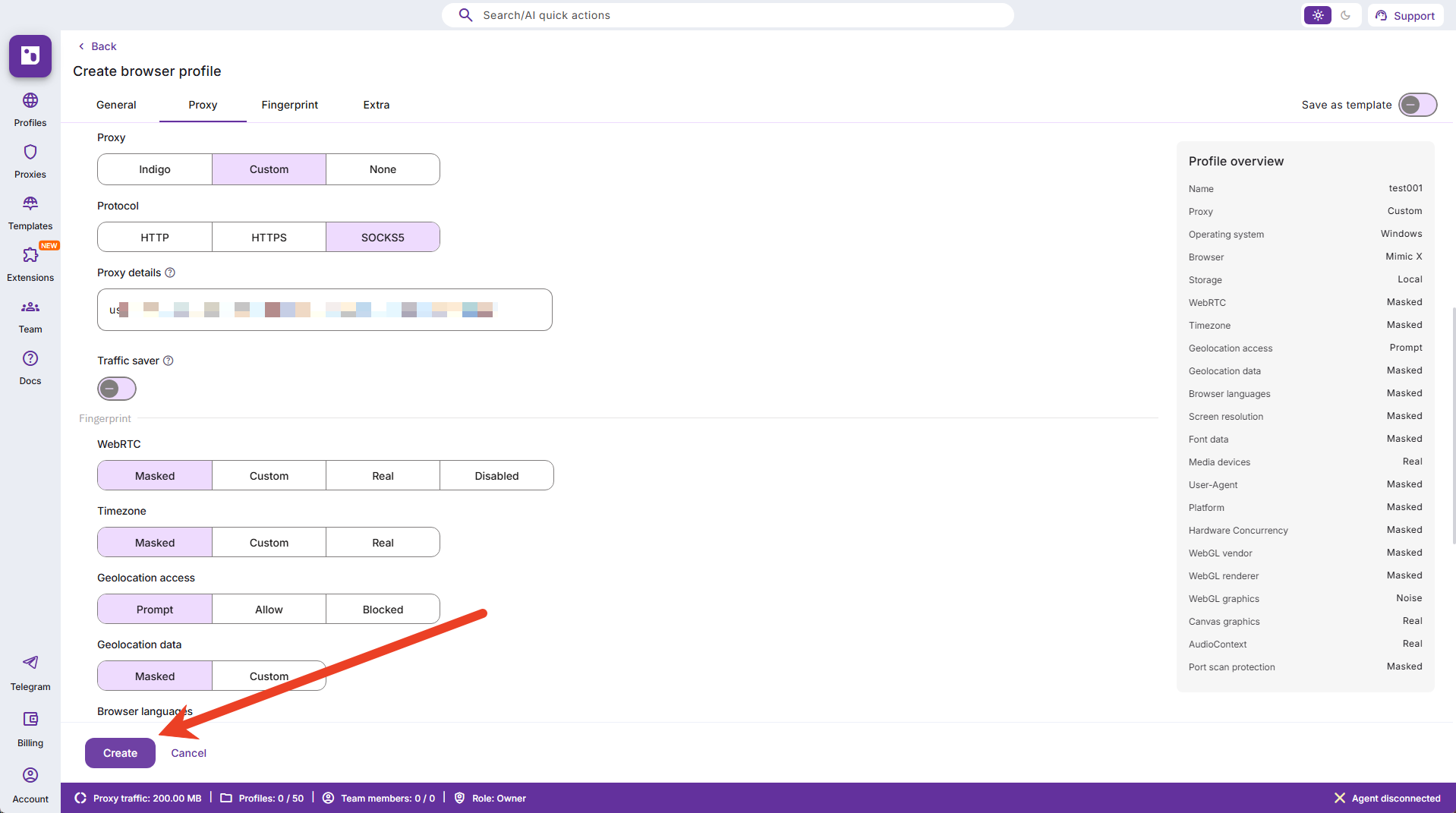
### 点击【Create】完成窗口的创建
{% endstep %}
{% step %}
### 点击【Create】完成窗口的创建
 {% endstep %}
{% step %}
### 点击【Start】开启当前浏览器窗口
{% endstep %}
{% step %}
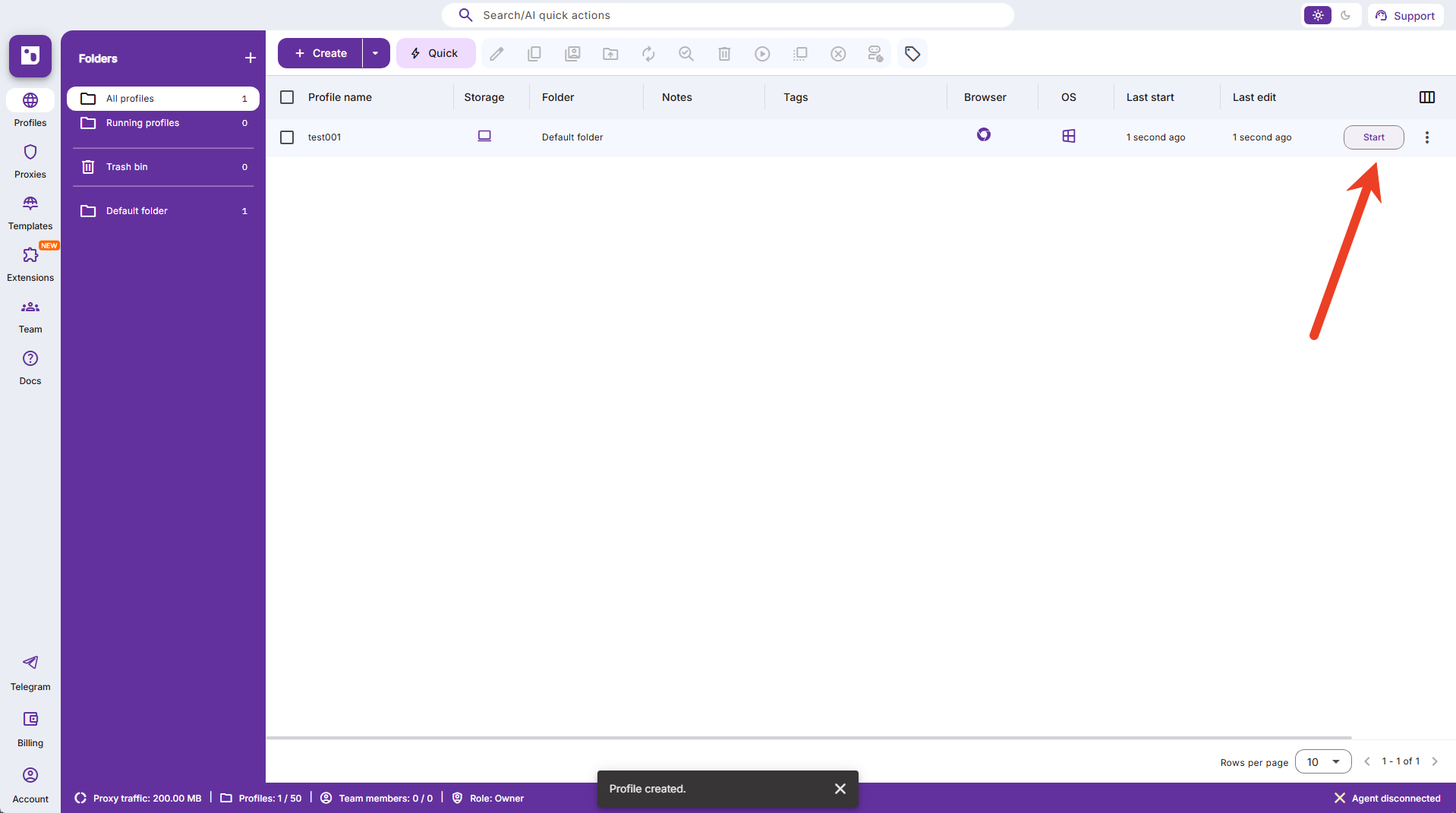
### 点击【Start】开启当前浏览器窗口
 {% endstep %}
{% endstepper %}
{% endstep %}
{% endstepper %}