> For the complete documentation index, see [llms.txt](https://help.1024proxy.com/llms.txt). Markdown versions of documentation pages are available by appending `.md` to page URLs; this page is available as [Markdown](https://help.1024proxy.com/1024/1024proxy/unlimited-residential-traffic-bandwidth/username-and-password-authentication.md).
# 账密认证
### 什么是账密认证?
全称是账号密码认证(Username & Password Authentication),是一种常见且基础的身份验证方式。用户在使用代理时,需要在连接请求中填写账号(Username)和密码(Password),代理服务器会先校验身份信息,验证通过后才允许访问网络资源。
主要特点:
* 无需固定本地 IP,可在任意网络环境使用
* 配置灵活,适合多人、多设备或自动化程序调用
* 安全可控,可随时更换密码或禁用账号
### 快速开始
 ### 如何使用1024Proxy的账密认证功能提取IP?
下面将为你详细解释操作步骤和使用说明。
{% stepper %}
{% step %}
### 登录注册1024Proxy
登录注册网址:
### 如何使用1024Proxy的账密认证功能提取IP?
下面将为你详细解释操作步骤和使用说明。
{% stepper %}
{% step %}
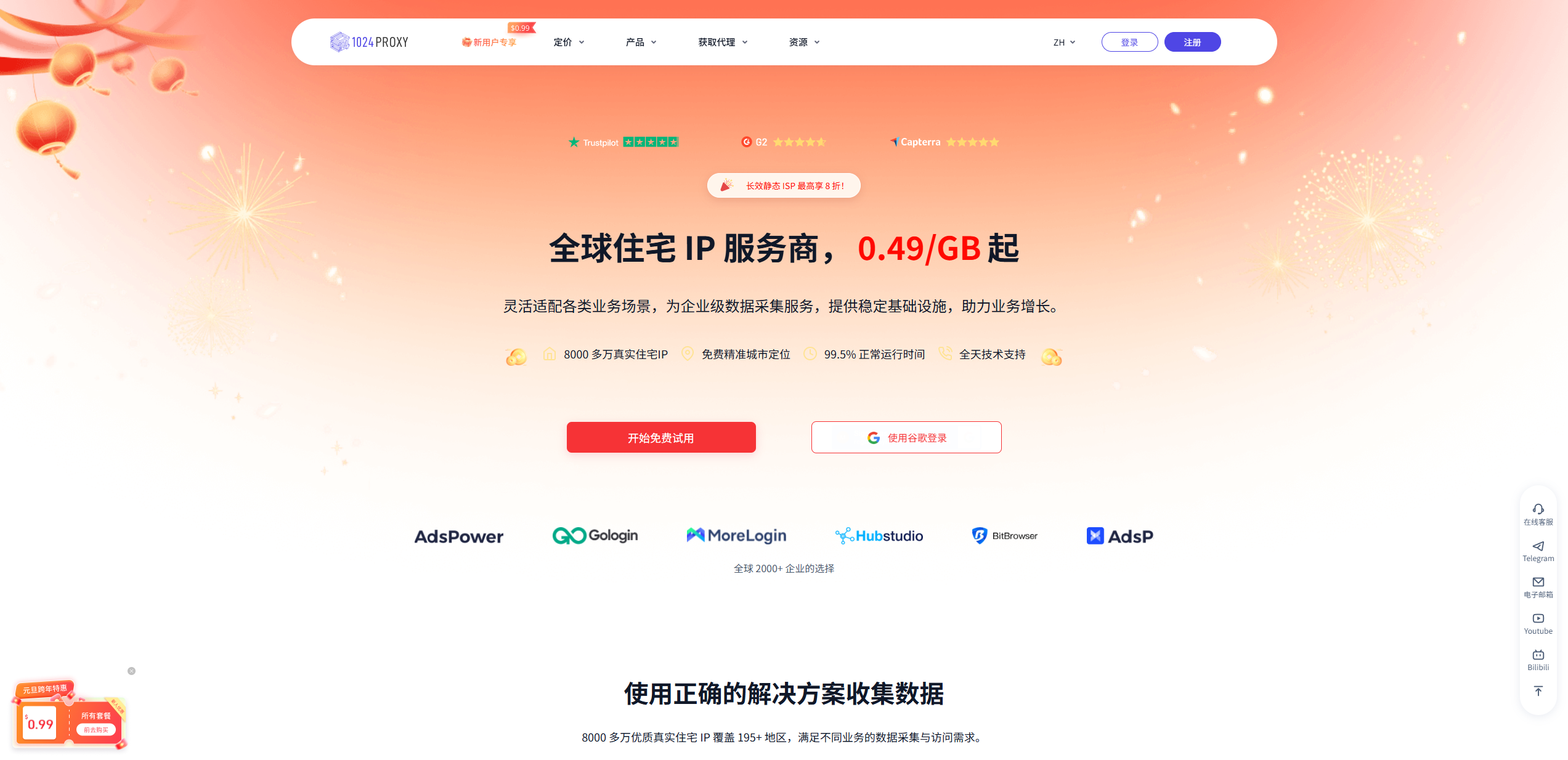
### 登录注册1024Proxy
登录注册网址:
 {% endstep %}
{% step %}
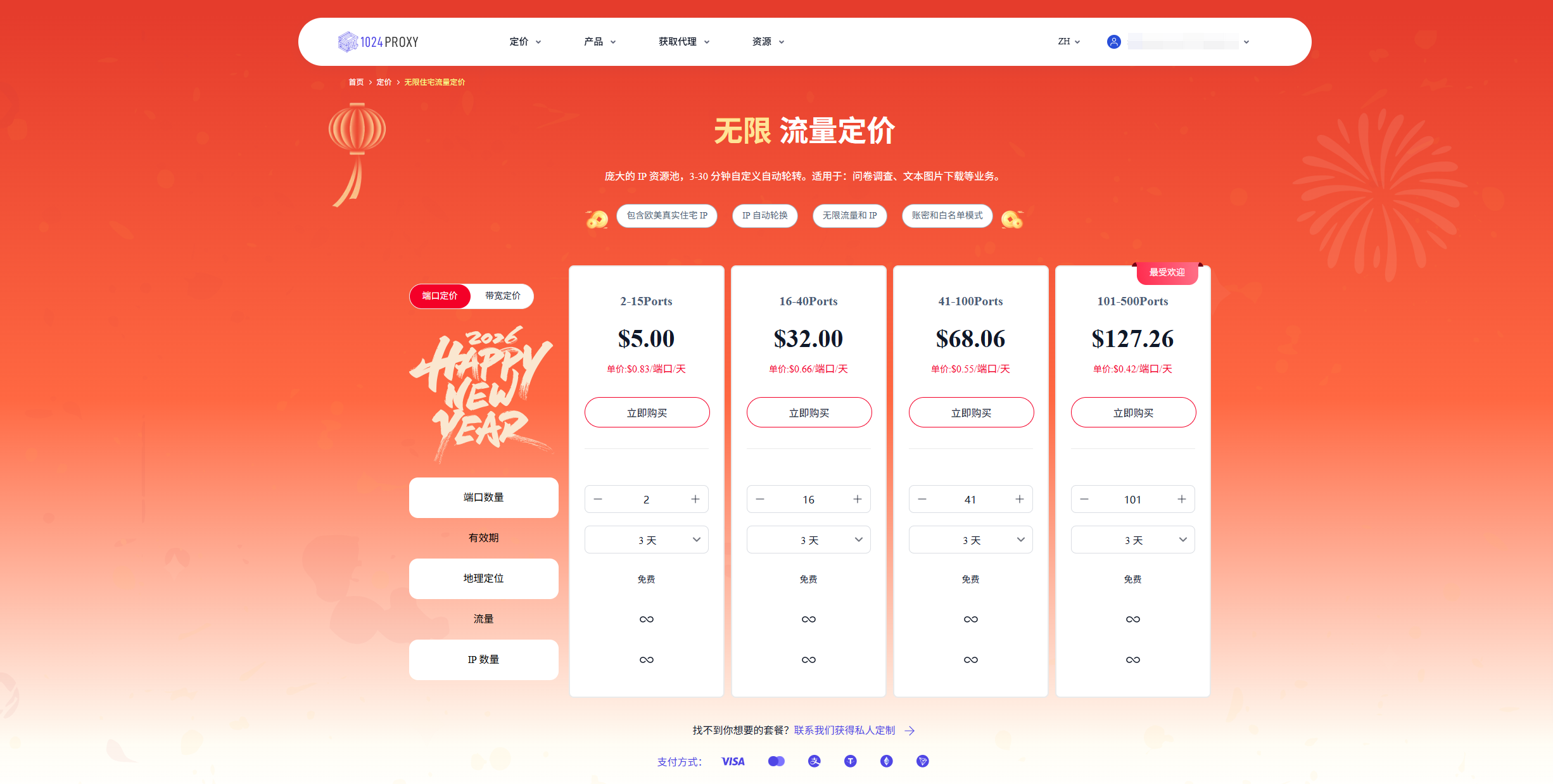
### 购买无限量住宅代理-带宽
{% endstep %}
{% step %}
### 购买无限量住宅代理-带宽
 {% endstep %}
{% step %}
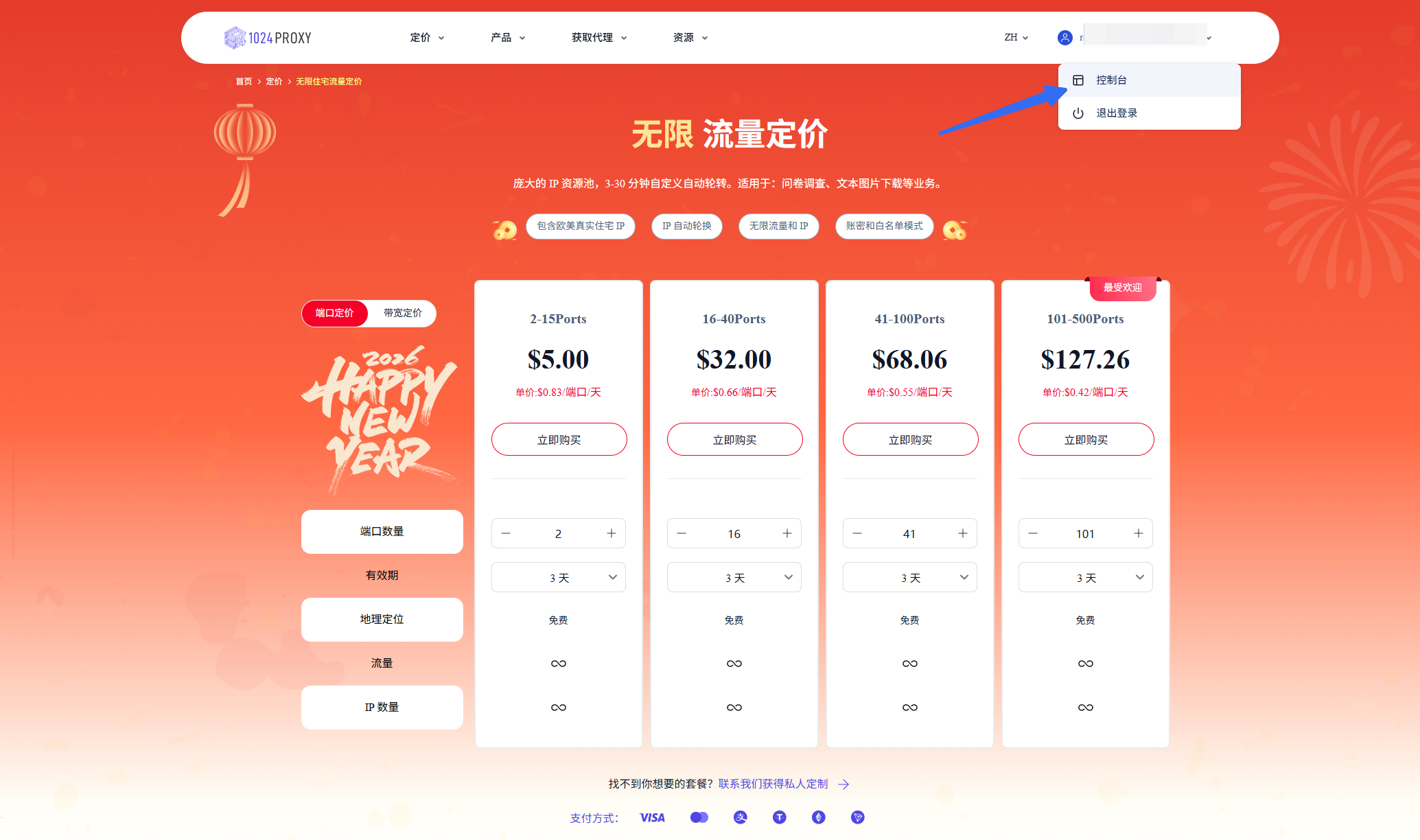
### 前往控制台
{% endstep %}
{% step %}
### 前往控制台
 {% endstep %}
{% step %}
### 筛选并提取IP
{% endstep %}
{% step %}
### 筛选并提取IP
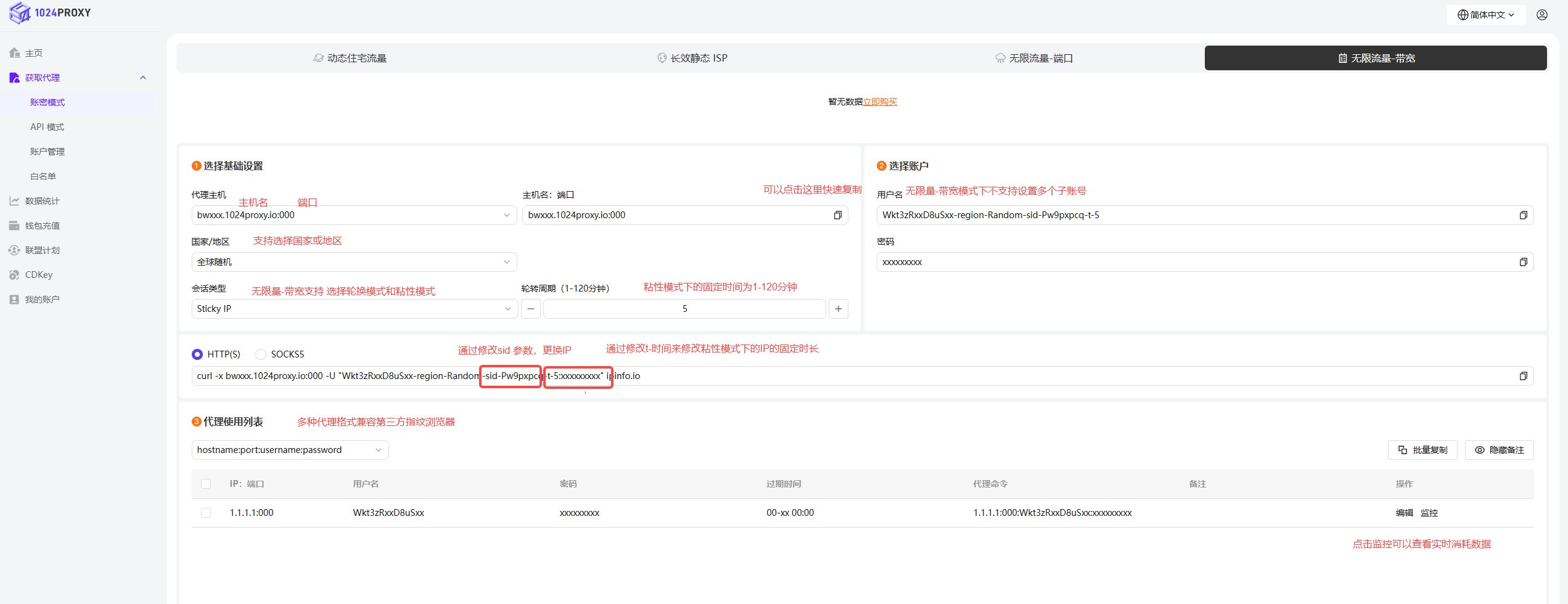
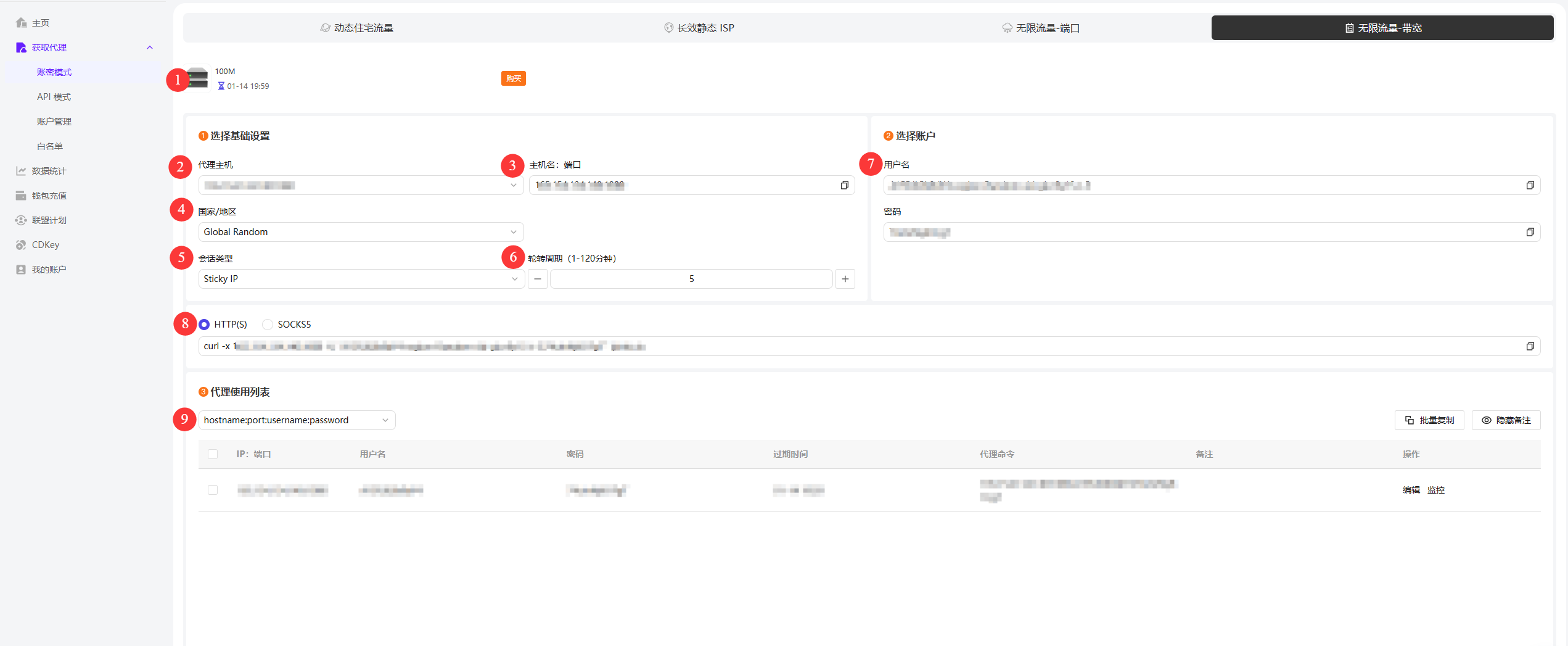 1.当前购买机器:此处会展示当前账号中购买的无限流量-带宽机器设备带宽配置及对应的有效期截止日期。
2.选择代理主机:展示代理主机及端口,假设当前账户中购买的代理主机比较多的话,可以通过下拉列表选择
3.主机:端口:根据当前选择的代理主机,此处会显示对应的主机和端口。
4.国家或地区:1024Proxy支持筛选50+国家或地区,能够满足广泛的业务需求。
5.会话类型:支持粘性和轮转两种会话类型。
6.轮转周期:无限流量-带宽的会话时间支持在1-120分钟,在数据抓取领域得到广泛的应用。
7.用户名和密码:1024Proxy仅支持一个用户名和密码不支持设置子账号。
8.协议类型:提供的HTTP(S)和SOCKS5协议的cURL可以在任务控制面板中快速检测代理IP是否可用。
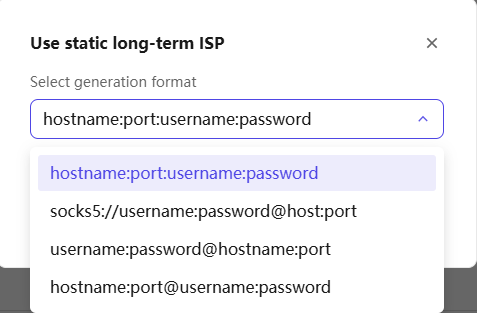
9.代理列表格式:1024Proxy提供多种账密认证的格式类型能够兼容市面上大部分的防关联指纹浏览器和第三方代理工具。
1.当前购买机器:此处会展示当前账号中购买的无限流量-带宽机器设备带宽配置及对应的有效期截止日期。
2.选择代理主机:展示代理主机及端口,假设当前账户中购买的代理主机比较多的话,可以通过下拉列表选择
3.主机:端口:根据当前选择的代理主机,此处会显示对应的主机和端口。
4.国家或地区:1024Proxy支持筛选50+国家或地区,能够满足广泛的业务需求。
5.会话类型:支持粘性和轮转两种会话类型。
6.轮转周期:无限流量-带宽的会话时间支持在1-120分钟,在数据抓取领域得到广泛的应用。
7.用户名和密码:1024Proxy仅支持一个用户名和密码不支持设置子账号。
8.协议类型:提供的HTTP(S)和SOCKS5协议的cURL可以在任务控制面板中快速检测代理IP是否可用。
9.代理列表格式:1024Proxy提供多种账密认证的格式类型能够兼容市面上大部分的防关联指纹浏览器和第三方代理工具。
 {% endstep %}
{% endstepper %}
{% endstep %}
{% endstepper %}