> For the complete documentation index, see [llms.txt](https://help.1024proxy.com/llms.txt). Markdown versions of documentation pages are available by appending `.md` to page URLs; this page is available as [Markdown](https://help.1024proxy.com/integrationtutorial/fbt/how-to-set-up-1024-proxy-in-hubstudio.md).
# How to Set Up 1024 Proxy in Hubstudio
### Hubstudio Introduction
Hubstudio is an antidetect browser designed for multi-account management and environment isolation. It is mainly used by cross-border e-commerce sellers, social media operators, advertisers, and affiliate marketers. Hubstudio allows you to create multiple independent browser environments on the same computer, effectively reducing the risk of account association and platform risk control.
### Download and Install Hubstudio
Complete the download and installation of the Hubstudio software.
Download link:\
{% stepper %}
{% step %}
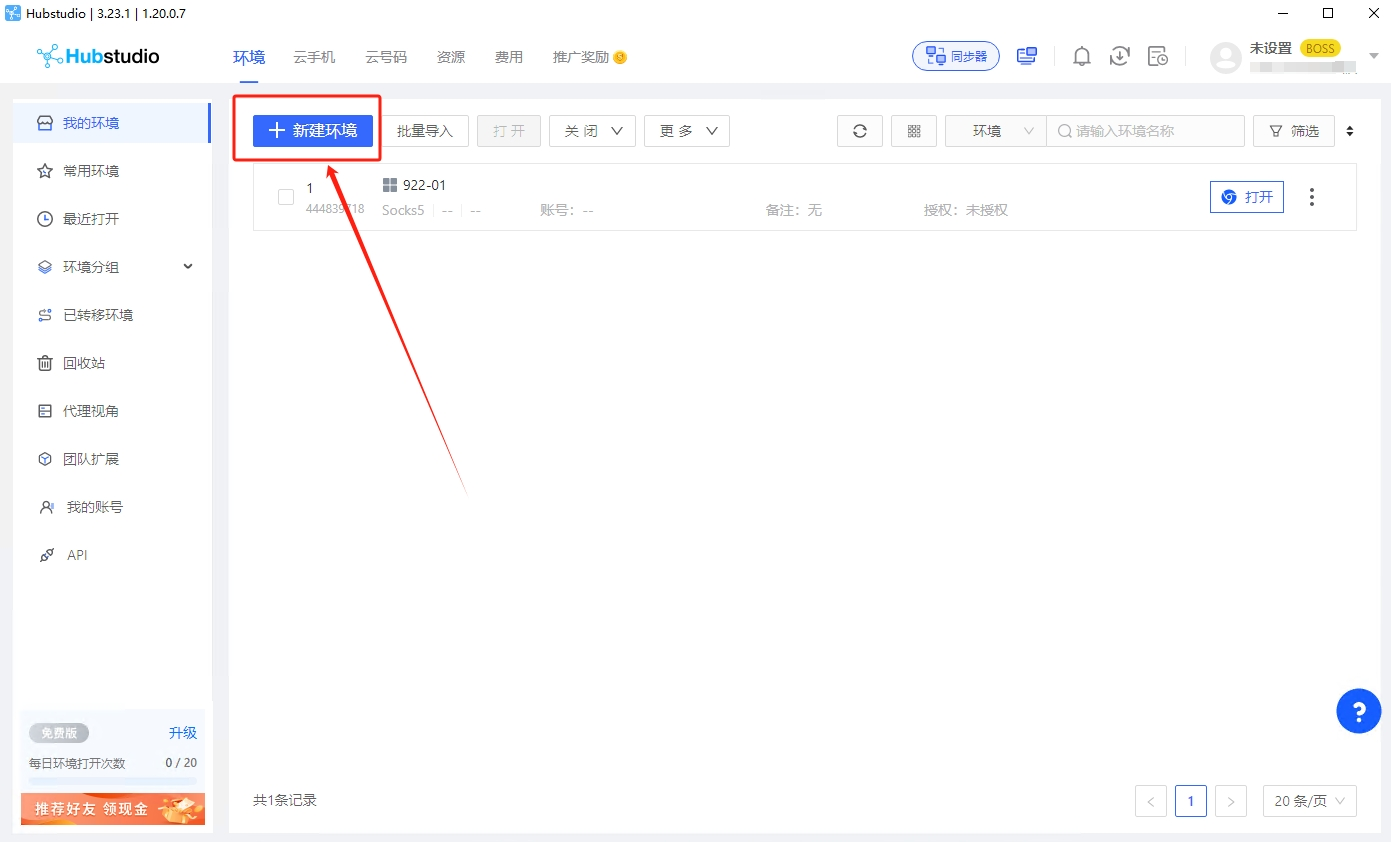
### Create a New Environment
Click the \[New Environment] button.
{% endstep %}
{% step %}
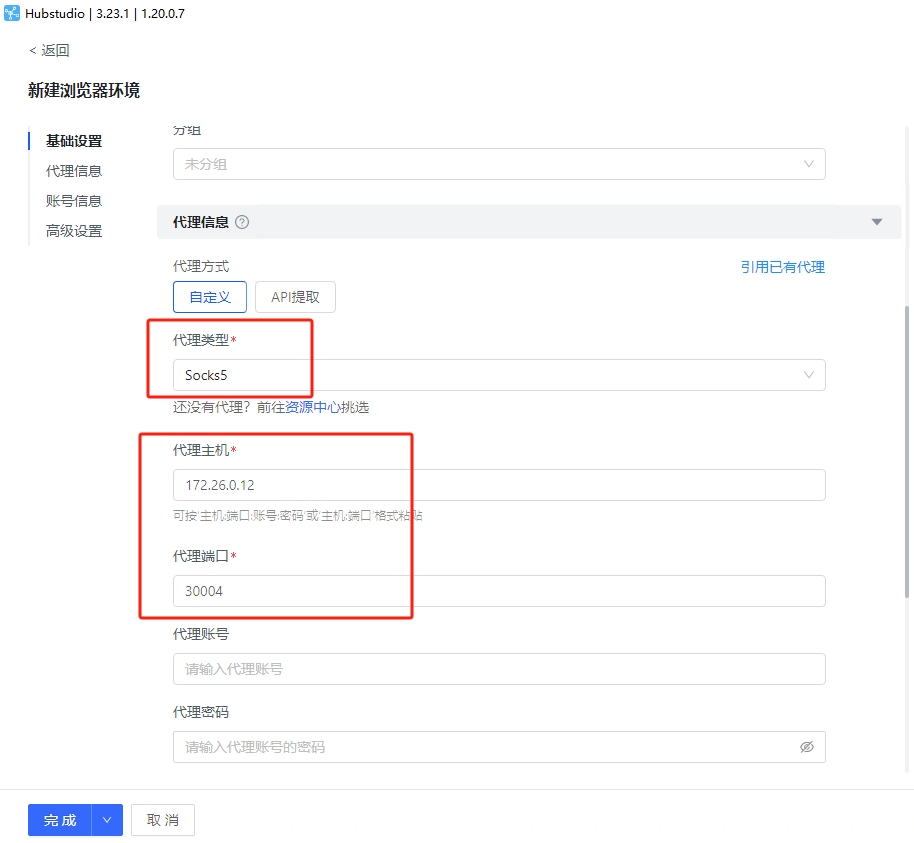
### Configure Proxy Settings
After filling in the basic information, select \[SOCKS5] as the proxy protocol.\
Copy the username and password generated in the 1024Proxy console and paste them into the corresponding fields, including Proxy Host, Proxy Port, Proxy Username, and Proxy Password.
{% endstep %}
{% step %}
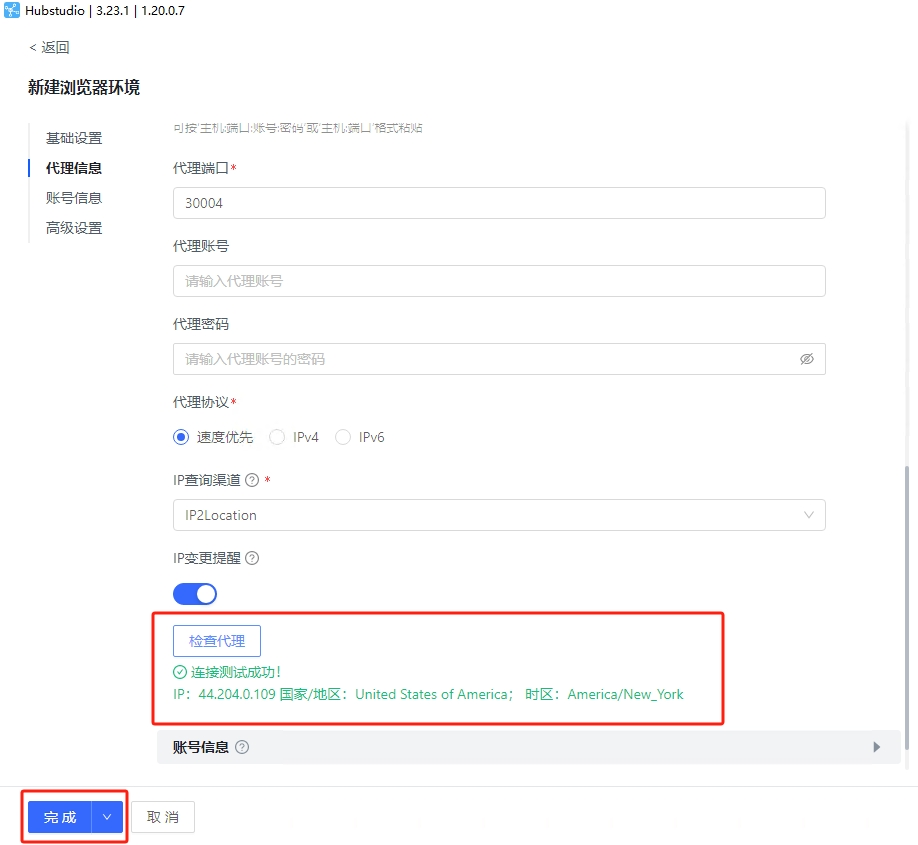
### Test the Proxy
Check whether the entered proxy information is working properly. Click \[Check Proxy].\
If the result is displayed in green, it means the proxy is functioning correctly and can be used normally.
{% endstep %}
{% step %}
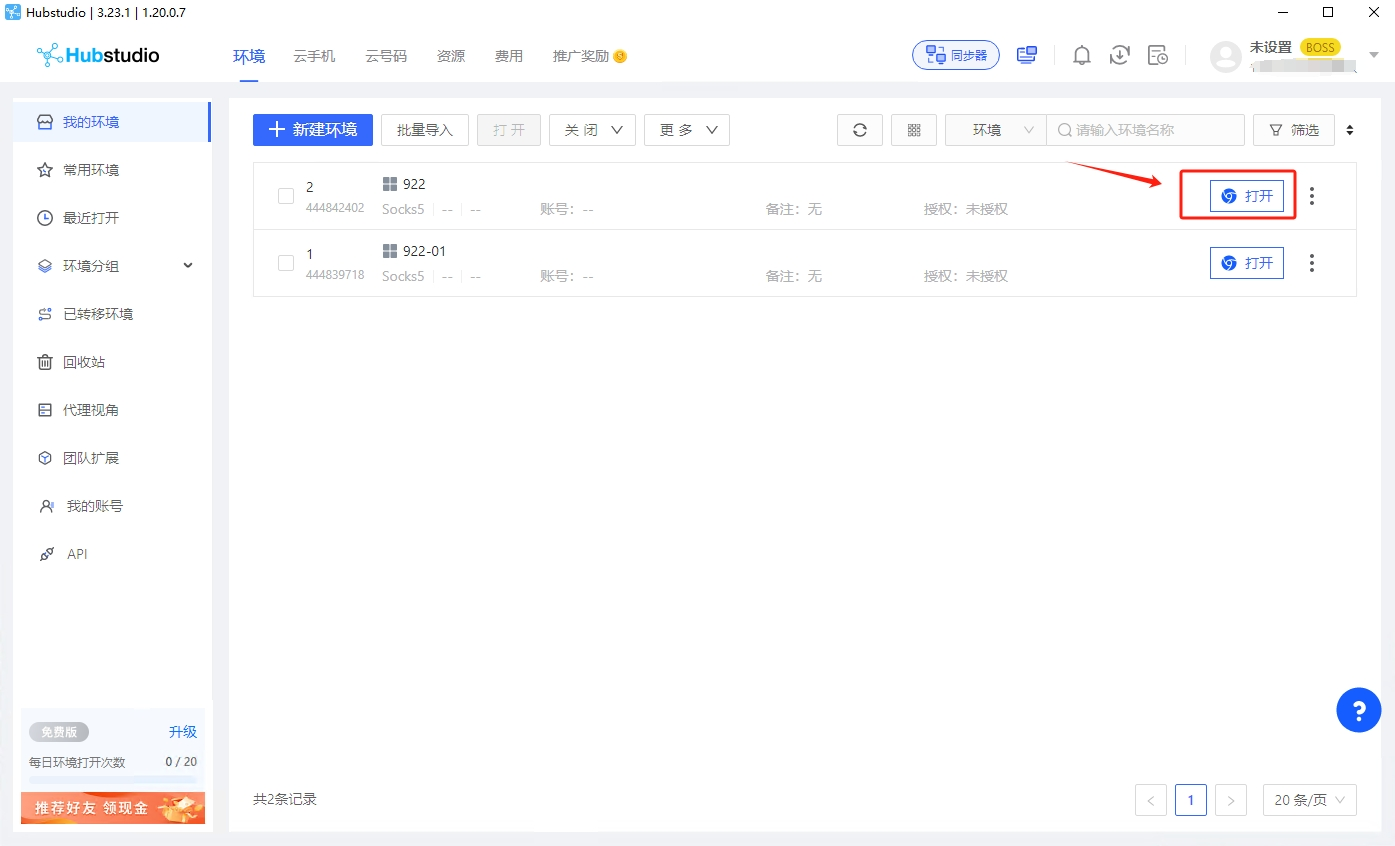
### Complete Proxy Setup and Start Browsing
Click Finish and return to the browser environment list. Then click \[Open] to access the websites you need using the configured IP proxy.
{% endstep %}
{% endstepper %}