> For the complete documentation index, see [llms.txt](https://help.1024proxy.com/llms.txt). Markdown versions of documentation pages are available by appending `.md` to page URLs; this page is available as [Markdown](https://help.1024proxy.com/integrationtutorial/fbt/how-to-set-up-1024-proxy-in-undetectable-browser.md).
# How to Set Up 1024 Proxy in Undetectable Browser
### Undetectable Overview
Undetectable is a professional fingerprint browser / anti-detect browser, designed to create and manage multiple fully isolated browser fingerprint environments on a single device. By using highly realistic fingerprint configurations, it effectively reduces account association risks and helps avoid detection, rate limiting, or bans by platform risk-control systems.
It is widely used in multi-account operations, cross-border e-commerce, social media management, advertising, affiliate marketing, data scraping, and other high–risk-control scenarios. It is suitable for individuals and teams with high requirements for anonymity and stability.
### Download and Installation
Download link:\
{% stepper %}
{% step %}
### Create a New Browser Profile
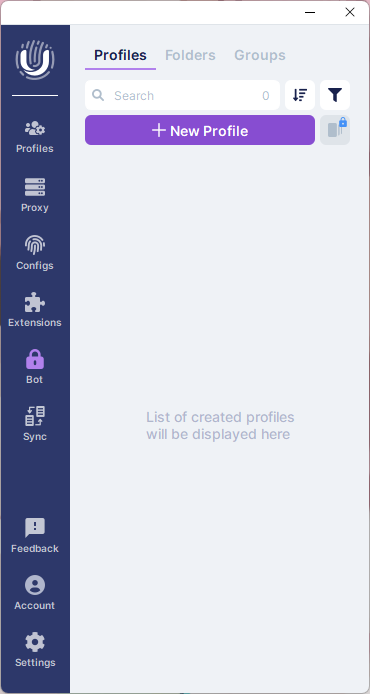
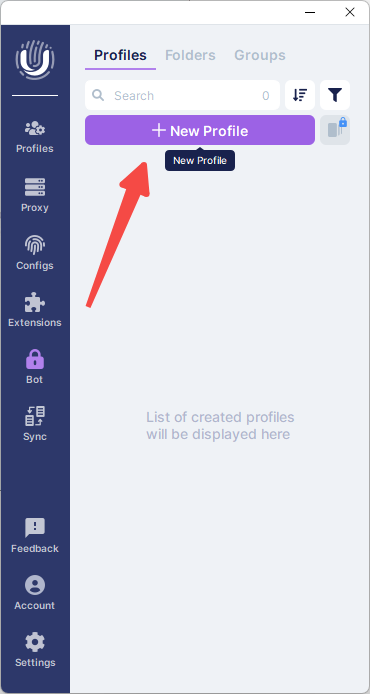
Click the \[New Profile] button.
{% endstep %}
{% step %}
### Edit the Browser Profile Name
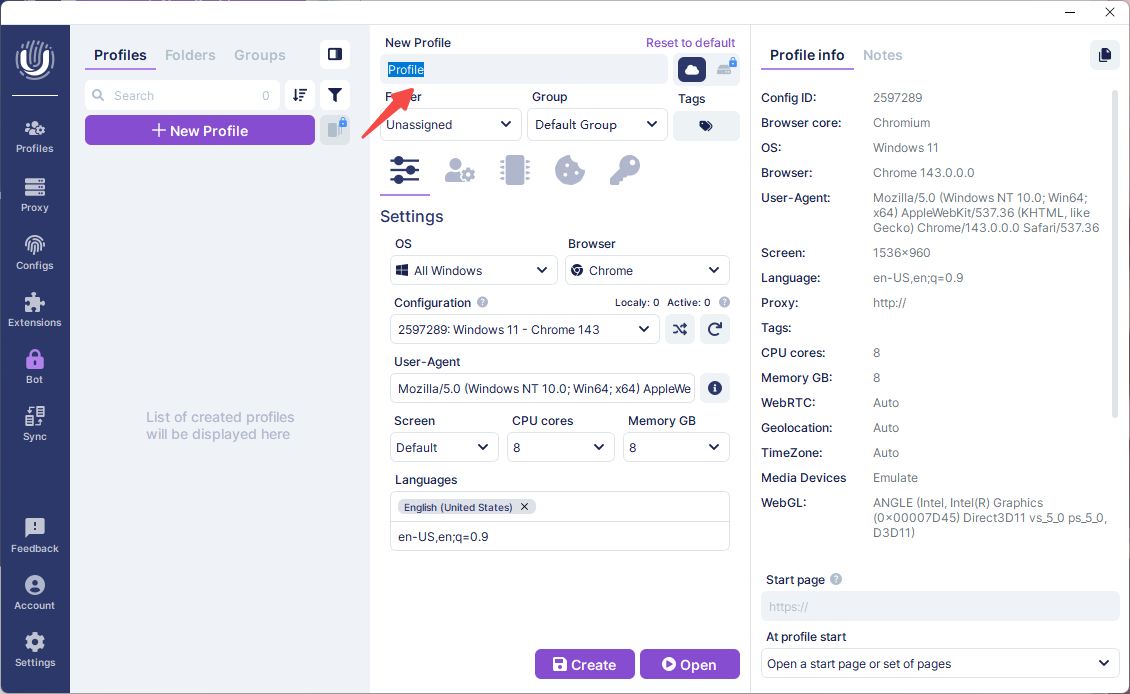
After clicking the button, expand the detailed configuration panel on the right side and modify the name of the newly created browser profile.
{% endstep %}
{% step %}
### Proxy Settings
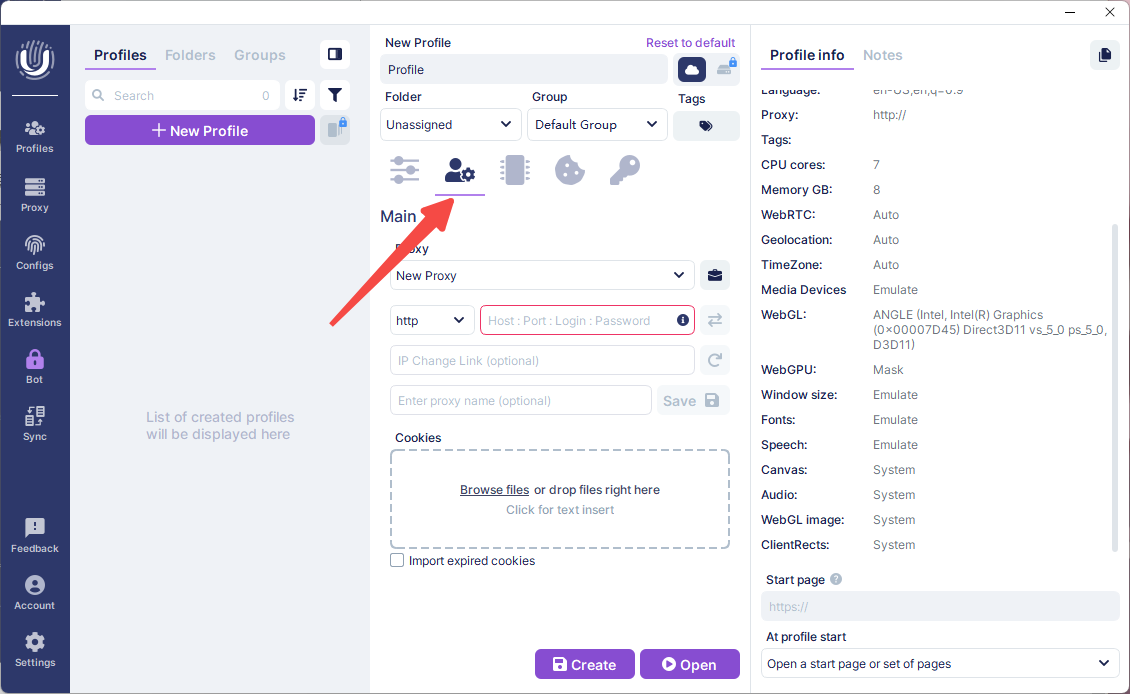
Click the second icon from the left to enter the proxy settings interface.
{% endstep %}
{% step %}
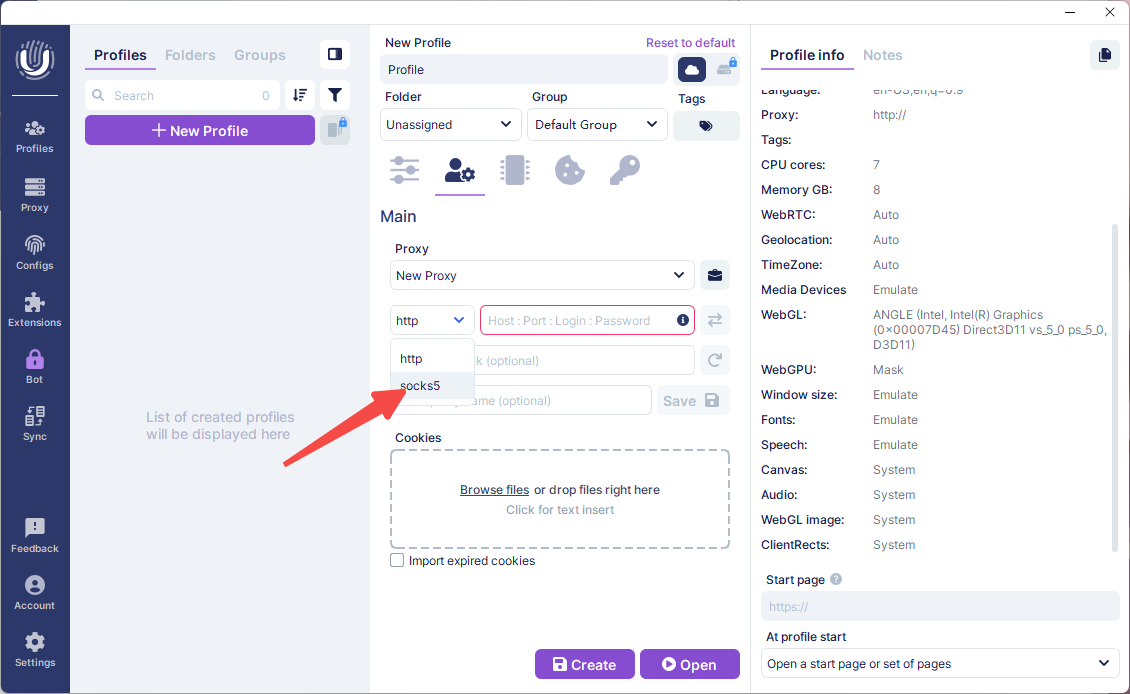
### Select the SOCKS5 Protocol
{% endstep %}
{% step %}
### Import Proxy Information
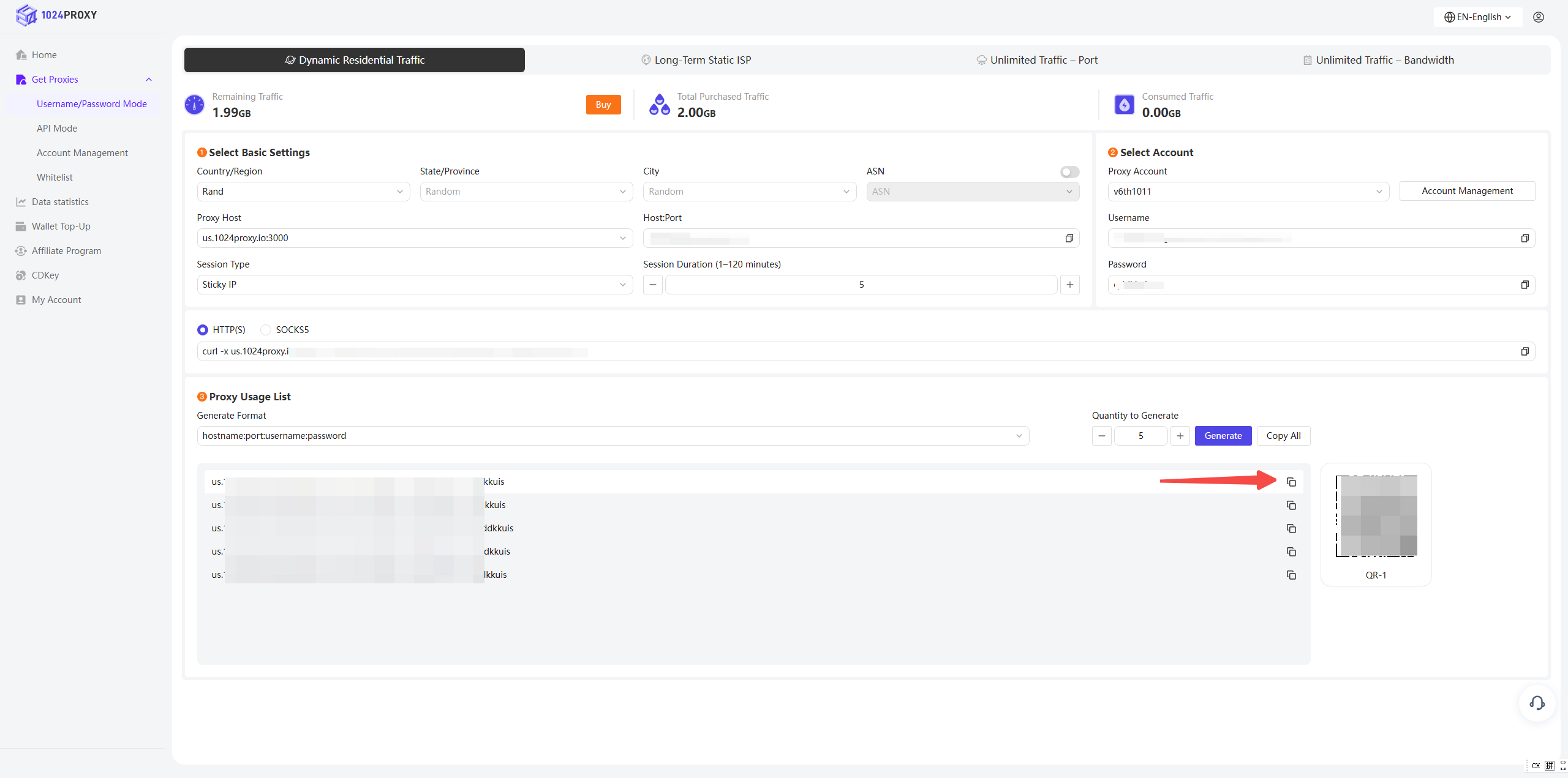
Choose a supported format and copy the proxy command generated in the 1024Proxy dashboard into the Undetectable browser.
{% endstep %}
{% step %}
### Check Proxy
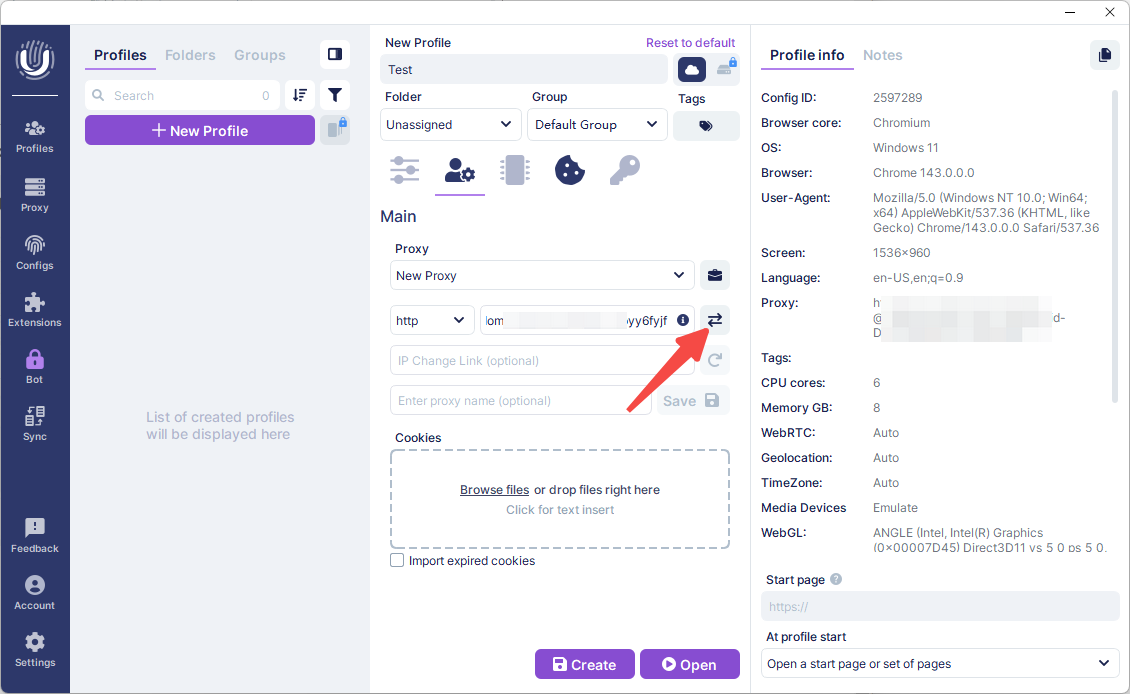
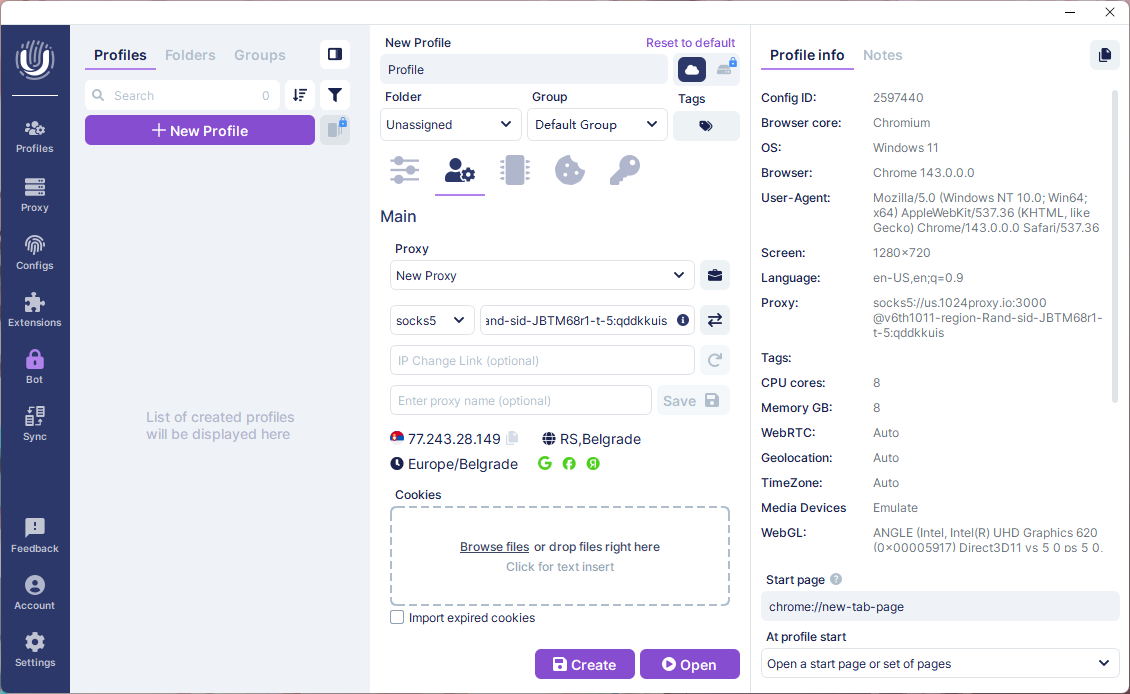
Click the \[Check Proxy] button to test the proxy connection.
When the test result shows a green status, it indicates that the current proxy is available. Click Create to create the profile and start using the browser with the proxy IP.
{% endstep %}
{% endstepper %}