> For the complete documentation index, see [llms.txt](https://help.1024proxy.com/llms.txt). Markdown versions of documentation pages are available by appending `.md` to page URLs; this page is available as [Markdown](https://help.1024proxy.com/integrationtutorial/fbt/how-to-set-up-a-1024-proxy-in-adspower.md).
# How to Set Up a 1024 Proxy in AdsPower
### AdsPower Antidetect Browser Overview
\
AdsPower is a multi-account management antidetect browser designed for cross-border e-commerce, social media operations, advertising campaigns, and affiliate marketing. Its core function is to ensure that multiple accounts run on the same computer are isolated from each other and not linked.
### Common Use Cases
Cross-border e-commerce multi-store operations
Social media matrix account management
Anti-association advertising account deployment
Affiliate marketing, product testing, and account warming
Overseas business environment simulation and testing
{% stepper %}
{% step %}
### Download and Install AdsPower
{% embed url="" %}
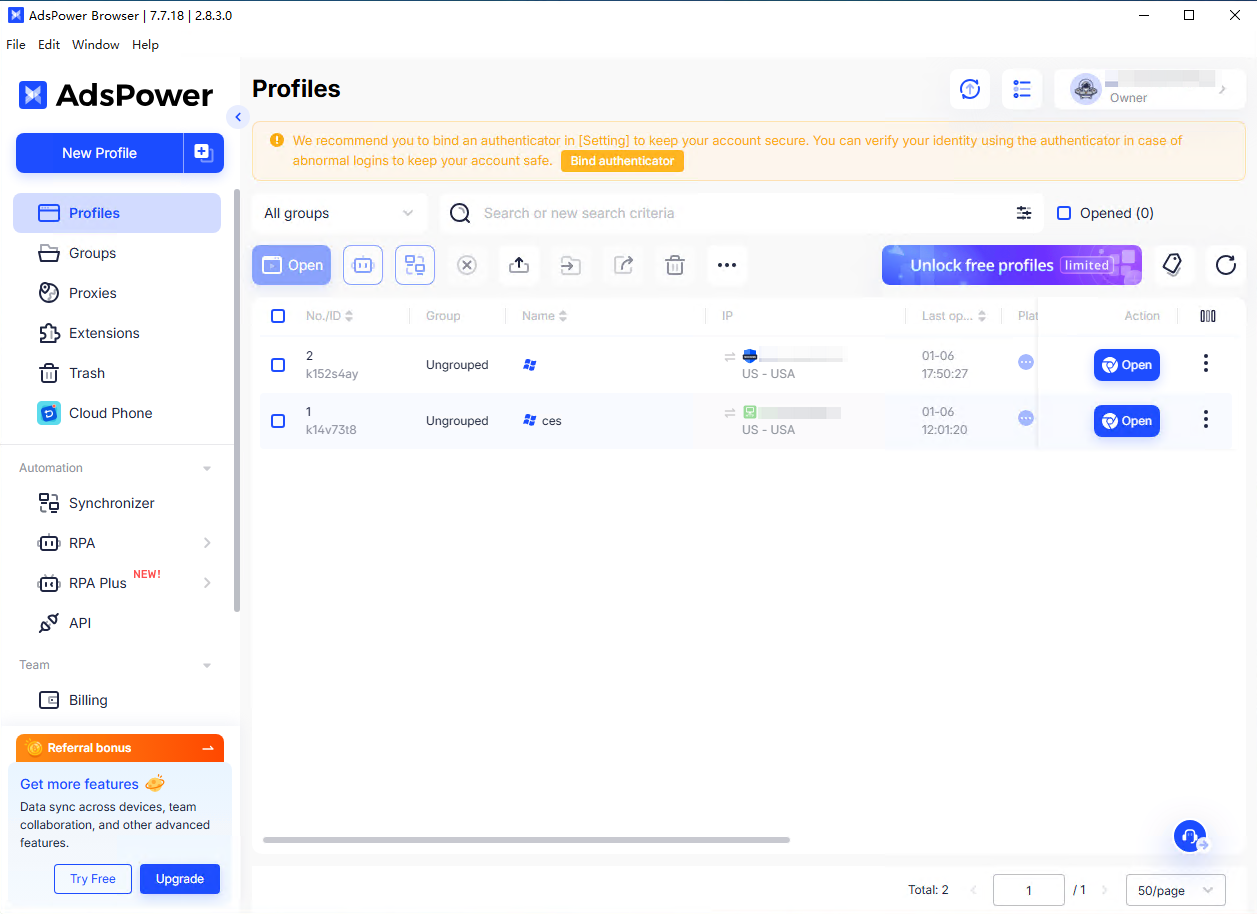
Download and install the AdsPower antidetect browser, then click “New Profile”.
{% endstep %}
{% step %}
### Edit the New Browser Window
Select one of the browser windows and click “Edit.”
{% endstep %}
{% step %}
### Fill in Basic Browser Window Information
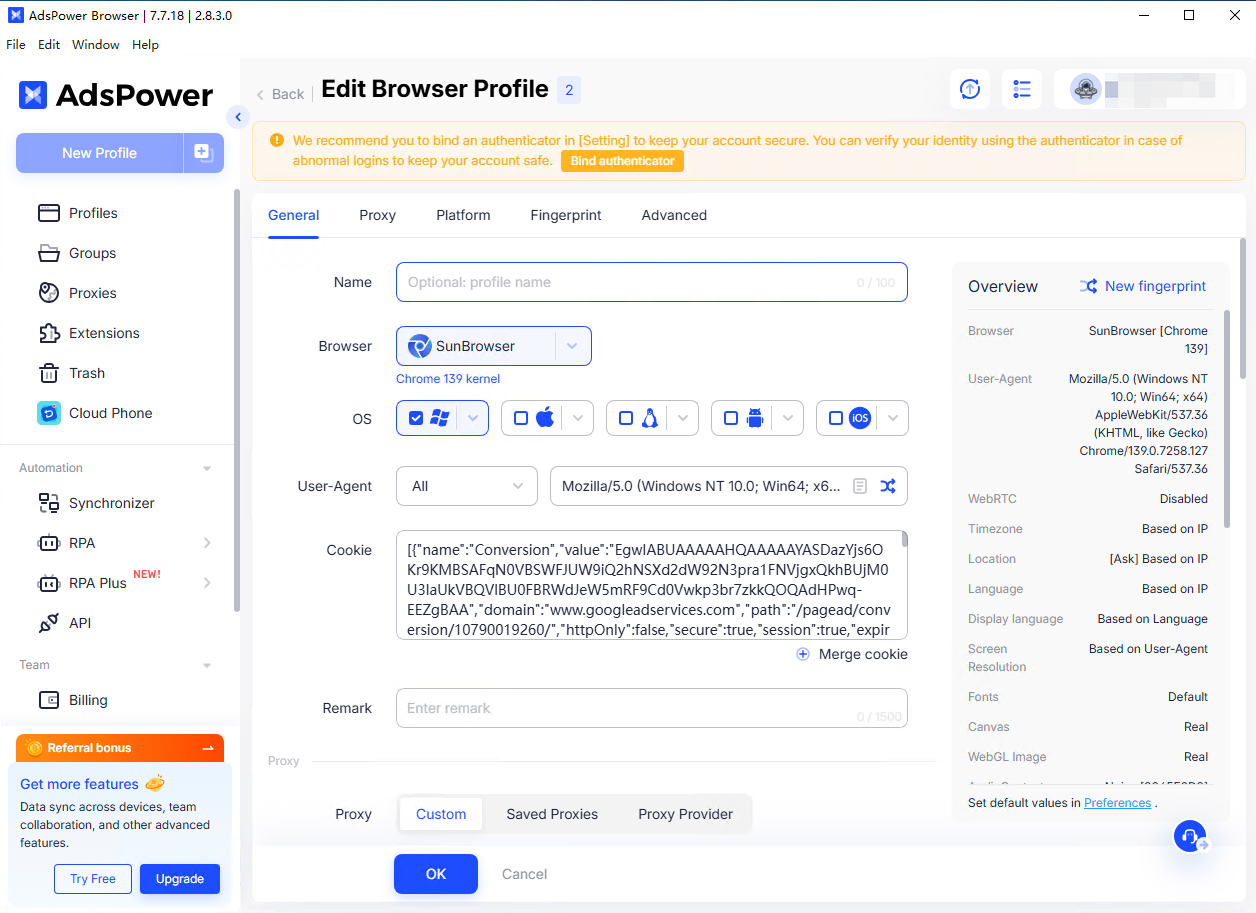
Complete the basic setup by setting the browser window name, browser kernel, and other optional notes for the current browser window.
{% endstep %}
{% step %}
### Configure Proxy Settings
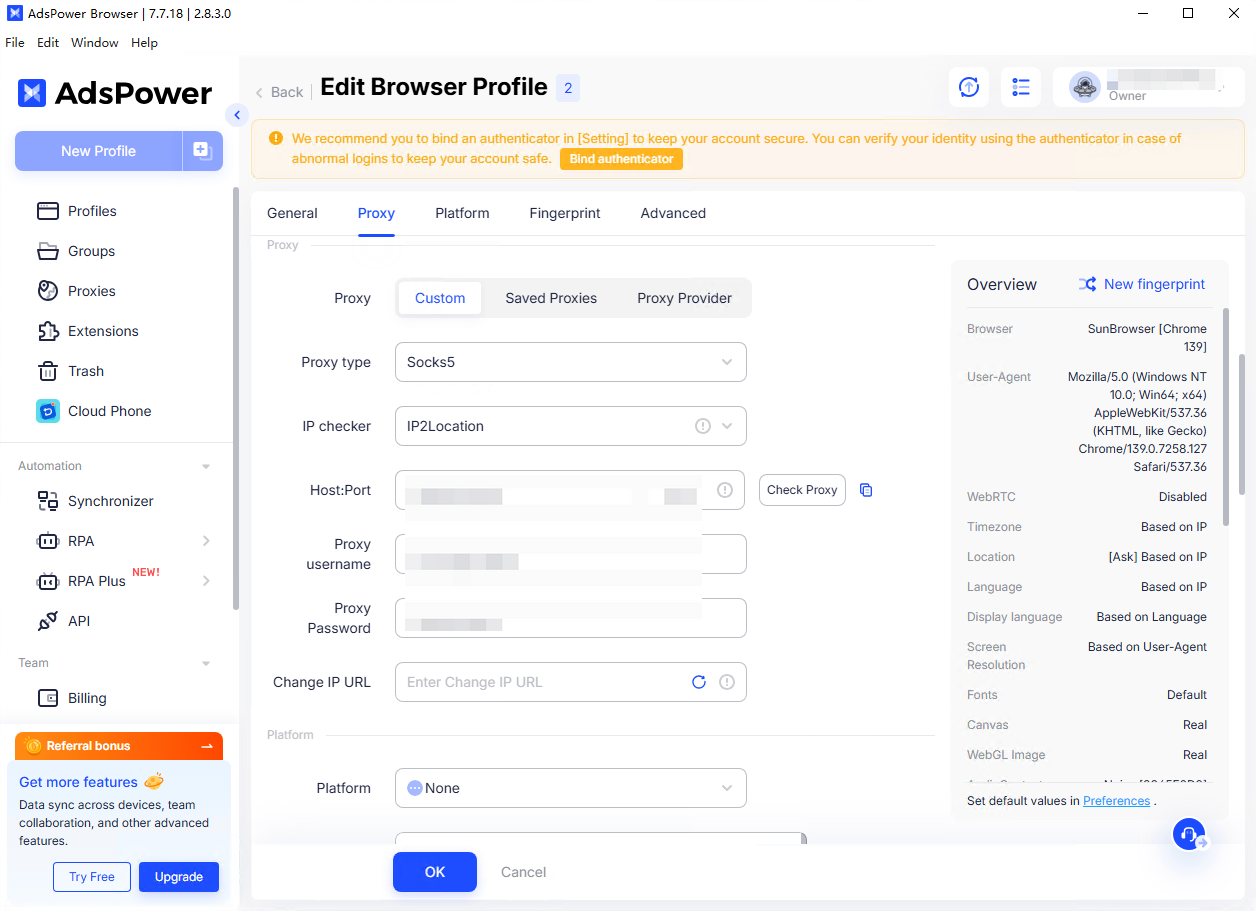
Next, go to the Proxy Settings section. AdsPower supports multiple proxy types; here we recommend selecting SOCKS5.
Then, copy the proxy details generated from the 1024Proxy residential proxy dashboard and paste them into the Host:Port, Proxy Username, and Proxy Password fields.
{% endstep %}
{% step %}
### Test the Proxy Connection
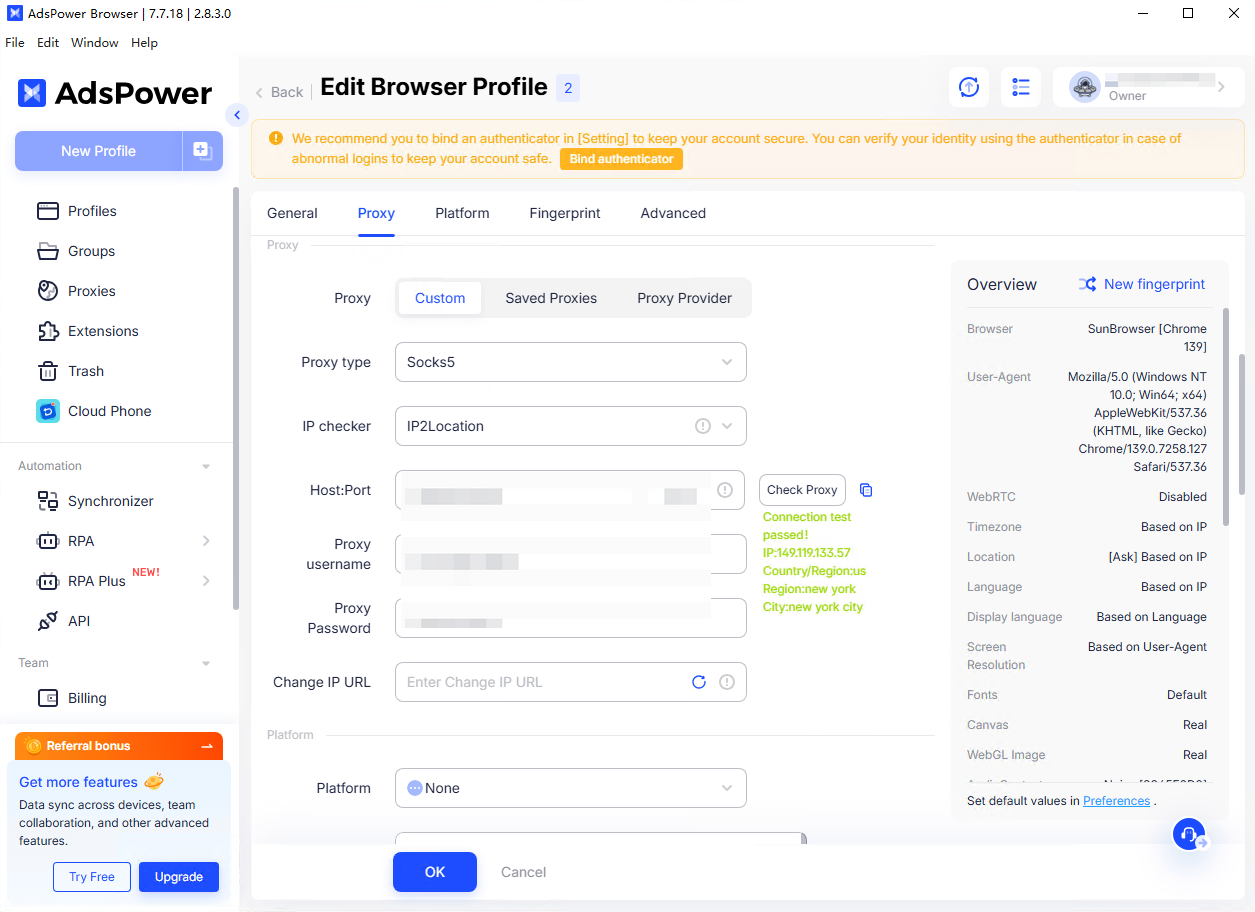
After entering all proxy details, click “Check Proxy.”\
If the test result is displayed in green, the proxy is successfully configured and ready for use.
{% endstep %}
{% endstepper %}