> For the complete documentation index, see [llms.txt](https://help.1024proxy.com/llms.txt). Markdown versions of documentation pages are available by appending `.md` to page URLs; this page is available as [Markdown](https://help.1024proxy.com/integrationtutorial/fbt/mostlogin.md).
# How to Set Up 1024 Proxy in Mostlogin Browser
### What is Mostlogin?
MostLogin is a professional anti-correlation fingerprint browser that provides a one-stop solution for enterprises to manage multiple accounts when going global. It includes: fingerprint browser + cloud phone + open API interface + group control synchronization system + MCP AI integration + team management. It creates fully isolated browser and cloud phone profiles with unique device fingerprints and clean IPs, helping prevent multi-account bans without the need for virtual machines. MostLogin is designed for social media management, automation, and large-scale account operatio
Key Features
\
Enterprise-grade anti-detection with deep kernel modification for fully independent profiles
\
Device fingerprint spoofing covering Canvas, WebGL, and Audio
\
Open API ecosystem with native Selenium/Puppeteer support for automated scripts
\
Bulk operations supported via RESTful APIs
\
Free features include RPA automation, sync system, and team collaboration
\
Cloud phone support at below-industry pricing, enabling cost-effective multi-device management
\
Pricing & Free Plan
\
Browser profiles: 100% free
\
Cloud phones: low-cost subscription plans
\
Free tools include APIs, automation, and team management, ideal for multi-account operations
### What is 1024proxy?
[1024proxy](https://1024proxy.com/en/?kwd=channel-paper) is the world's most professional residential agent. Its services are fast, stable and secure.\
Excellent service: offers free trial, returns and exchanges, as well as 24/7 technical support.\
Lowest price: traffic packages are $0.49/GB, providing low-cost high-quality IP.\
Independent IP pool: over 100,000 IPs are updated daily.\
High connection rate: connection rate is as high as 99.5%.
### The following will introduce how to configure 1024proxy into Mostlogin.
* [**Download**](https://www.mostlogin.com/) Mostlogin, install it in Mostlogin, download the Mostlogin client.
{% stepper %}
{% step %}
### Create profile
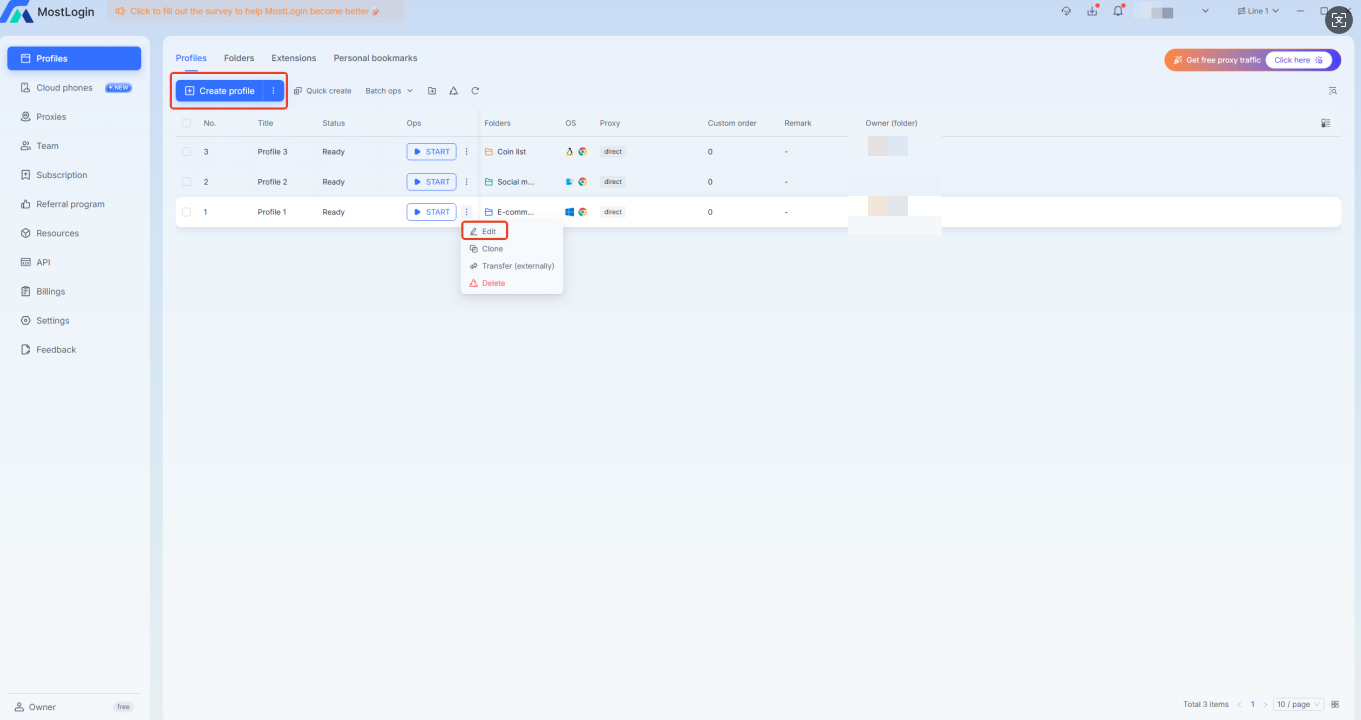
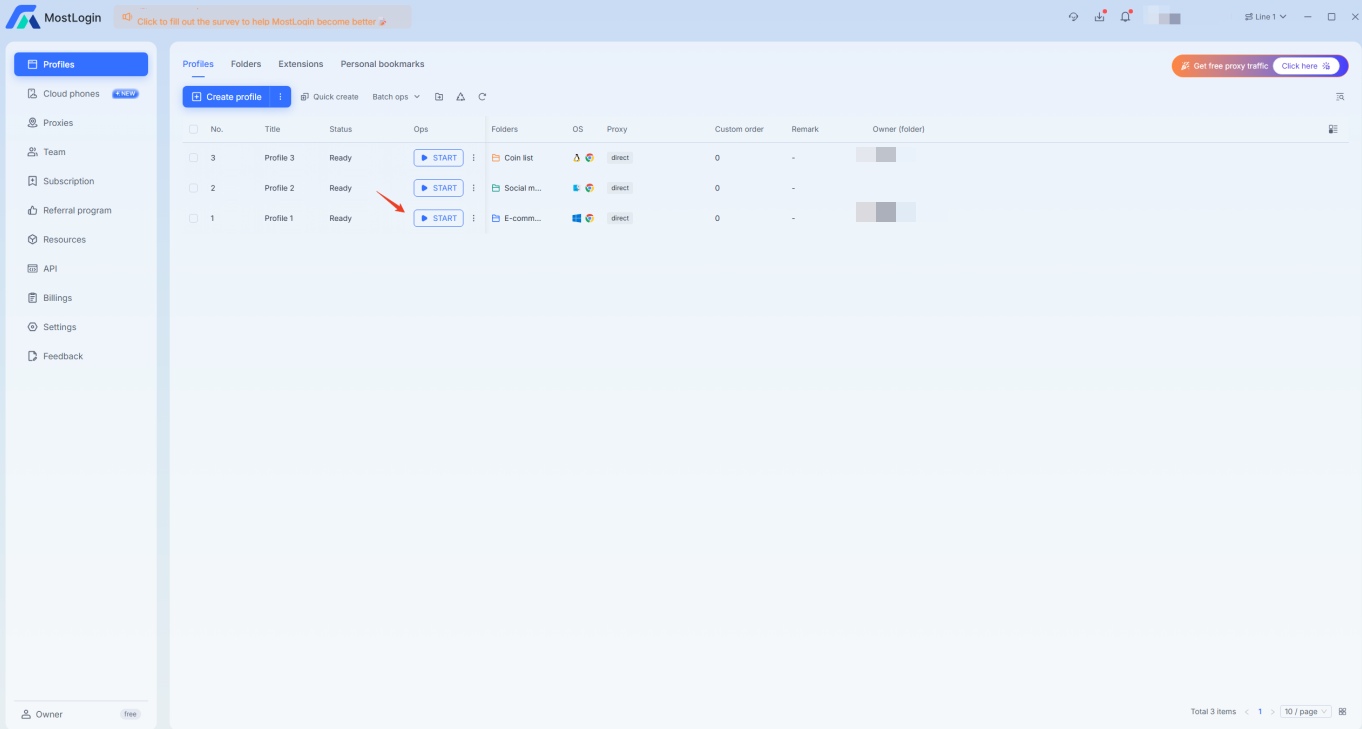
Open the Mostlogin client page and you can see the following configuration as shown in the picture.You can also click \[Create profile] to continue creating.
{% endstep %}
{% step %}
### Set proxy protocol and proxy details
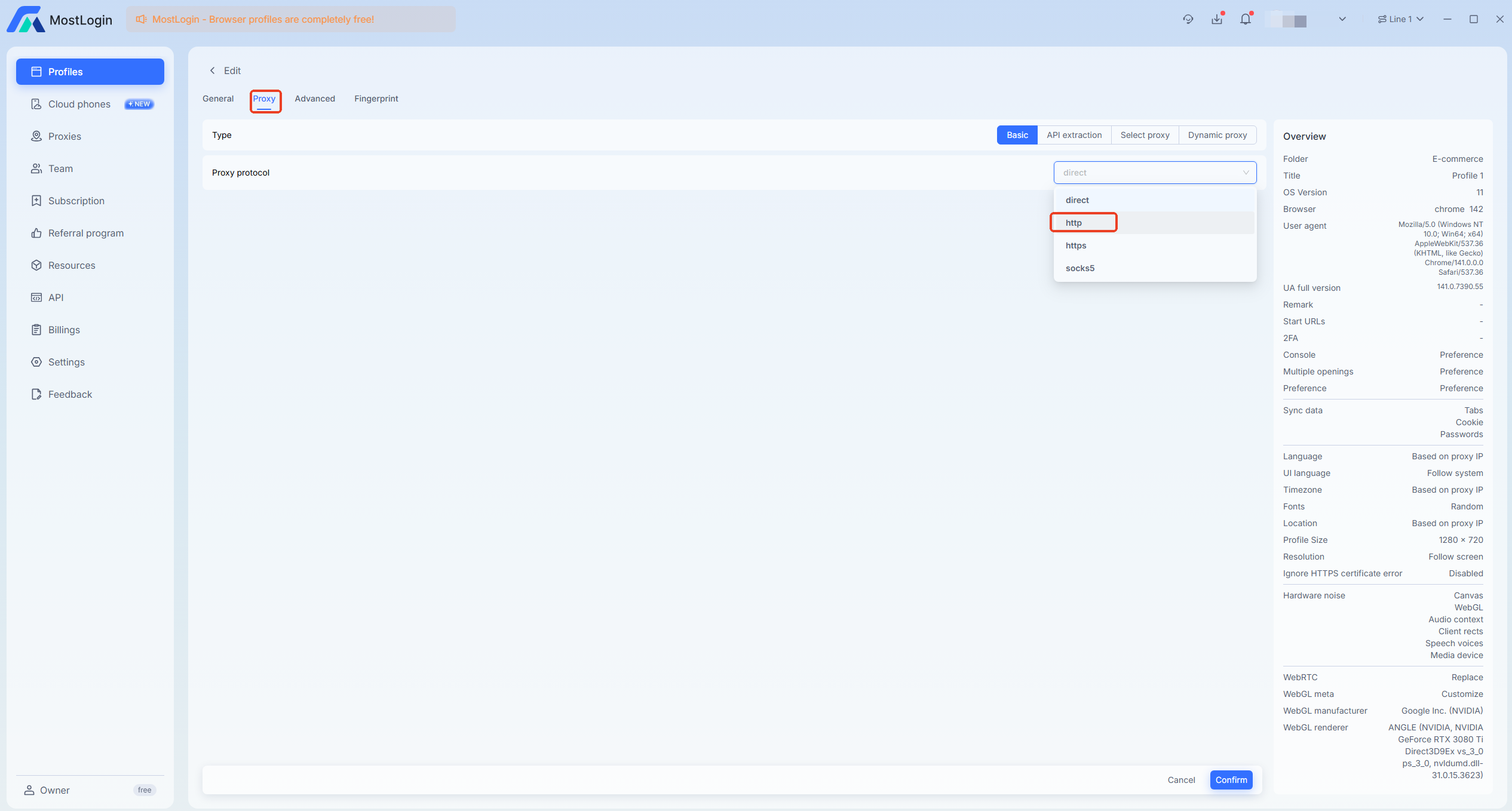
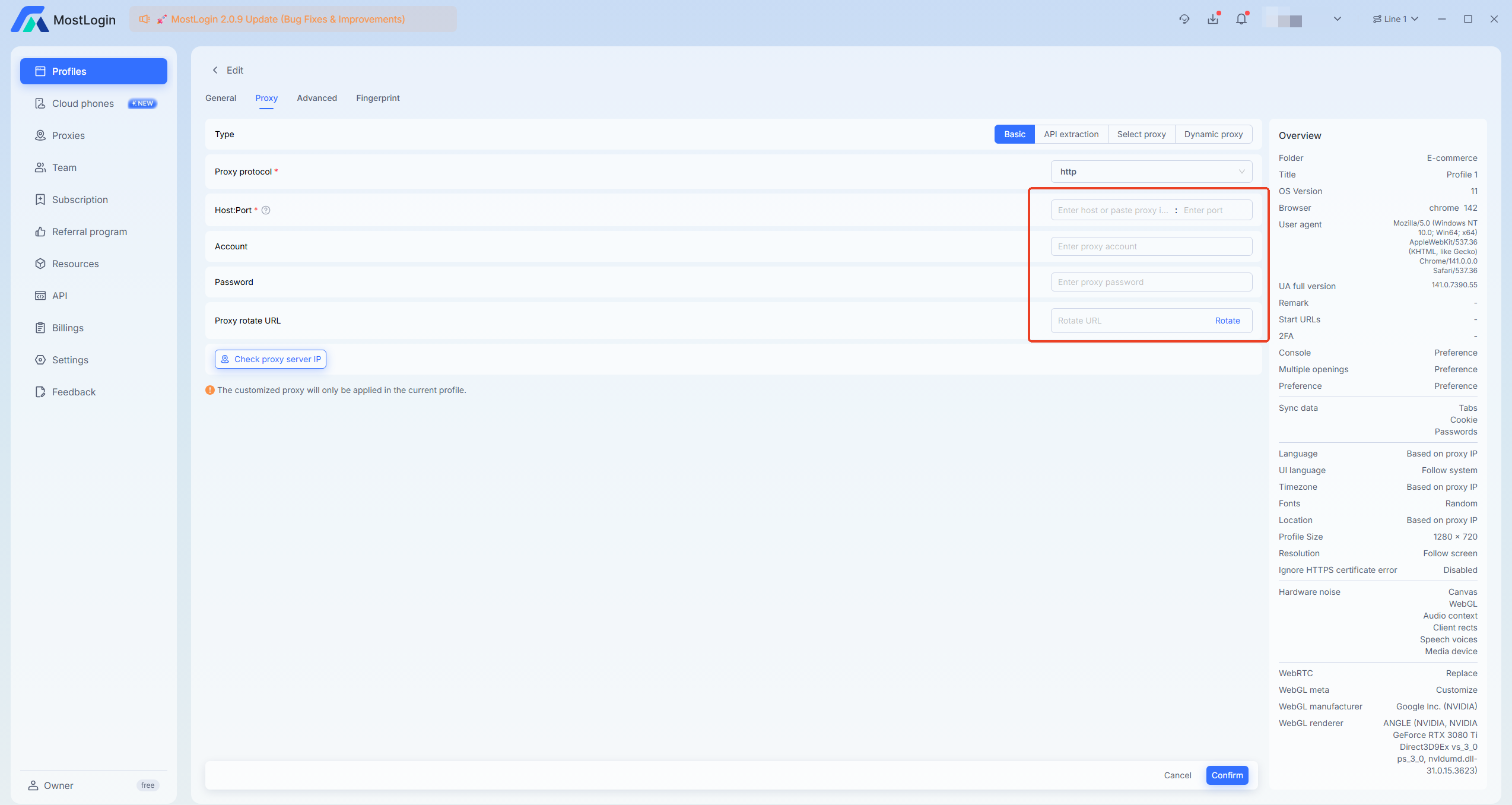
Open the configuration interface and click on the \[Proxy] dropdown to select \[http], and configure the relevant information of the proxy IP.
{% endstep %}
{% step %}
### Confirm Proxy Settings and Complete Configuration
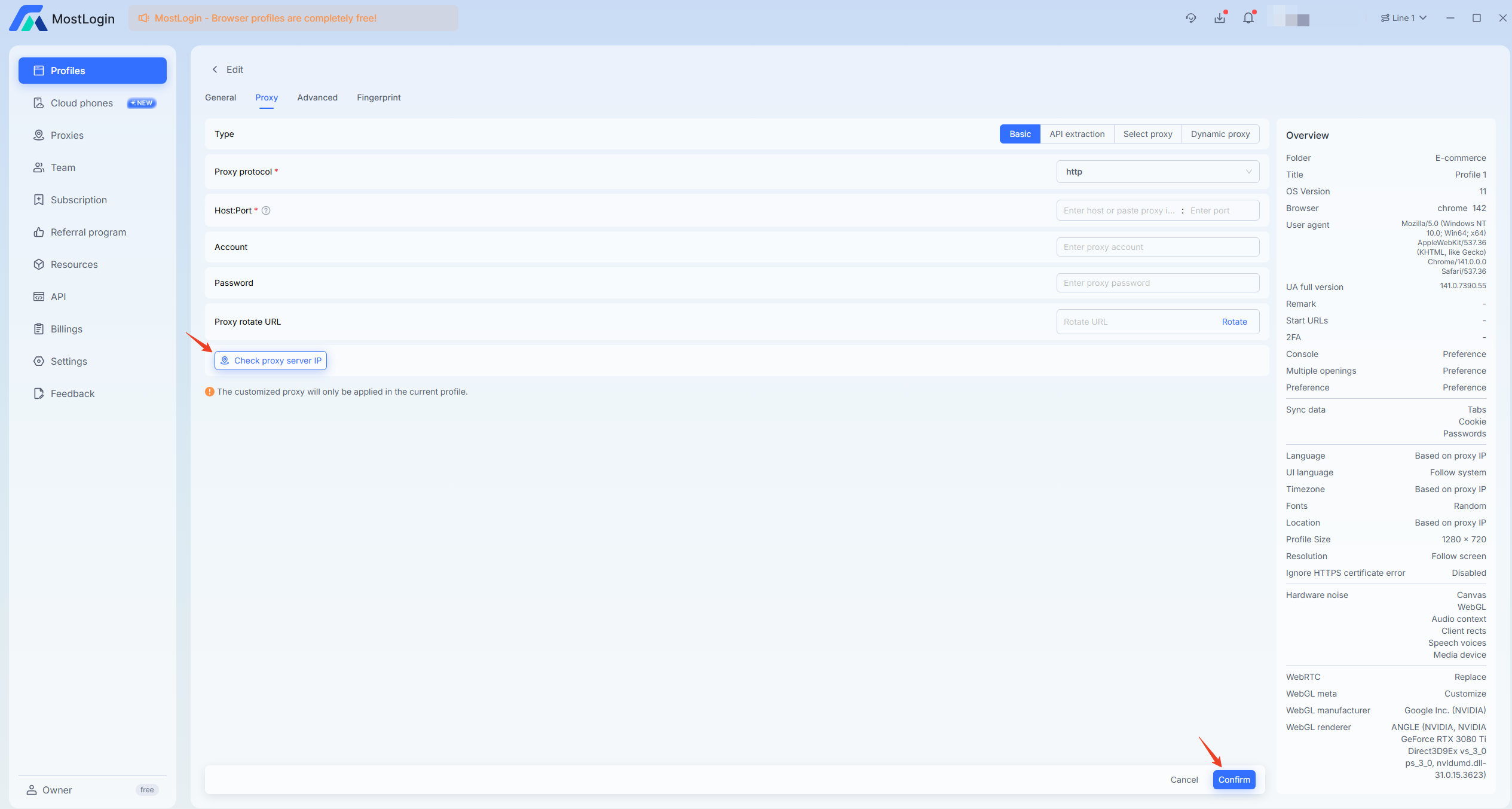
After configuration, check the relevant proxy information and click confirm.
{% endstep %}
{% step %}
### Launch the Configured Browser to Begin
When the configuration is completed, select the configured browser and click \[start] to proceed.
{% endstep %}
{% endstepper %}