> For the complete documentation index, see [llms.txt](https://help.1024proxy.com/llms.txt). Markdown versions of documentation pages are available by appending `.md` to page URLs; this page is available as [Markdown](https://help.1024proxy.com/long-term-static-isp/username-and-password-authentication.md).
# Username & Password Authentication
### What Is Username & Password Authentication?
Username & Password Authentication is a common and basic authentication method. When using a proxy, users need to enter a username and password in the connection request. The proxy server will first verify the credentials, and only after successful authentication will access to network resources be granted.
Key Features:
* ✅ No need for a fixed local IP; can be used in any network environment
* ✅ Flexible configuration, suitable for multiple users, multiple devices, or automated programs
* ✅ Secure and controllable; passwords can be changed or accounts disabled at any time
### Quick Overview
### How to Extract IPs Using 1024Proxy’s Username & Password Authentication?
Below is a detailed explanation of the operation steps and usage instructions.
{% stepper %}
{% step %}
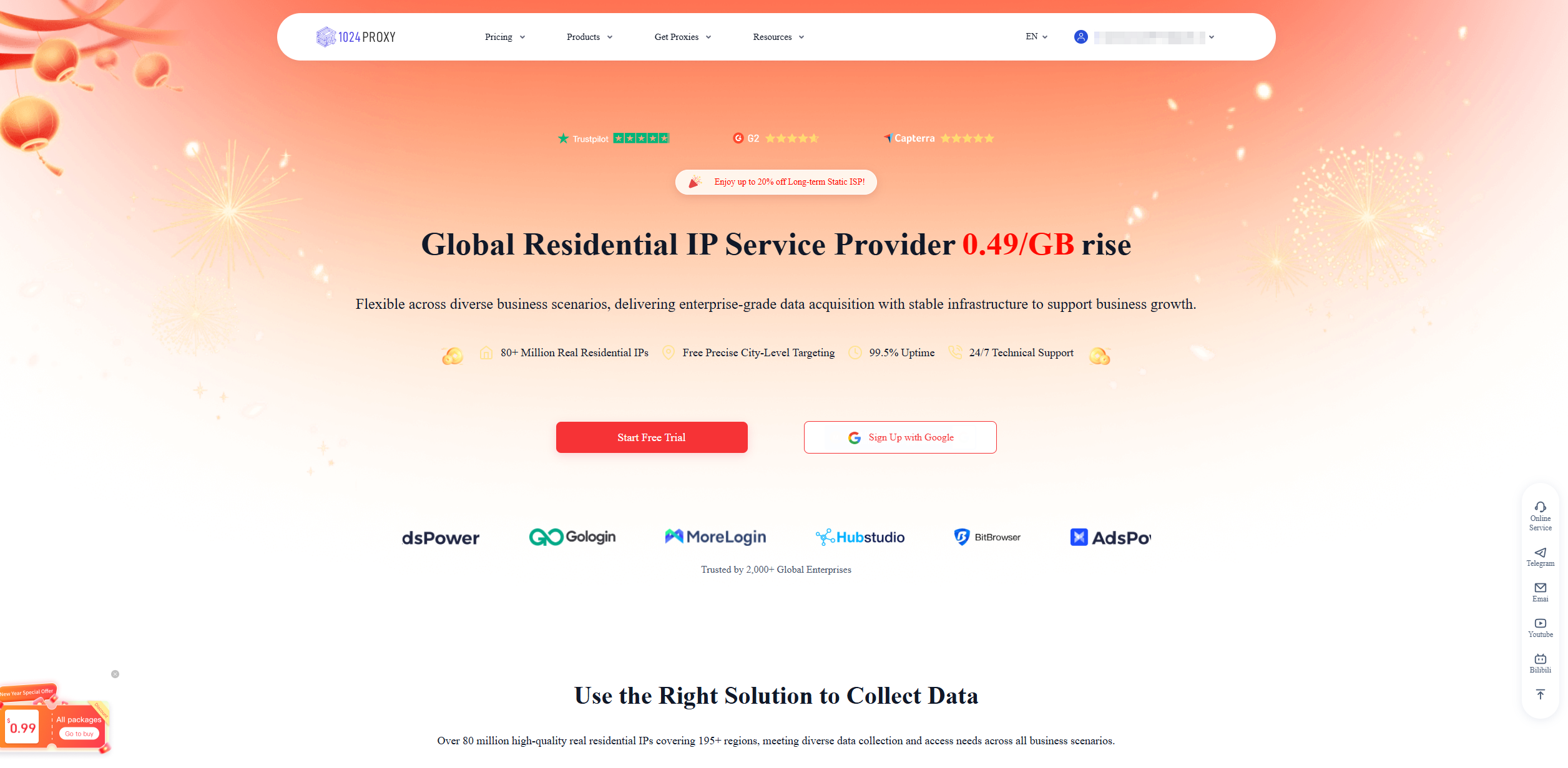
### Log In or Register for 1024Proxy
{% embed url="" %}
{% endstep %}
{% step %}
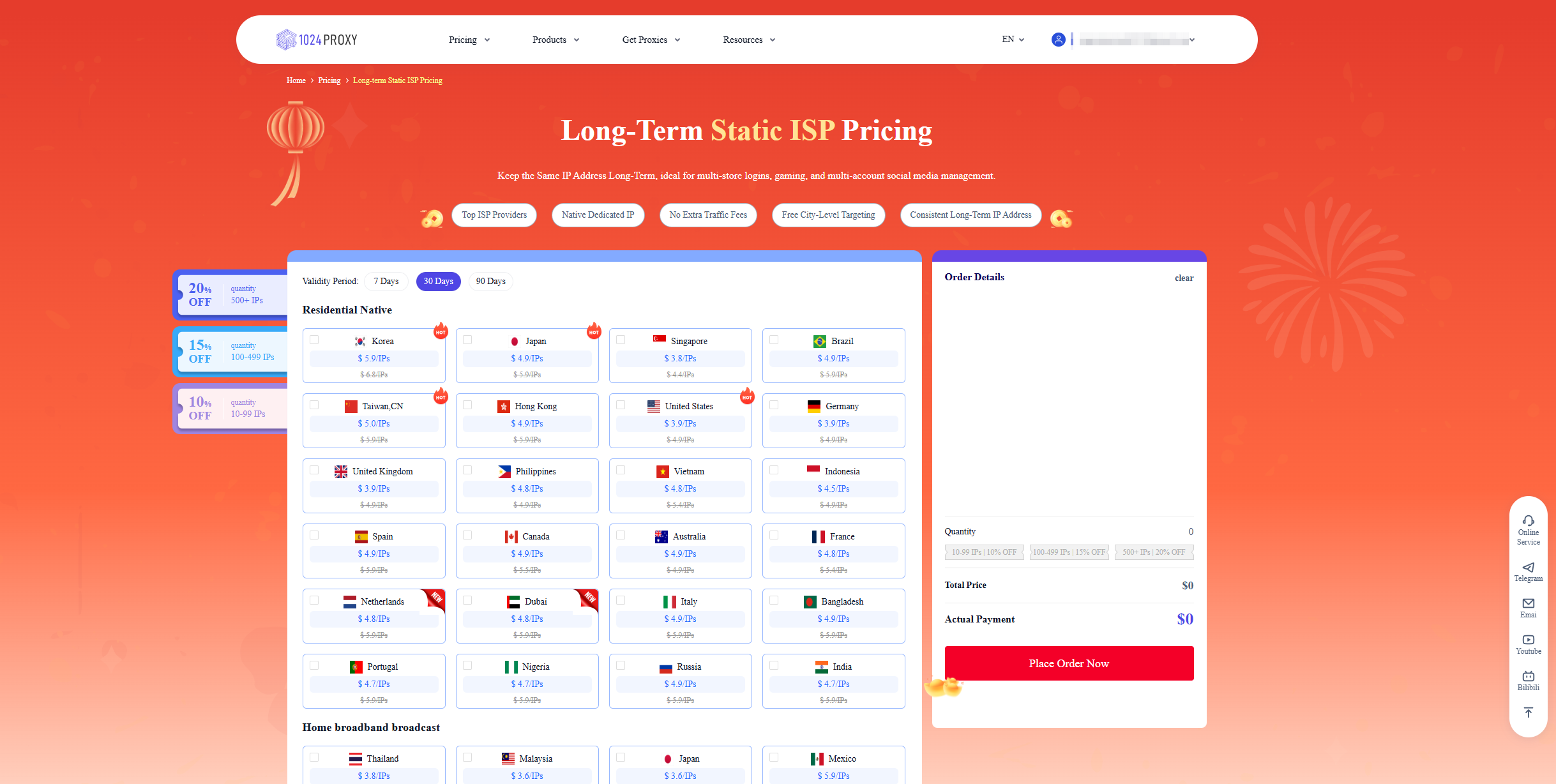
### Purchase Long-Term Static ISP Proxies
{% endstep %}
{% step %}
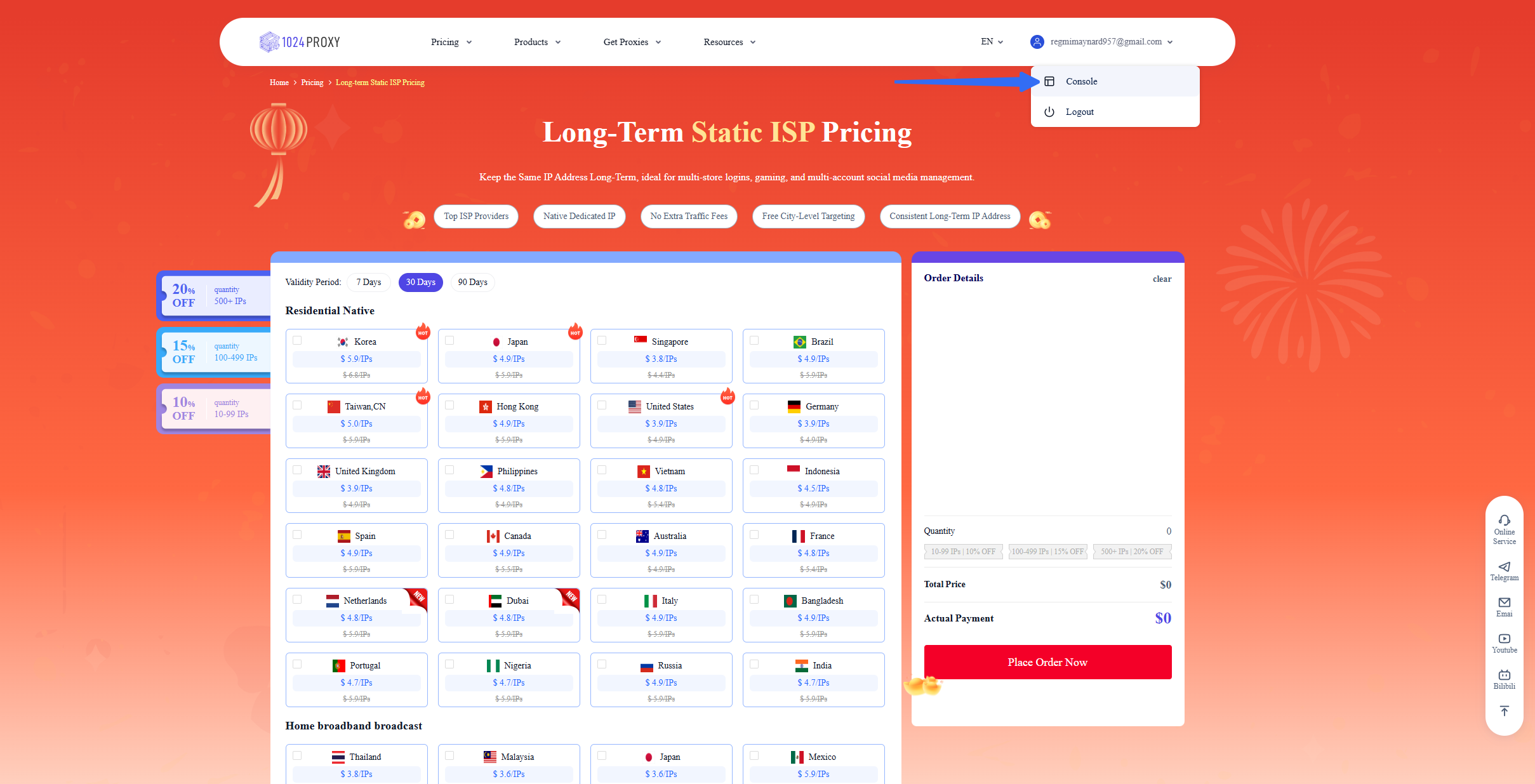
### Enter the Console to Extract IPs
{% endstep %}
{% step %}
### Create a Sub-Account
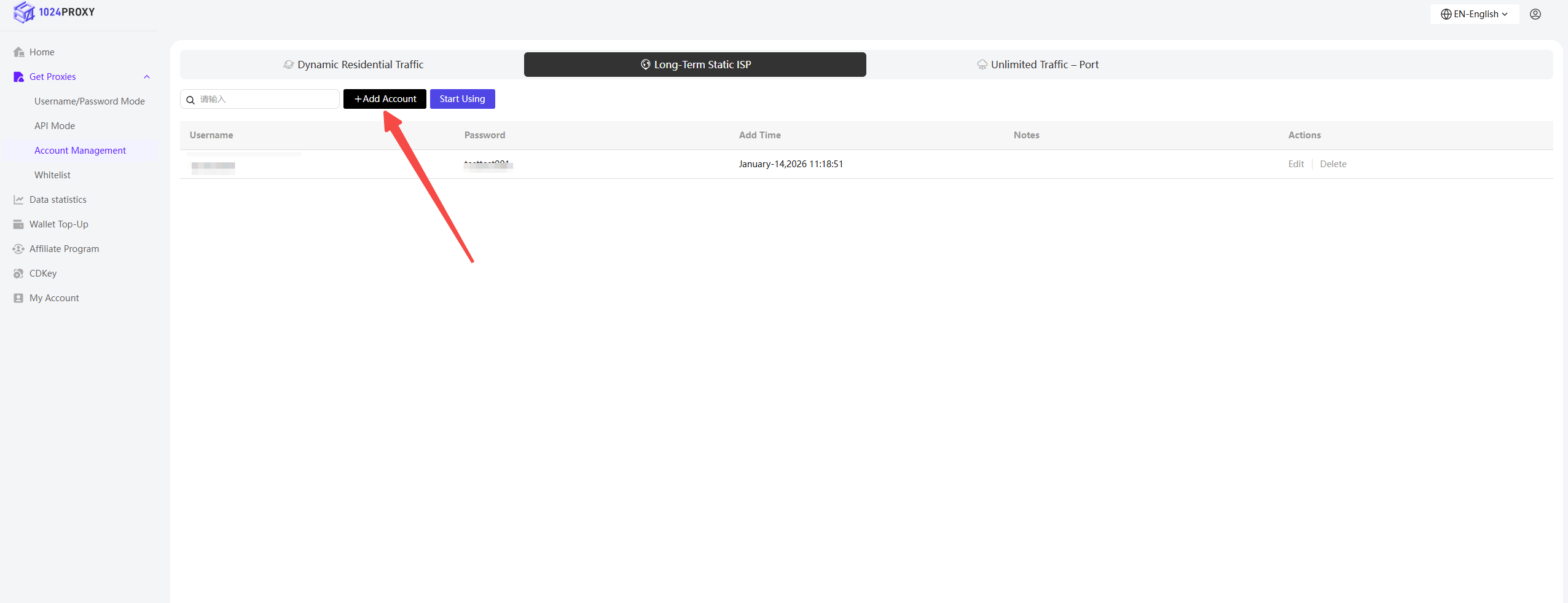
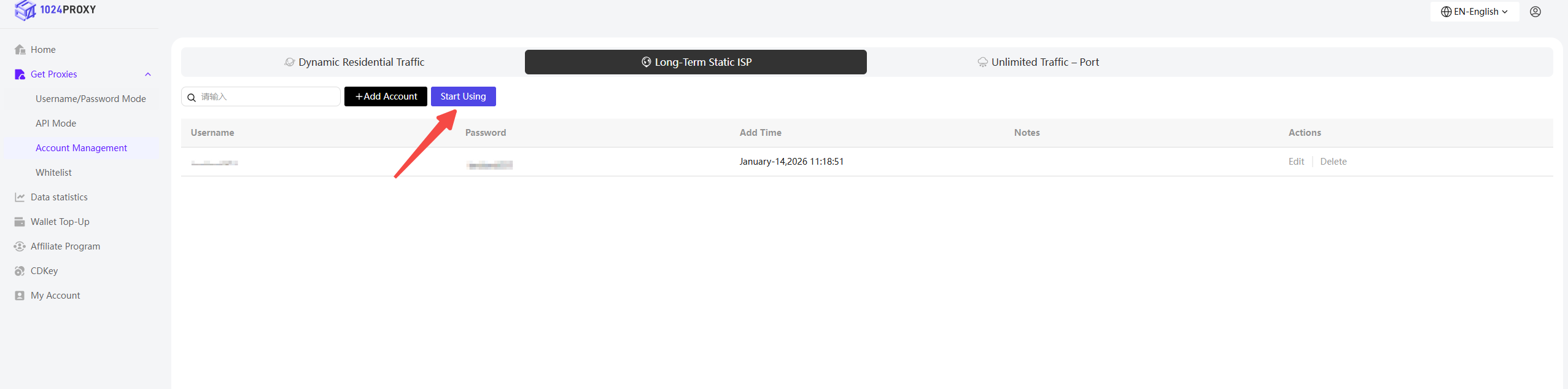
In the console, under the Username & Password Authentication section, select Account Management → Long-Term Static ISP, then click Add Account.
The 1024Proxy Long-Term Static ISP plan supports account-based authentication. Before using it, users can create an account on their own.\
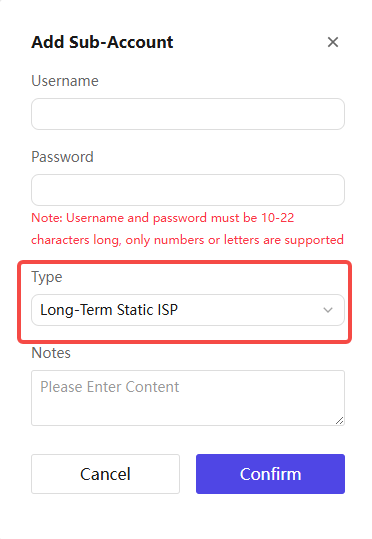
When adding a sub-account, select Long-Term Static ISP under the Plan Type option in the pop-up window.
Alternatively, you can choose random username and password authentication when extracting the proxy.
In the popup, you can set a username, password, and add remarks.\
Creating sub-accounts helps meet the needs of multi-account management and precise traffic control, making it more suitable for studios or enterprises with multiple collaborators.
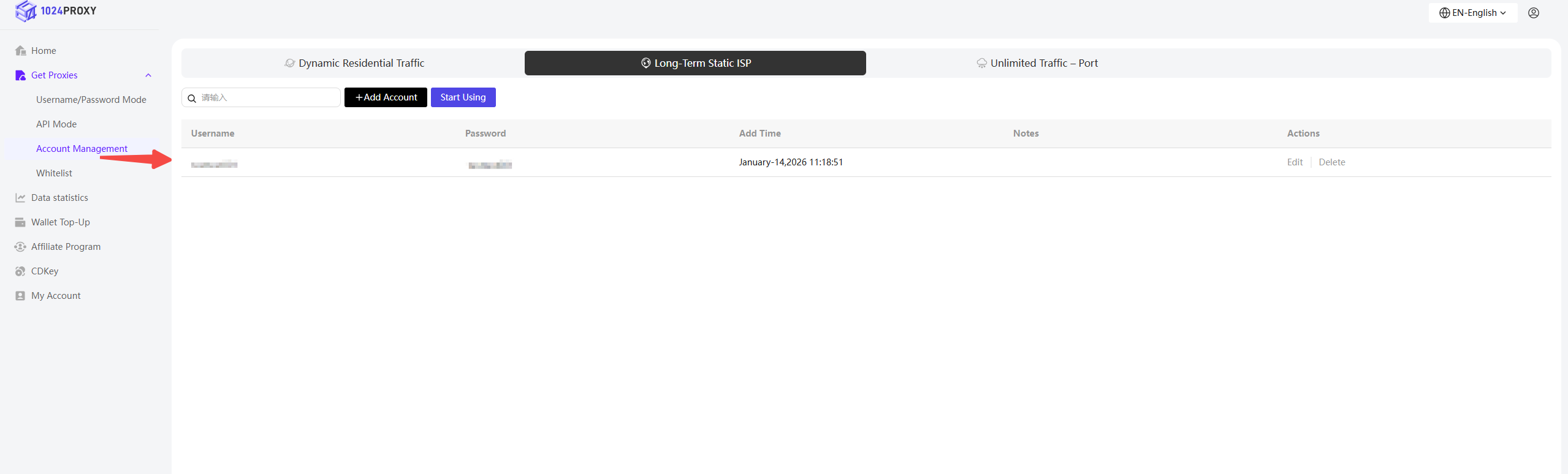
Click Confirm to view the newly created sub-account information on the sub-account page.
Then click Use to return to the Username & Password Authentication page and the Long-Term Static ISP Proxy section.
{% endstep %}
{% step %}
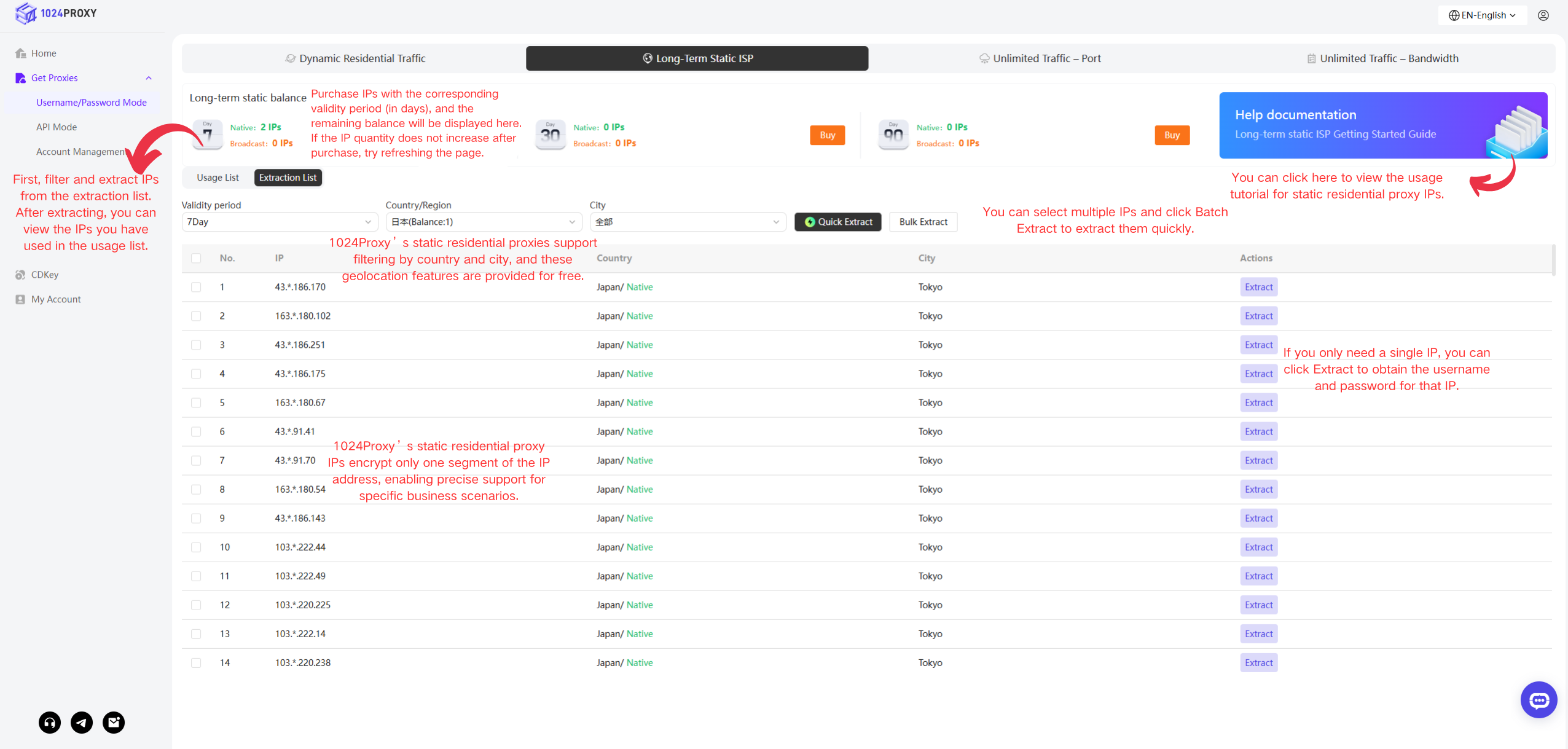
### Filter and Extract IPs
**Standard Extraction**
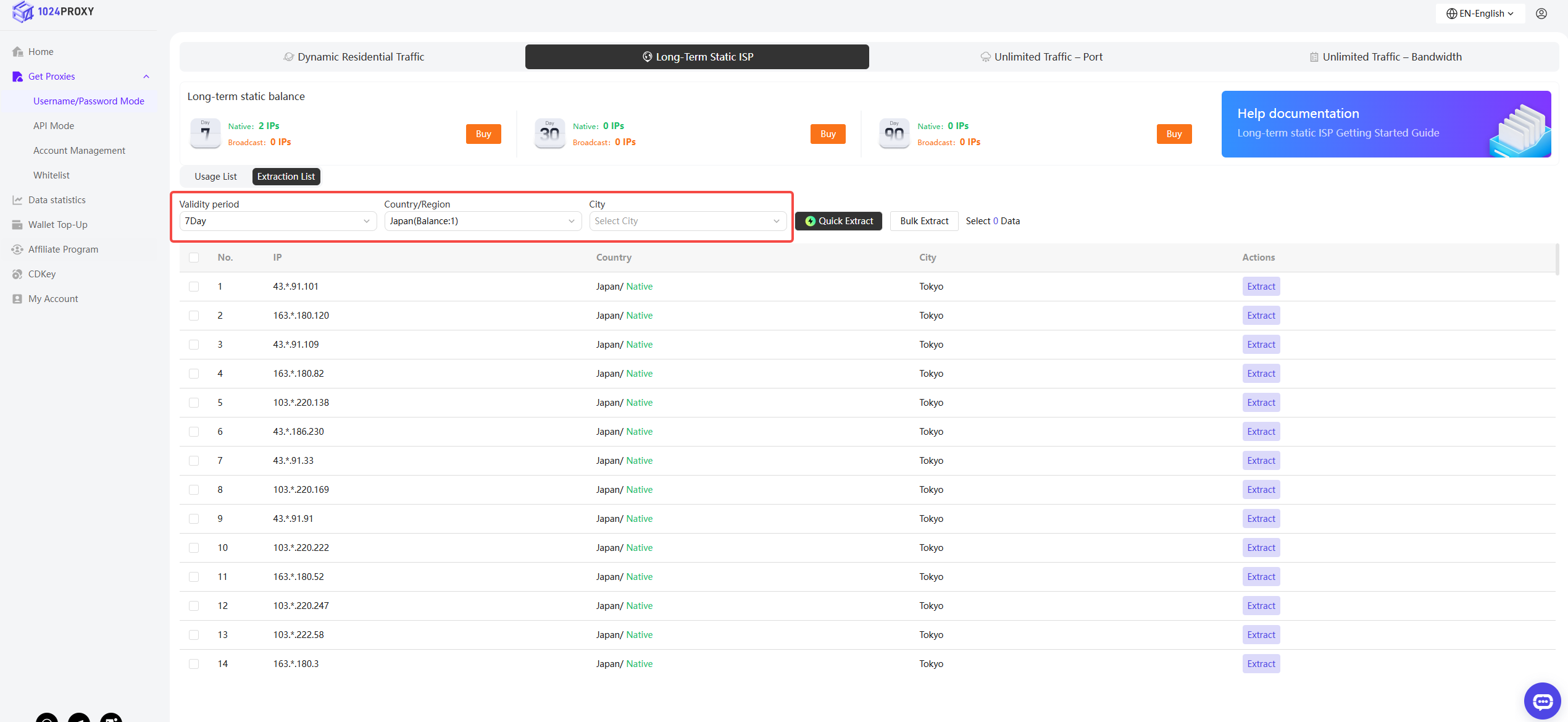
Select Extraction List and filter the proxy IPs you need. Currently, 1024Proxy supports three filtering dimensions:
* Validity Period
* Country / Region
* City
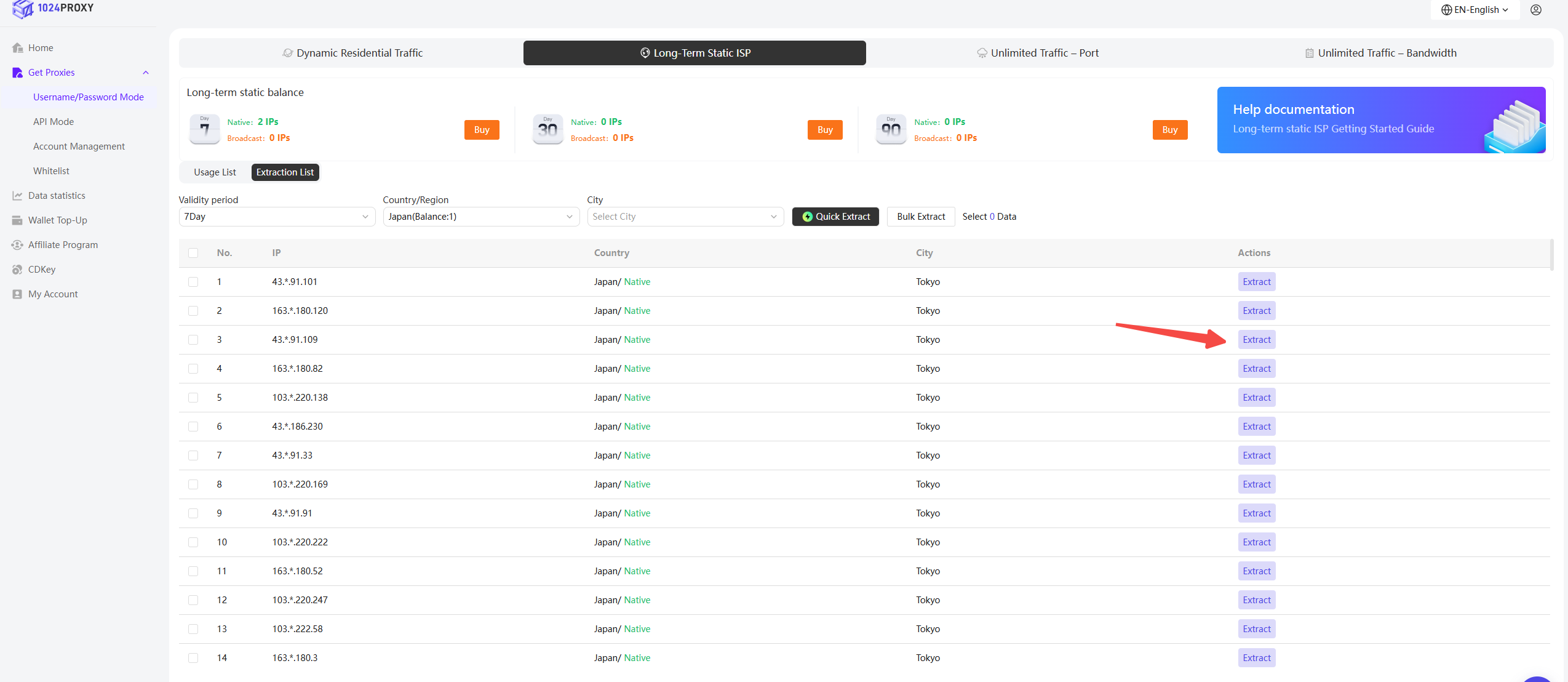
Then click Extract.
After extraction, the corresponding long-term static residential proxy IP balance will be deducted from your account.
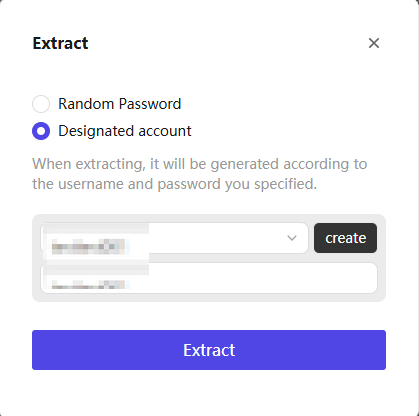
In the extraction popup, you can choose between two options:
* Random Credentials: The system will randomly generate a username and password
* Specified Account: The IP will be assigned to a specified account
**Quick Extraction**
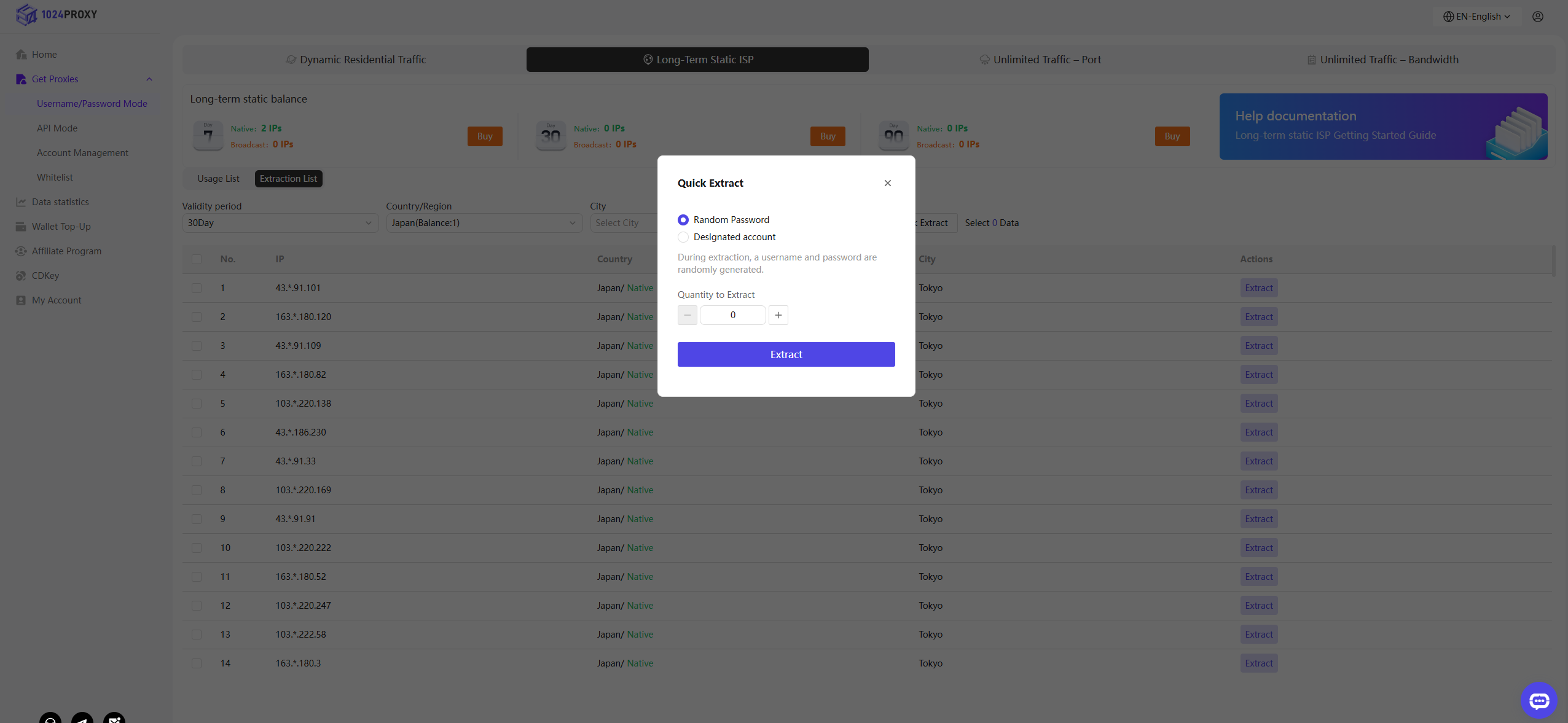
If you do not require a very specific IP range and want to further improve efficiency, you can use the Quick Extract feature provided by 1024Proxy.
After presetting the required filters such as validity period, country/region, and city, click the Quick Extract button to open the extraction popup.
* Random Credentials: The system will randomly generate a username and password
* Specified Account: The IP will be assigned to a specified account
After setting the account credentials, select the number of IPs to be extracted in bulk to complete the batch extraction.
{% endstep %}
{% step %}
### Using Proxy IPs
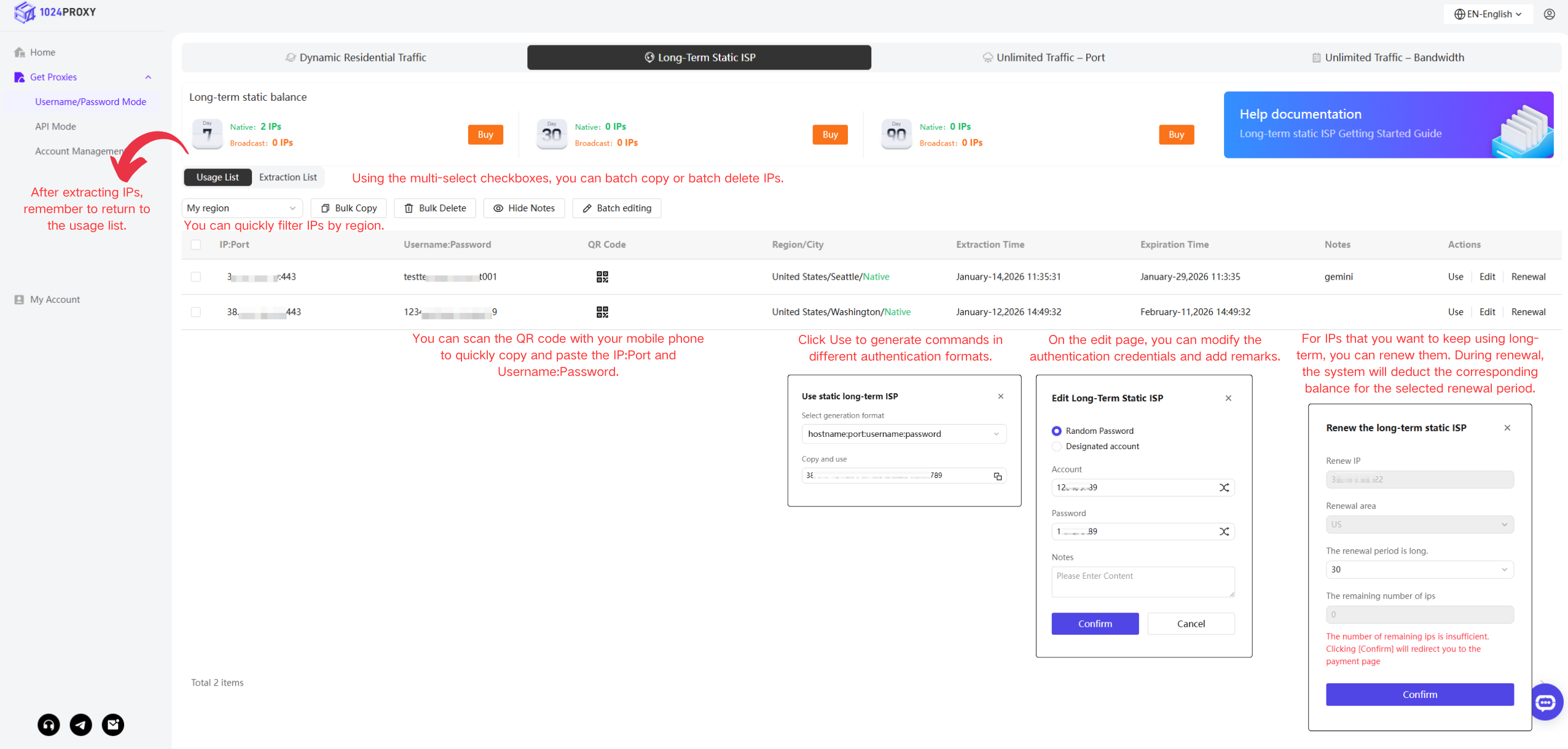
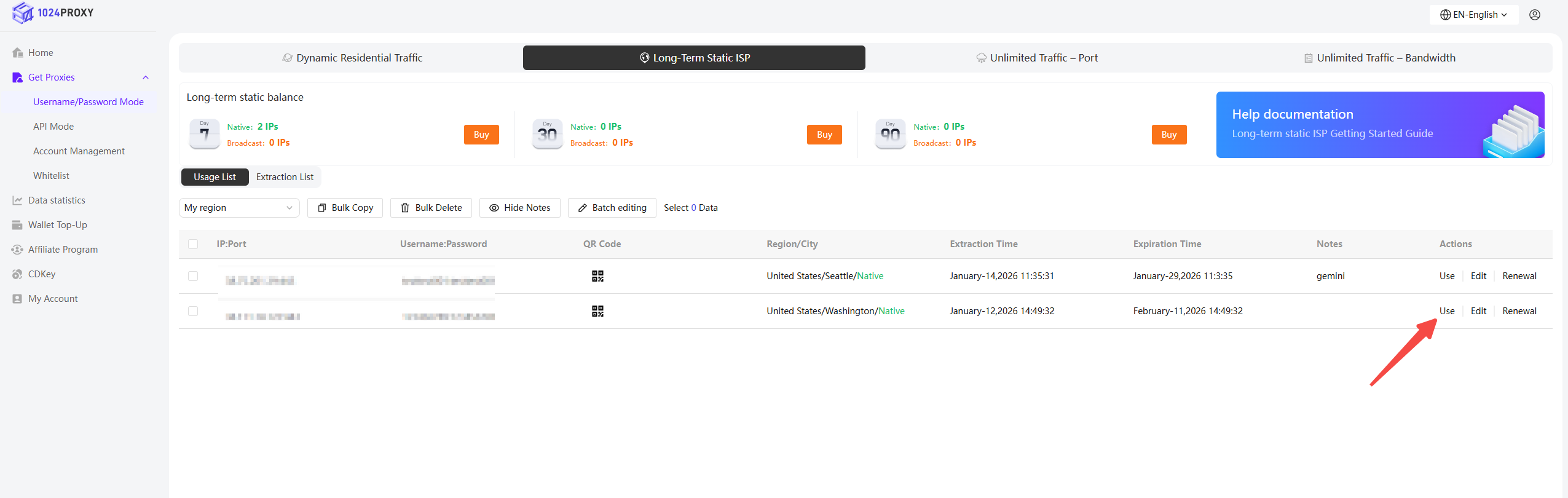
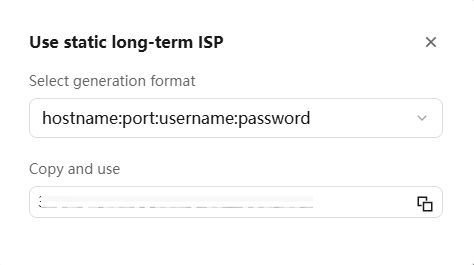
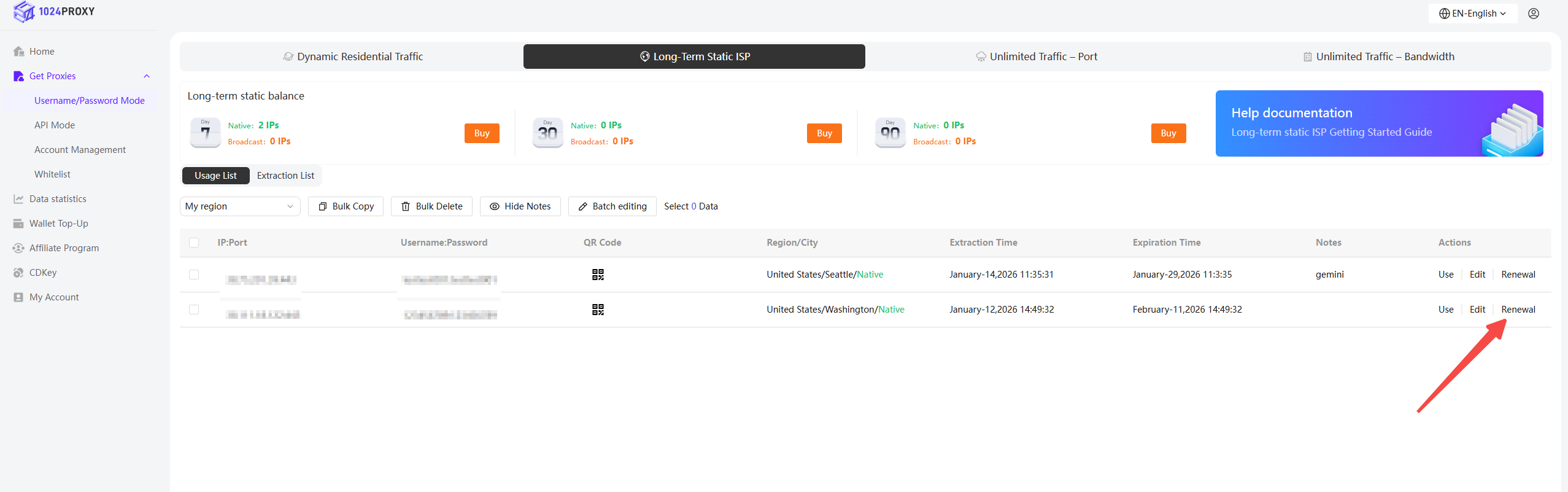
After completing IP filtering and extraction, you will be redirected to the Usage List, where you can view all extracted IPs under the current account. Click Use.
1024Proxy provides multiple command generation formats. Choose the appropriate format, generate the command, and paste it into a third-party proxy tool for use.
{% endstep %}
{% step %}
### Batch Management
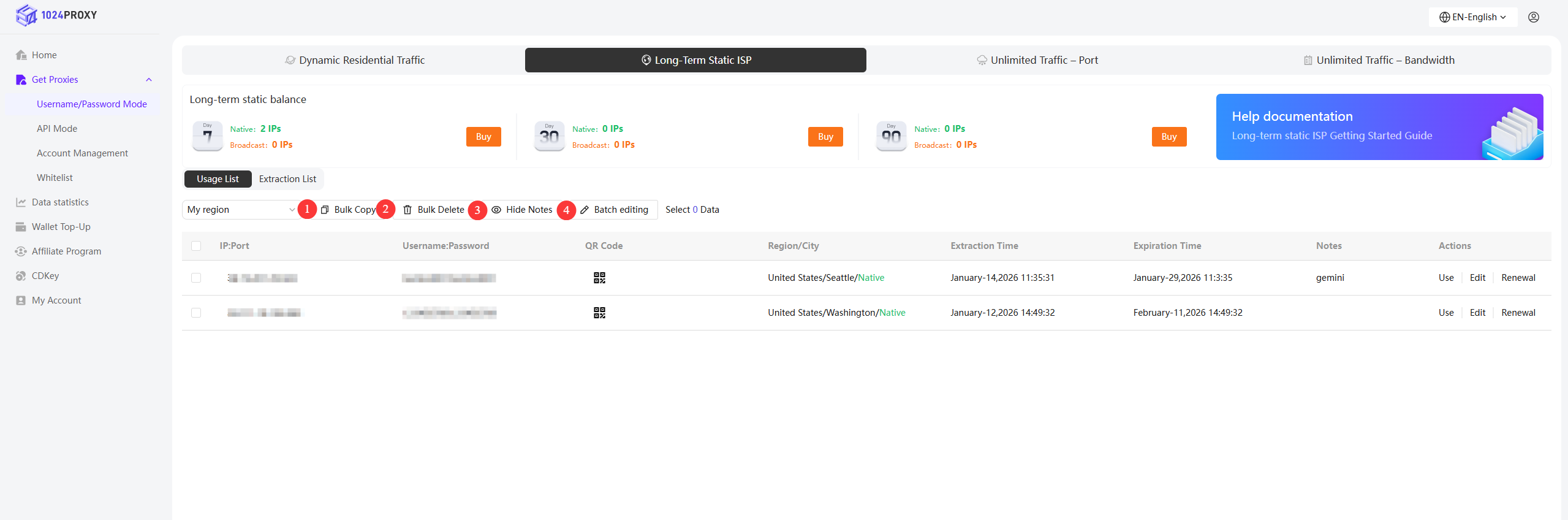
1024Proxy supports batch IP management. After selecting multiple IPs, you can:
1. Click Batch Copy to copy information such as IP, port, username, and password
2. Click Batch Delete to delete purchased static IPs
3. Click Hide Notes to hide the remarks column for a cleaner IP management interface
4. Click Batch Edit to modify account passwords and remarks in bulk
{% endstep %}
{% step %}
### Renew Long-Term Static ISP Proxies
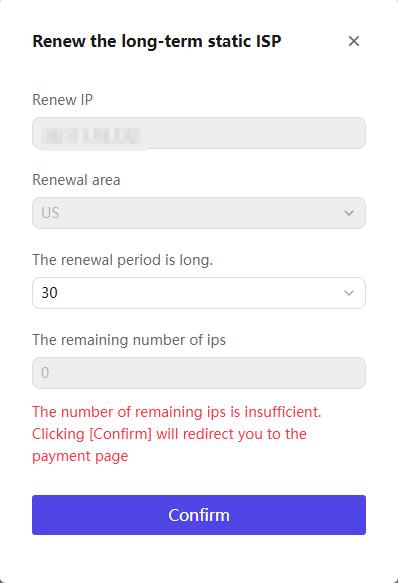
Click Renew to renew the IPs currently in use.
Currently, 1024Proxy only supports renewals using the balance of IP days corresponding to the country. If the balance is insufficient, you will need to purchase additional IP balance before renewing.
{% endstep %}
{% endstepper %}