> For the complete documentation index, see [llms.txt](https://help.1024proxy.com/llms.txt). Markdown versions of documentation pages are available by appending `.md` to page URLs; this page is available as [Markdown](https://help.1024proxy.com/unlimited-residential-traffic-bandwidth/api.md).
# API
### 1024Proxy API Feature Overview
The API feature provides a more efficient operating method for users with programming capabilities. By modifying API parameters, users can quickly filter and extract the proxy IPs they need.\
The 1024Proxy API is commonly used in business scenarios that require high-frequency IP rotation, such as data scraping and large-scale crawling.
### Quickly Overview
### How to Use the 1024Proxy API
{% stepper %}
{% step %}
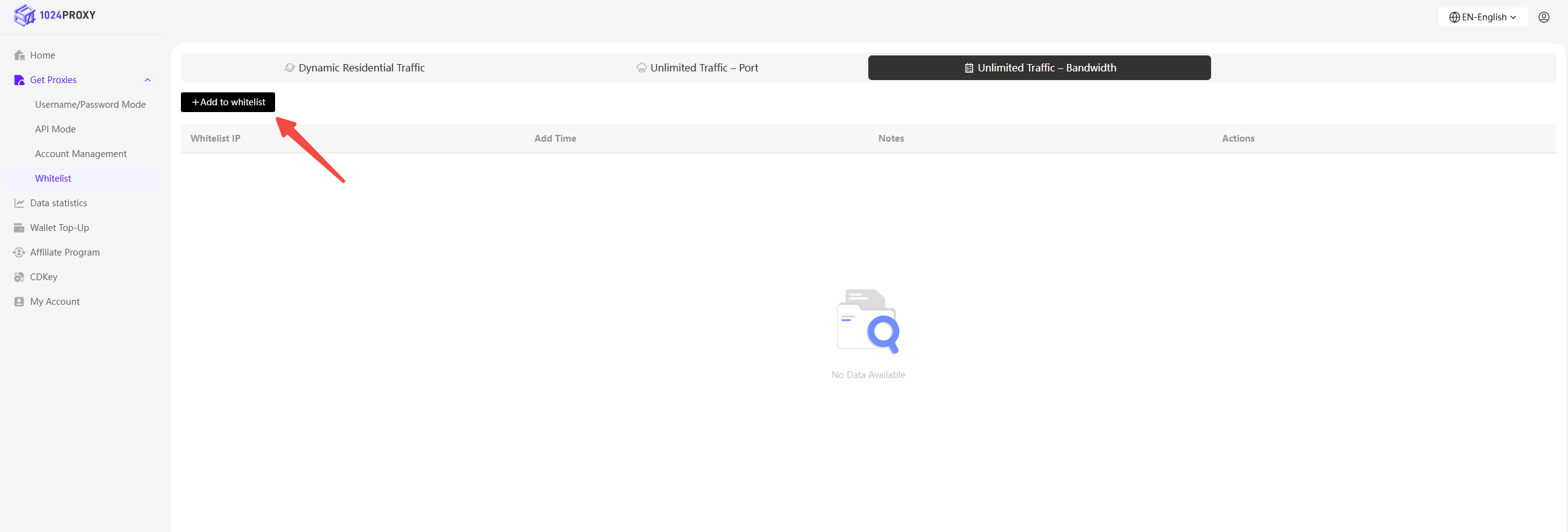
### Add Your Local Public IP to the IP Whitelist
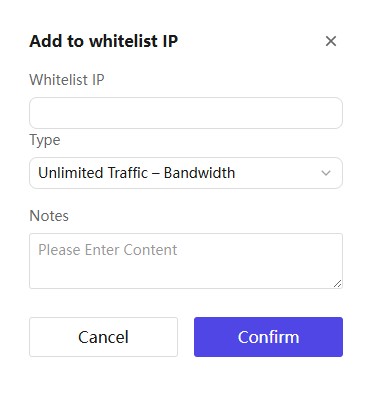
Click the \[Add Whitelist] button to add your local public IP address to the whitelist.
{% endstep %}
{% step %}
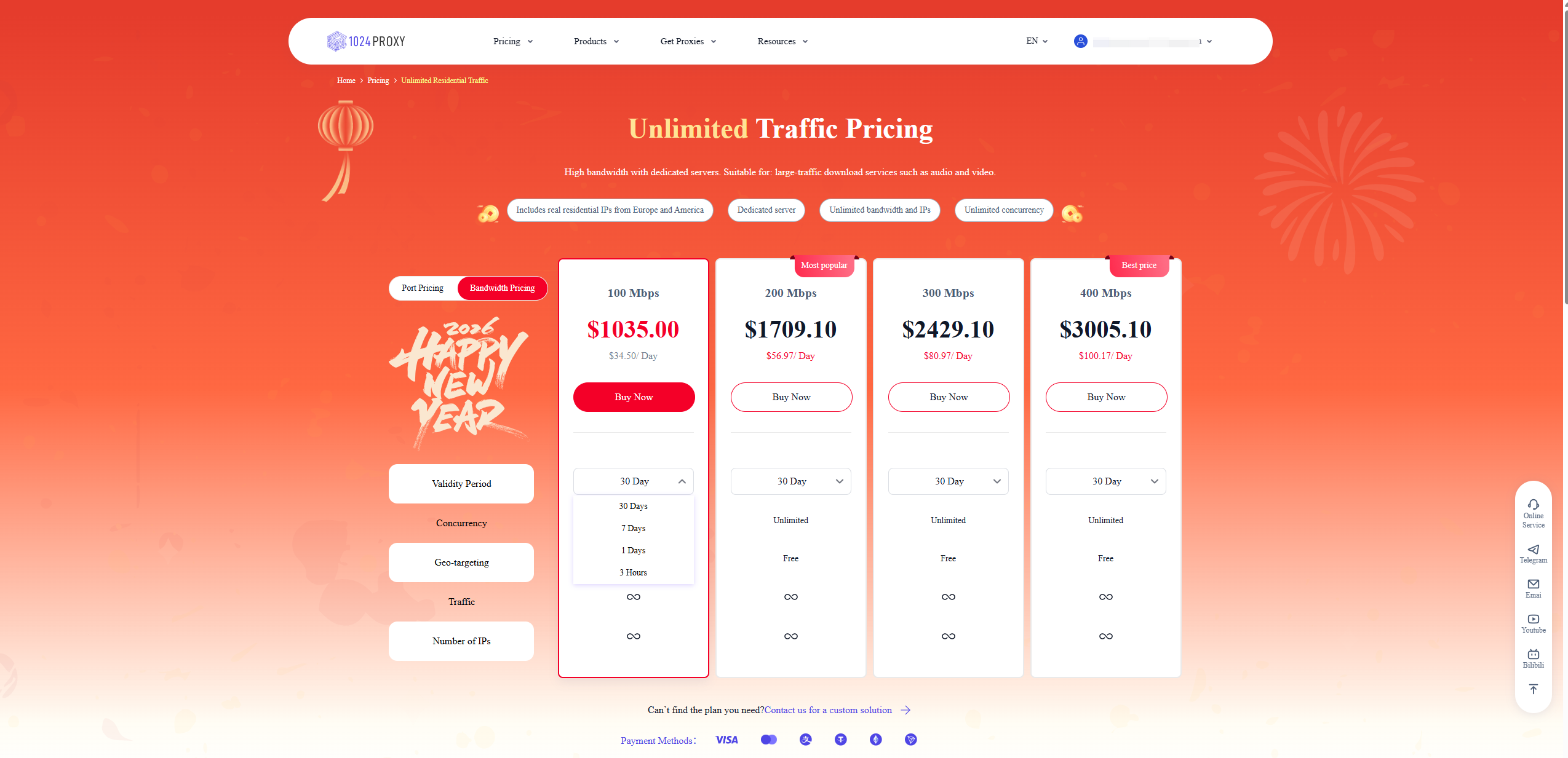
### Purchase an Unlimited Traffic & Bandwidth Plan
Return to the API Mode menu and select Unlimited Traffic & Bandwidth. You will see that your local public IP has already been added to the whitelist.
Click Buy Now to jump to the plan purchase page and complete the purchase of an Unlimited Traffic & Bandwidth plan.
1024Proxy currently offers multiple validity options for Unlimited Traffic & Bandwidth plans, including 3 hours, 1 day, 7 days, 30 days, and more, allowing users to meet a wide range of business needs.
{% endstep %}
{% step %}
### Configure Filter Conditions or Parameters
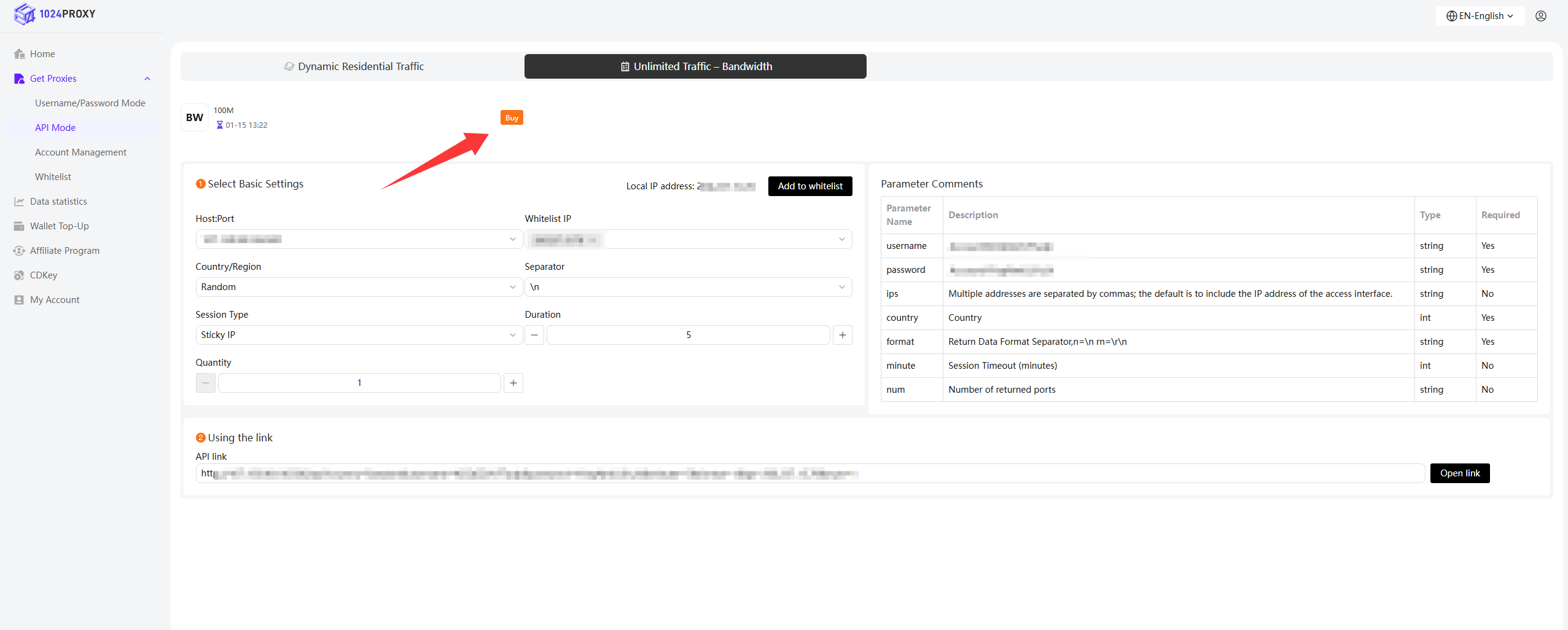
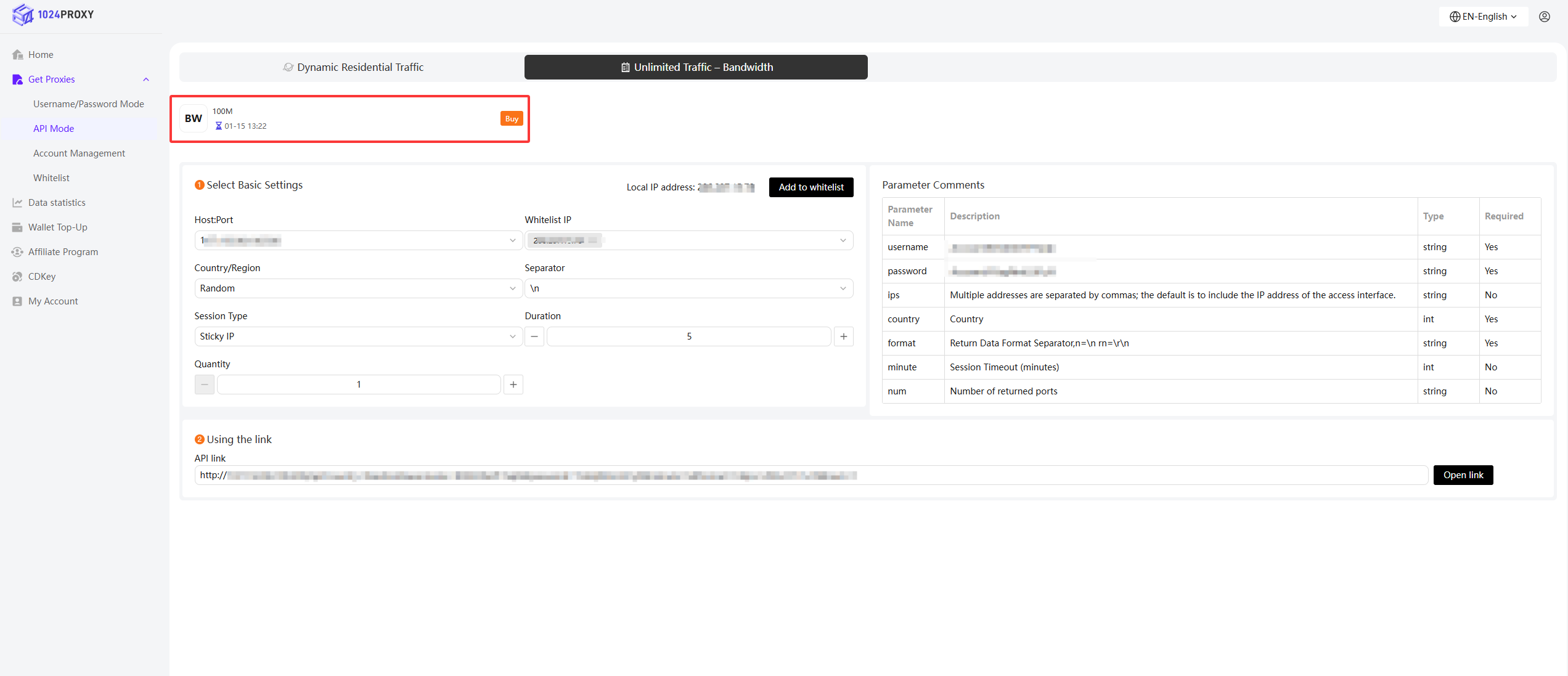
After completing the purchase, click Enter Console to access API Mode.
You can view the purchased Unlimited Traffic & Bandwidth device along with its expiration date.
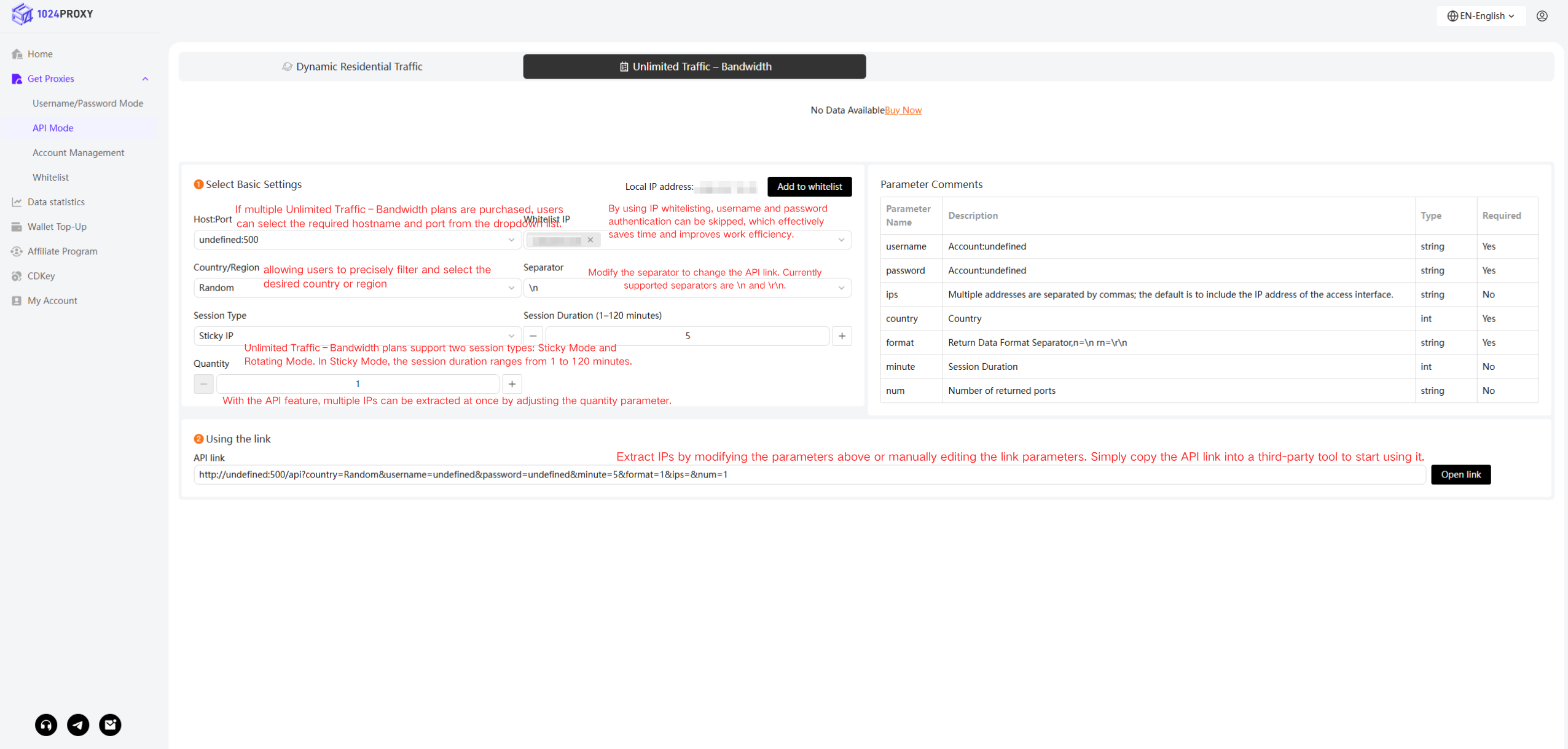
By modifying the parameters below to complete the basic API configuration, you can use the API link to batch-extract the required proxy IPs.
{% endstep %}
{% step %}
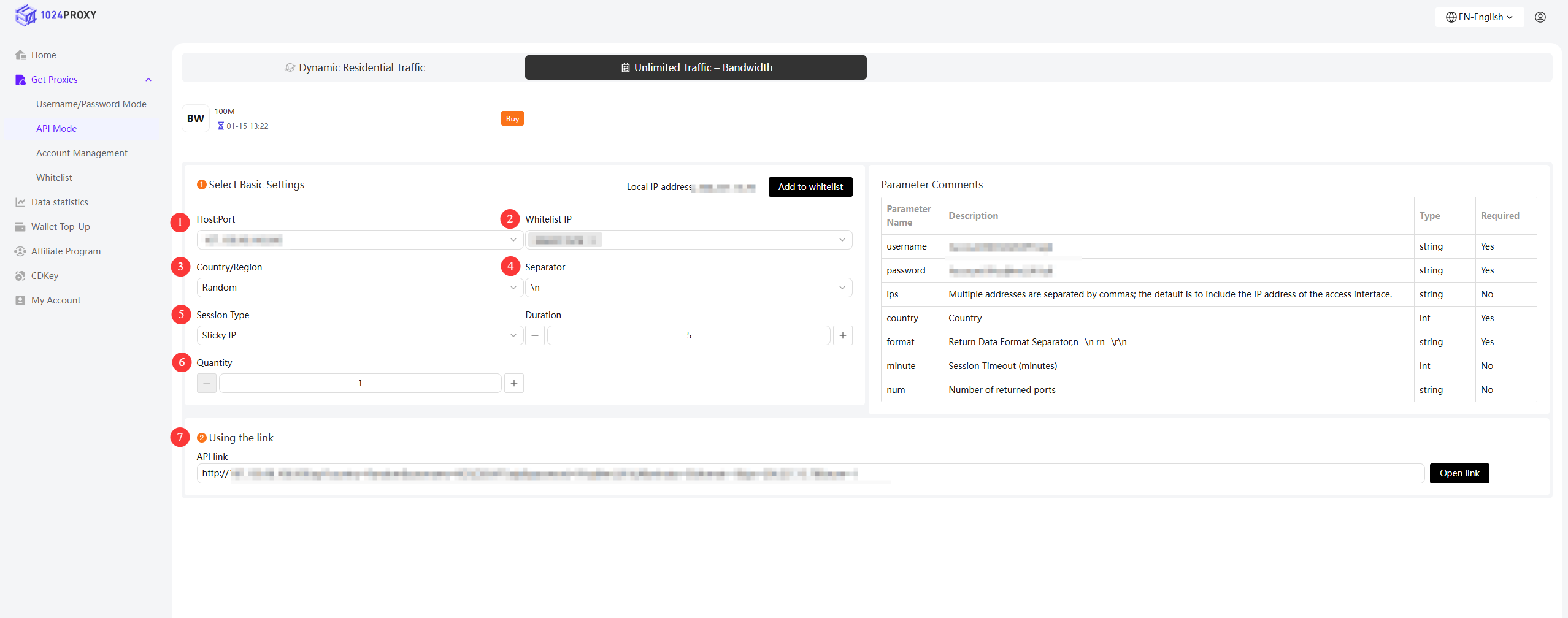
### API Parameter Configuration
1. Hostname : Port\
After purchasing an Unlimited Traffic & Bandwidth plan, a cloud device will be issued to your account.\
If multiple plans are purchased, you can select the desired hostname and port from the dropdown list.
2. Whitelist IP\
Your local IP has already been added to the whitelist.\
1024Proxy supports adding multiple trusted IPs to the whitelist, enabling team collaboration.\
Whitelisted IPs bypass username and password authentication, significantly improving efficiency.
3. Country / Region\
1024Proxy’s Unlimited Traffic & Bandwidth plans allows precise country or region filtering.
4. Delimiter\
Modify the delimiter to change the API output format.\
Currently supported: `\n`, `\r\n`.
5. Session Type\
Unlimited Traffic & Bandwidth plans support Sticky IP and Rotating IP modes.\
Sticky session duration can be set between 1 and 120 minutes.
6. Quantity\
By modifying the quantity parameter, multiple IPs can be extracted in a single API request.
7. Usage Link\
Extract IPs by adjusting the above parameters or manually editing the API URL parameters.\
Simply copy the API link and use it in third-party tools.
{% endstep %}
{% endstepper %}
### Parameter Description Table
| Parameter Name | Description | Type | Required |
| -------------- | ---------------------------------------------------------------------- | ------ | -------- |
| `username` | Account username | string | Yes |
| `password` | Account password | string | Yes |
| `ips` | Multiple IPs separated by commas; defaults to the IP accessing the API | string | No |
| `country` | Country | int | Yes |
| `format` | Response delimiter format: `n=\n`, `rn=\r\n` | string | Yes |
| `minute` | Session duration (minutes) | int | No |
| `num` | Number of returned ports | string | No |