> For the complete documentation index, see [llms.txt](https://help.1024proxy.com/llms.txt). Markdown versions of documentation pages are available by appending `.md` to page URLs; this page is available as [Markdown](https://help.1024proxy.com/unlimited-residential-traffic-bandwidth/username-and-password-authentication.md).
# Username & Password Authentication
### What Is Username & Password Authentication?
Username & Password Authentication is a common and basic authentication method. When using a proxy, users need to enter a username and password in the connection request. The proxy server first verifies the credentials, and only after successful authentication is access to network resources granted.
Key Features:
* ✅ No fixed local IP required — can be used in any network environment
* ✅ Flexible configuration — suitable for multiple users, multiple devices, or automated programs
* ✅ Secure and controllable — passwords can be changed or accounts disabled at any time
### Quickly Overview
### How to Extract IPs Using 1024Proxy’s Username & Password Authentication
Below is a step-by-step guide explaining how to use this feature.
{% stepper %}
{% step %}
### Register and Log In to 1024Proxy
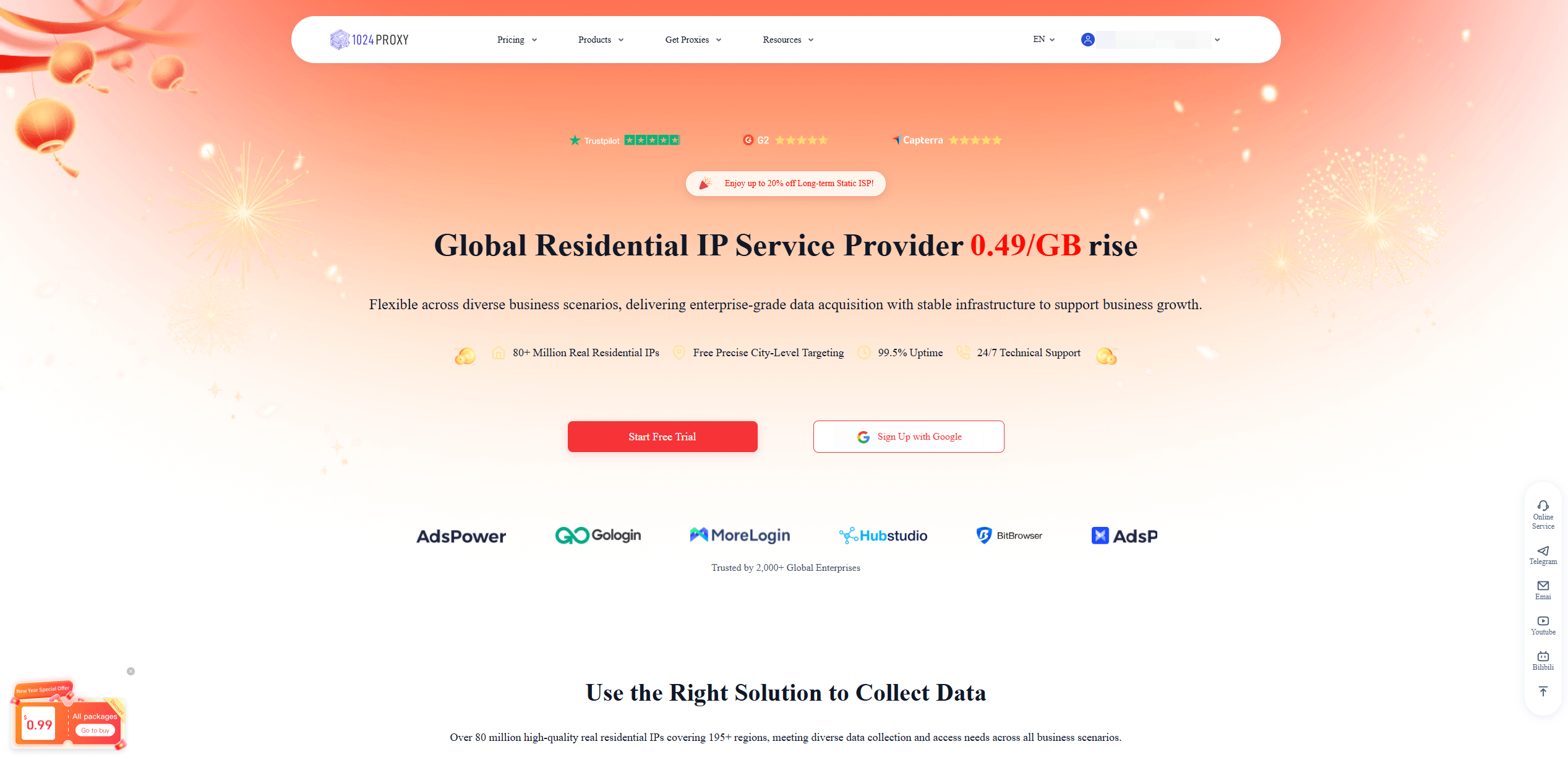
Sign up and log in at:
{% embed url="" %}
{% endstep %}
{% step %}
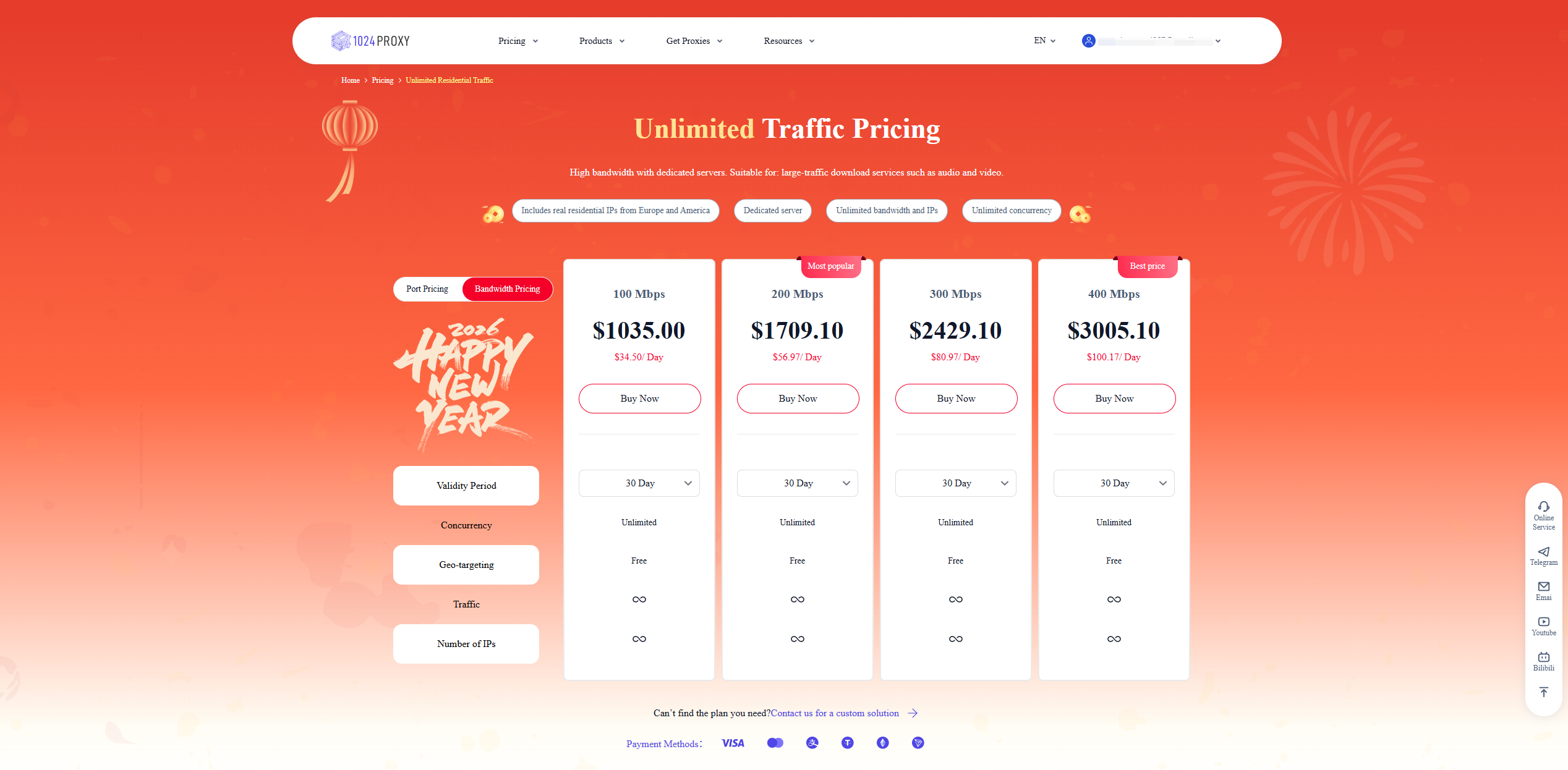
### Purchase Unlimited Residential Proxy – Bandwidth Plan
{% endstep %}
{% step %}
### Go to the Dashboard
{% endstep %}
{% step %}
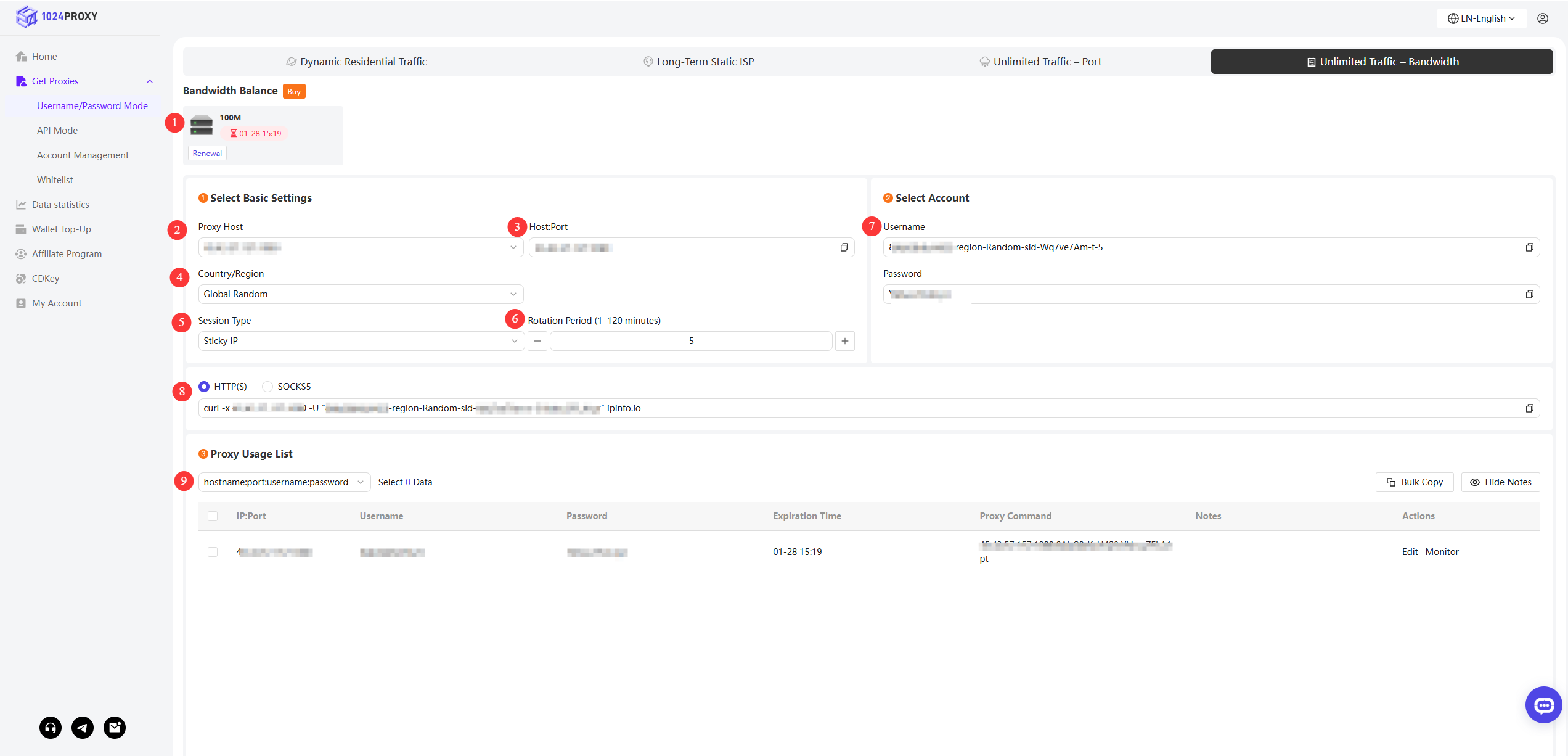
### Filter and Extract IPs
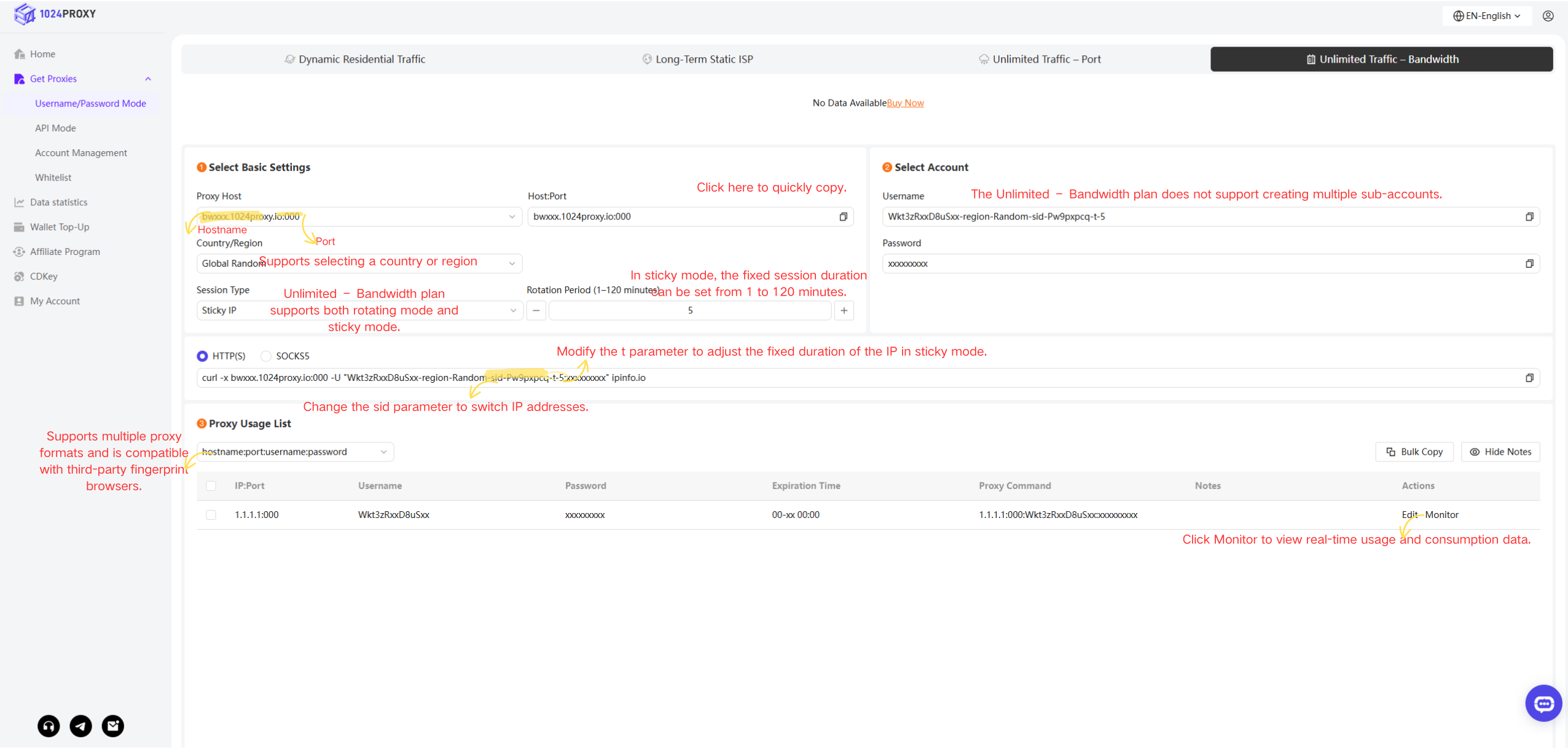
1. Purchased Machines\
This section displays the bandwidth configuration and expiration date of the unlimited bandwidth proxy machines purchased under your account.Click the Renew button to renew the purchased server.
2. Select Proxy Host\
Shows the available proxy hosts and ports. If multiple proxy hosts are purchased under the account, you can select one from the dropdown list.
3. Host : Port\
Based on the selected proxy host, the corresponding host and port will be displayed here.
4. Country or Region\
1024Proxy supports filtering proxy IPs from 50+ countries or regions, meeting a wide range of business needs.
5. Session Type\
Supports both sticky sessions and rotating sessions.
6. Rotation Interval\
For the unlimited bandwidth plan, session duration can be set from 1 to 120 minutes, which is widely used in data scraping and crawling scenarios.
7. Username & Password\
1024Proxy supports only one set of username and password and does not support creating sub-accounts.
8. Protocol Type\
cURL commands for HTTP(S) and SOCKS5 are provided, allowing you to quickly test proxy connectivity in a task or command console.
9. Proxy Format\
1024Proxy offers multiple username/password proxy formats, compatible with most anti-detect browsers and third-party proxy tools on the market.
{% endstep %}
{% endstepper %}